iPump User’s Manual
800009-01 Rev. A 40 wegener.com
Record
Program to
File
The iPump can record incoming programs to stored files for later playback. Up
to three separate programs may be recorded at one time.
NOTE: Record and Play settings are volatile through power cycles. Except for
the Loop Forever playlist setting, these settings will be lost when the iPump
is rebooted. If Loop Forever is selected, then the playlist chosen to loop
forever will begin playing when the iPump returns to service after a reboot.
a) To set up the iPump for program recording, first ensure the appropriate
RF input settings have been selected.
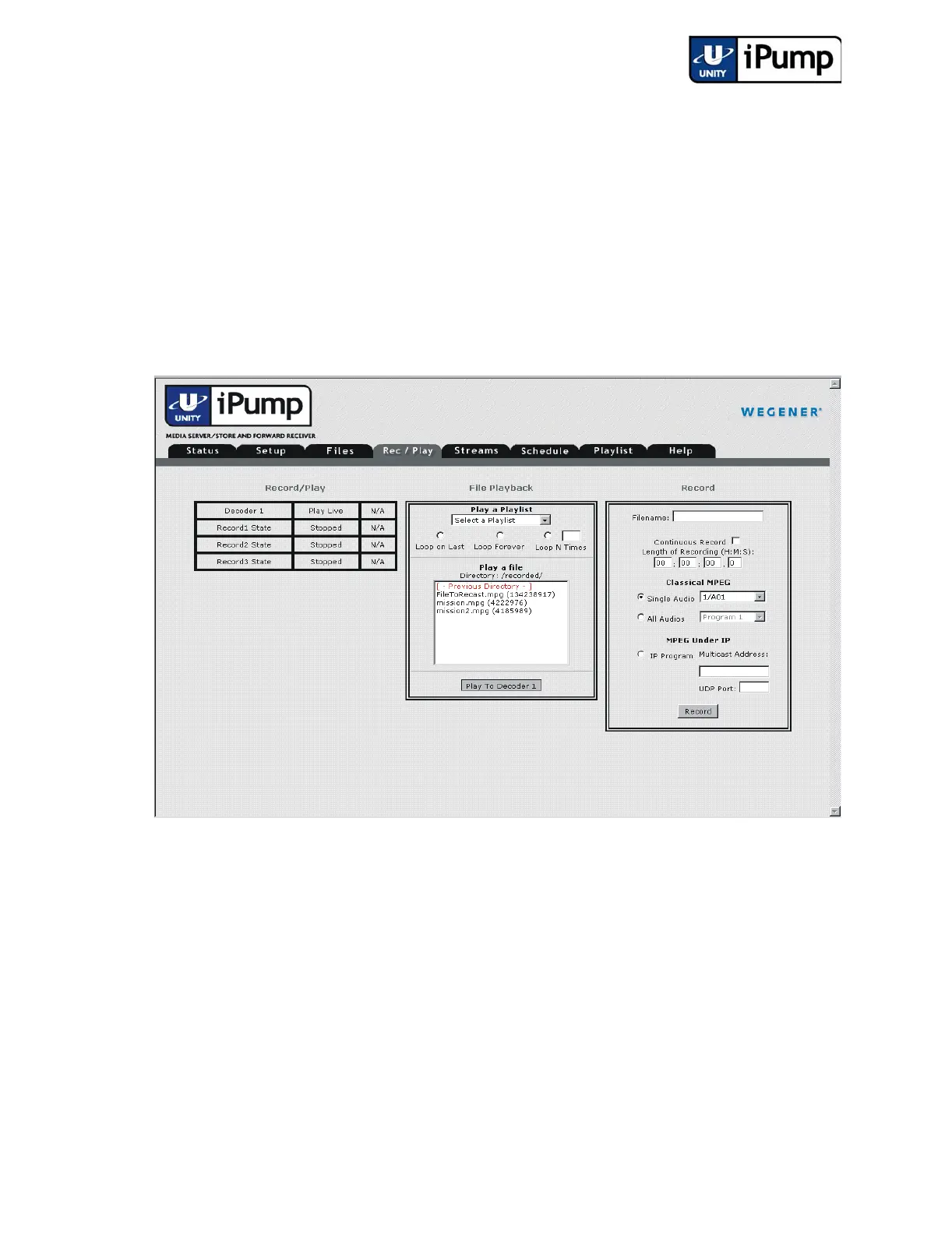
b) Click the Rec/Play tab from your web browser interface.
c) Under Record, in the Filename: box, enter a name for the file you
wish to record. File names are limited to 16 characters. Upper and
lower case letters, numerals, decimals and spaces are allowed, but
leading or following spaces will be truncated (the file name may not
begin or end with a space or spaces).
NOTE: Users should avoid accidentally overwriting an existing file. The
iPump front panel will display a warning message before the Record function
overwrites an existing file with same name but will not prevent overwriting.
d) Next enter a time in the Length of Recording boxes. Enter the
duration of time to record in hours, minutes, seconds (HH:MM:SS),



 To Next Page