iPump User’s Manual
wegener.com 43 800009-01 Rev. A
e) To rename the file, first type the new name in the Rename To: box.
As with recording new files, file names are limited to 16 characters.
Upper and lower case letters, numerals, decimals and spaces are
allowed, but leading or following spaces will be truncated (the file
name may not begin or end with a space or spaces). After completing
the filename, press the Rename To: button to rename the file.
File
Streaming
and Routing
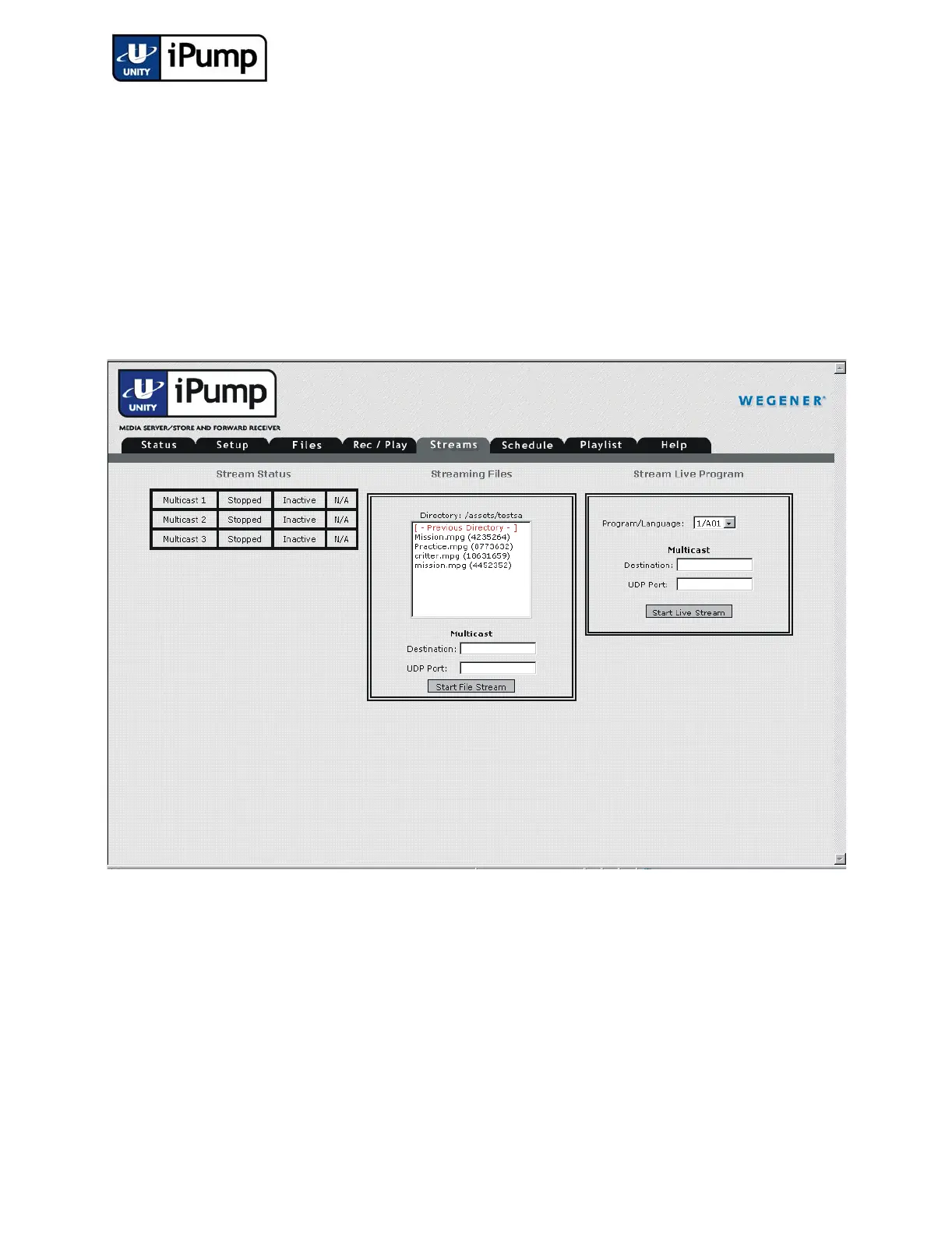
For multicast streaming of stored files, do the following:
a) First, click the Streams tab on the web browser interface.
b) If streaming from an existing file, select a file from the Streaming
Files
list. The name of the current directory is shown just above the list
of files. When displayed, you may double click
[-Previous
Directory-] to view file names in the next higher directory. Or,
double click any selection displayed in red text inside square brackets
(such as [directoryname] ) to move down to that directory level.
NOTE: A file streamed to a destination already receiving a live stream will
supercede the live stream until the file stream has stopped. The live stream, in
progress, will then continue.



 To Next Page