iPump User’s Manual
800009-01 Rev. A 38 wegener.com
d) Next, click the Edit button under Satellite Receive Settings to change
that group’s parameters.
e) After changing the fields as needed, click the Activate button to save
your changes. Any changes will take effect immediately.
f) If you do not wish to make or save any changes, click the Cancel
button and any changes will be discarded.
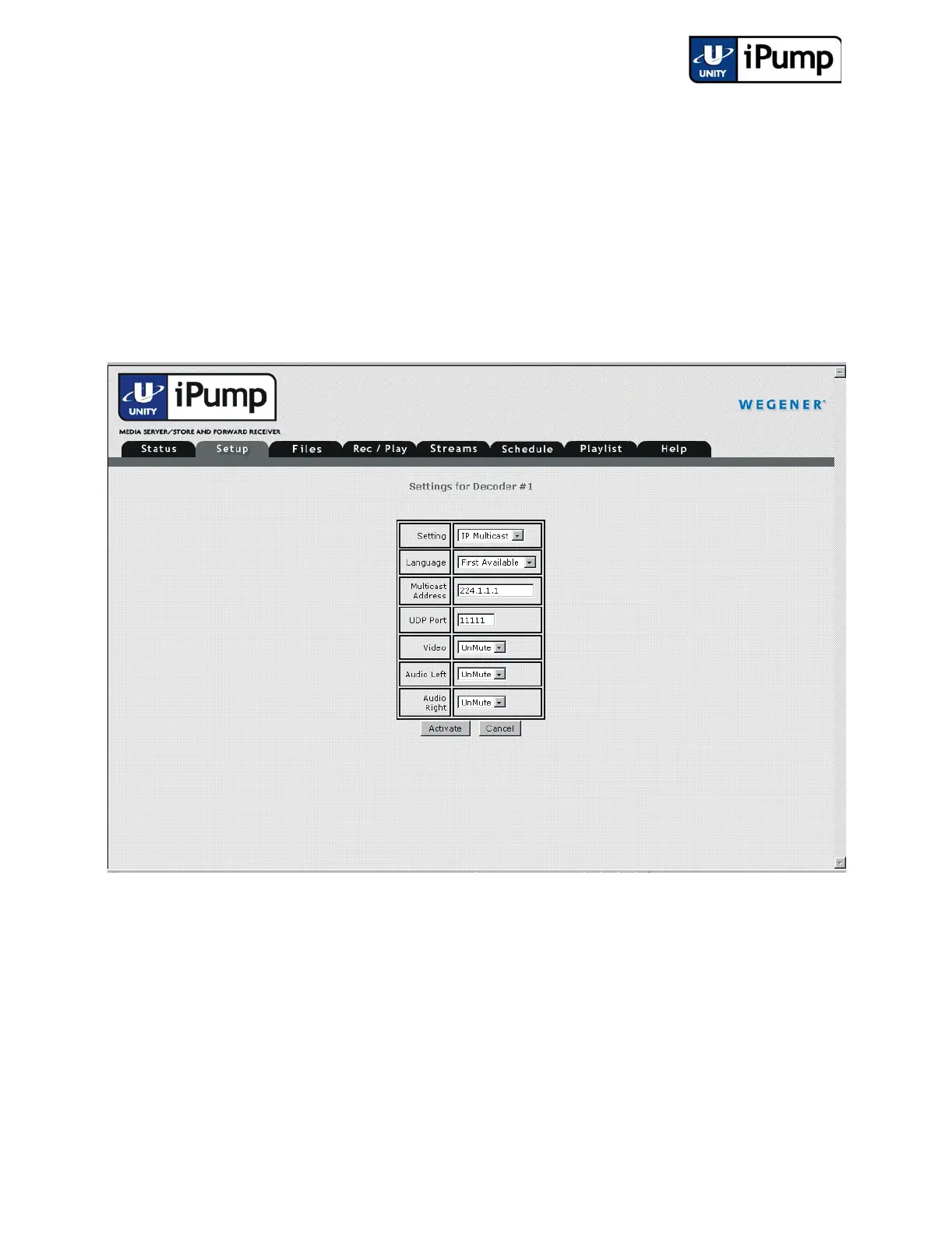
g) Next, click the Edit button under Settings for Decoder #1 (or #2 if
available and desired).
h) Choose a specific DVB program, an IP multicast program, Follow
Tune, or Off from the Setting pull-down menu. The Follow Tune
setting causes the decoder to play whatever DVB program is selected
under Satellite Receive Settings. Audio and video mute options, plus
UDP port and multicast address if multicast is chosen, may also be
selected from this screen. If you don't wish to keep your changes, click
the Cancel button. Otherwise, click the Activate button to make your
changes immediately effective and begin playing the selected program.



 To Next Page