8 Software update
Training manual Convotherm 4 110
8.1.2 Software update
Requirements
Check that the following requirements have been met:
The USB stick containing the software update and any videos is at hand.
The combi steamer is ready for use.
Performing the software update
1.
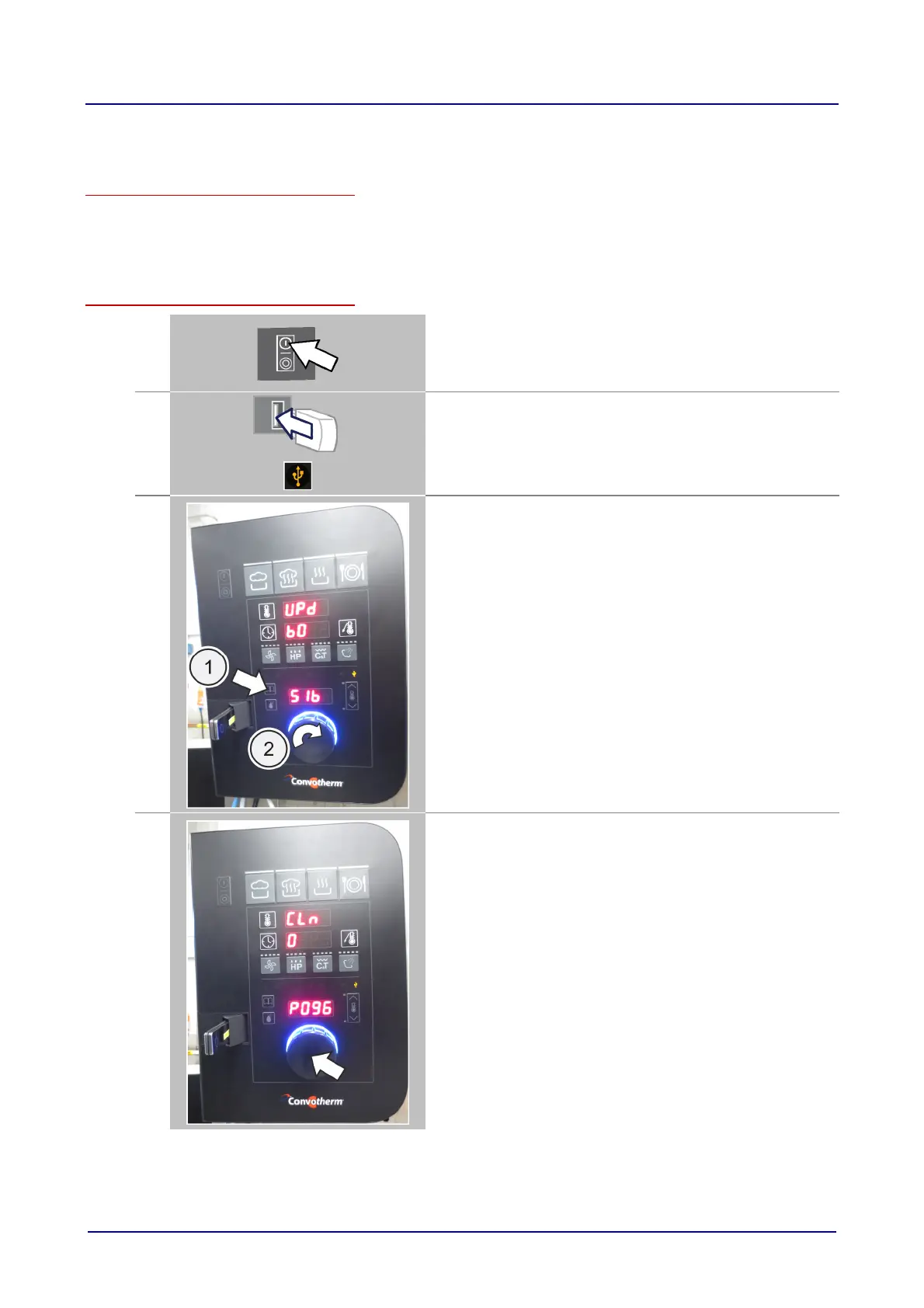
Switch on the combi steamer.
Result:
The Welcome page is displayed.
The C-Dial shows a green light.
2.
Plug in the USB stick.
Result:
The prompt lights up
3.
Press the 'Cookbook' button (1).
Result:
'Upd', 'b0' and 'SIb' appear in the data-input display.
The C-Dial shows a blue light.
If 'Upd' does not appear in the data-input display, turn the
C-Dial until 'Upd' is displayed (2).
4.
Press the C-Dial briefly to run the update.
Result:
The blue light on the C-Dial flashes.
After a short time the C-Dial light stops flashing and stays on
continuously, and the time counts down to 0.
This may take several minutes.













 To Next Page