8 Software update
Training manual Convotherm 4 113
8.2.2 Software update
Requirements
Check that the following requirements have been met:
The USB stick containing the software update and any videos is at hand.
The combi steamer is ready for use.
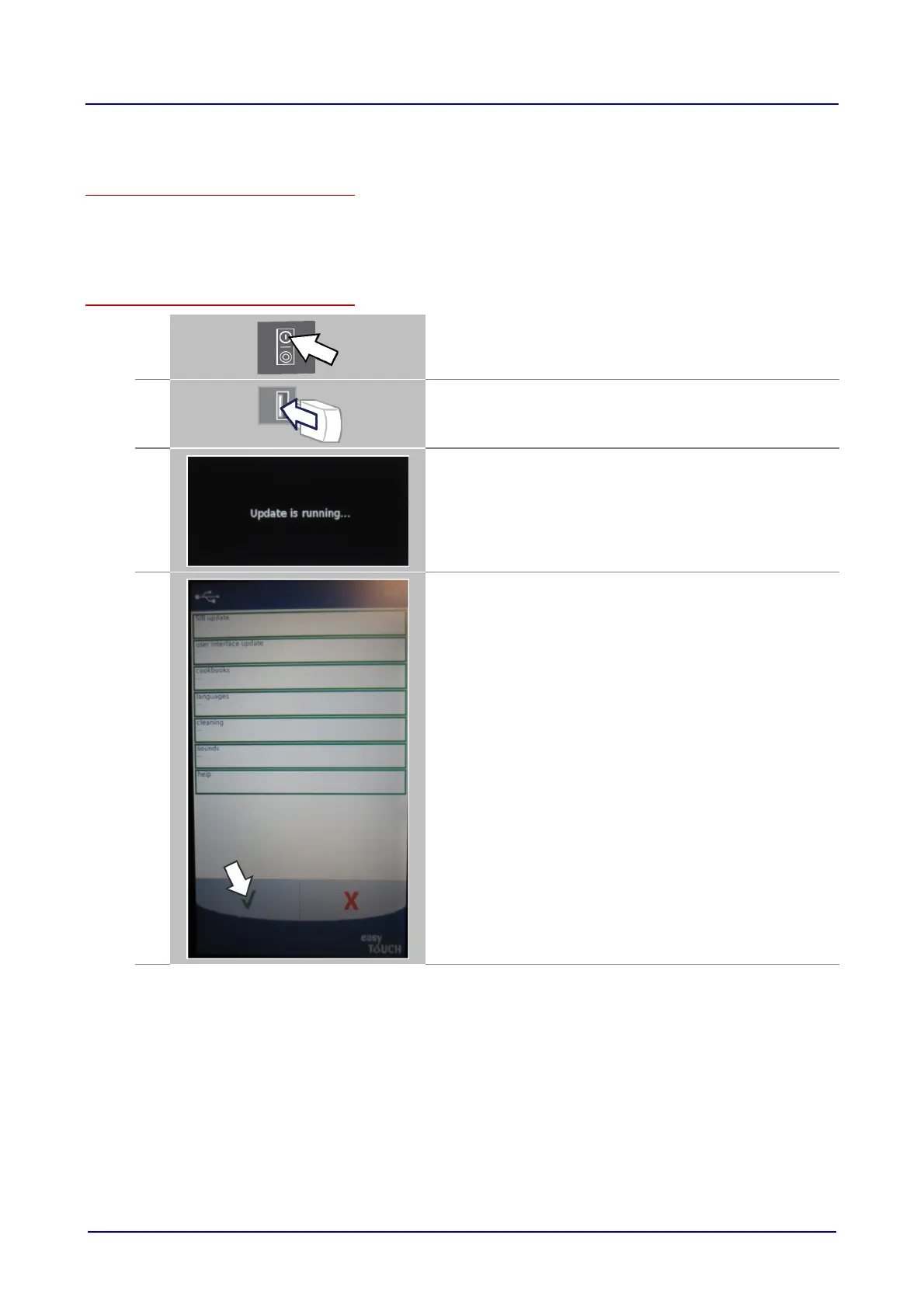
Performing the software update
1.
Switch on the combi steamer.
Result:
The Welcome page is displayed.
2.
Plug in the USB stick and wait for 5 seconds.
3.
The display shows 'Update is running...'.
Wait about two minutes.
3.1
Result:
The software update screen appears.
Confirm your selection.













 To Next Page