8 Software update
Training manual Convotherm 4 116
8.3 Importing cleaning files for easyDial appliances with fully auto-
matic oven cleaning
8.3.1 Preparing for the import
Information
When supplied as a spare part, the UI boards for easyDial appliances are not pre-installed with clean-
ing profiles (cleaning files). These need to be imported after installing the board.
Materials required
You will need the following materials:
the USB stick included with the board.
8.3.2 Importing cleaning files
Requirements
Check that the following requirements have been met:
The USB stick containing the necessary cleaning files is to hand.
The combi steamer is ready for use.
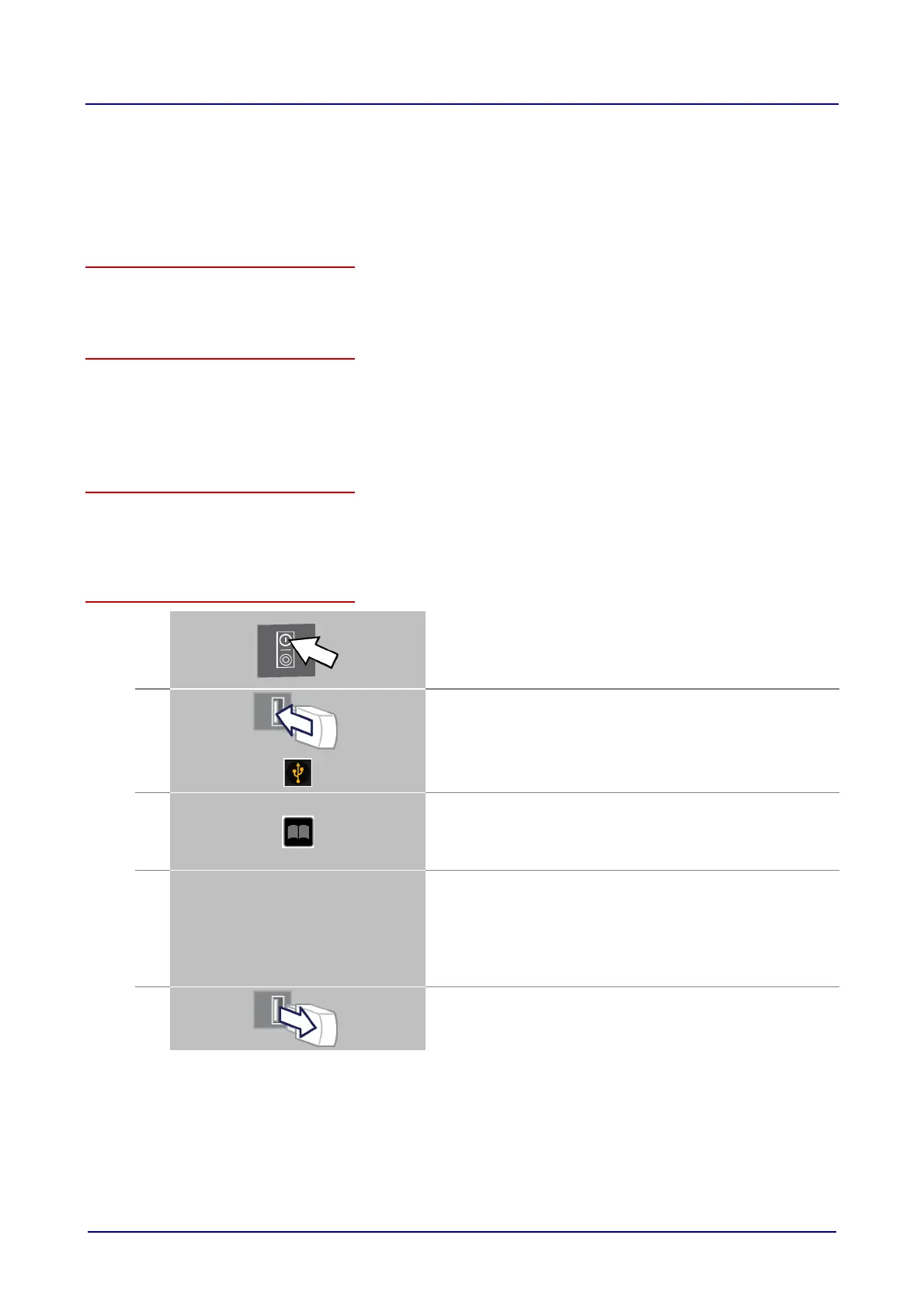
Importing cleaning files
1.
Switch on the combi steamer.
Result:
The Welcome page is displayed.
The C-Dial is illuminated.
2.
Plug in the USB stick.
Result:
The prompt lights up
3.
Press the 'Cookbook' button.
Result:
'Upd' and 'b0' are displayed in the data-input display.
The C-Dial shows a blue light.
4.
Turn the C-Dial until CLn', '11' and 'ln' are displayed
.
Press the C-Dial briefly to start the import.
Result:
The blue light on the C-Dial flashes.
After a short time the C-Dial light stops flashing and stays on
continuously. The import process is complete.
5.
Remove the USB stick and wait until the C-Dial shows a green
light.
The appliance is now ready for use.













 To Next Page