7 Control electronics
Training manual Convotherm 4 95
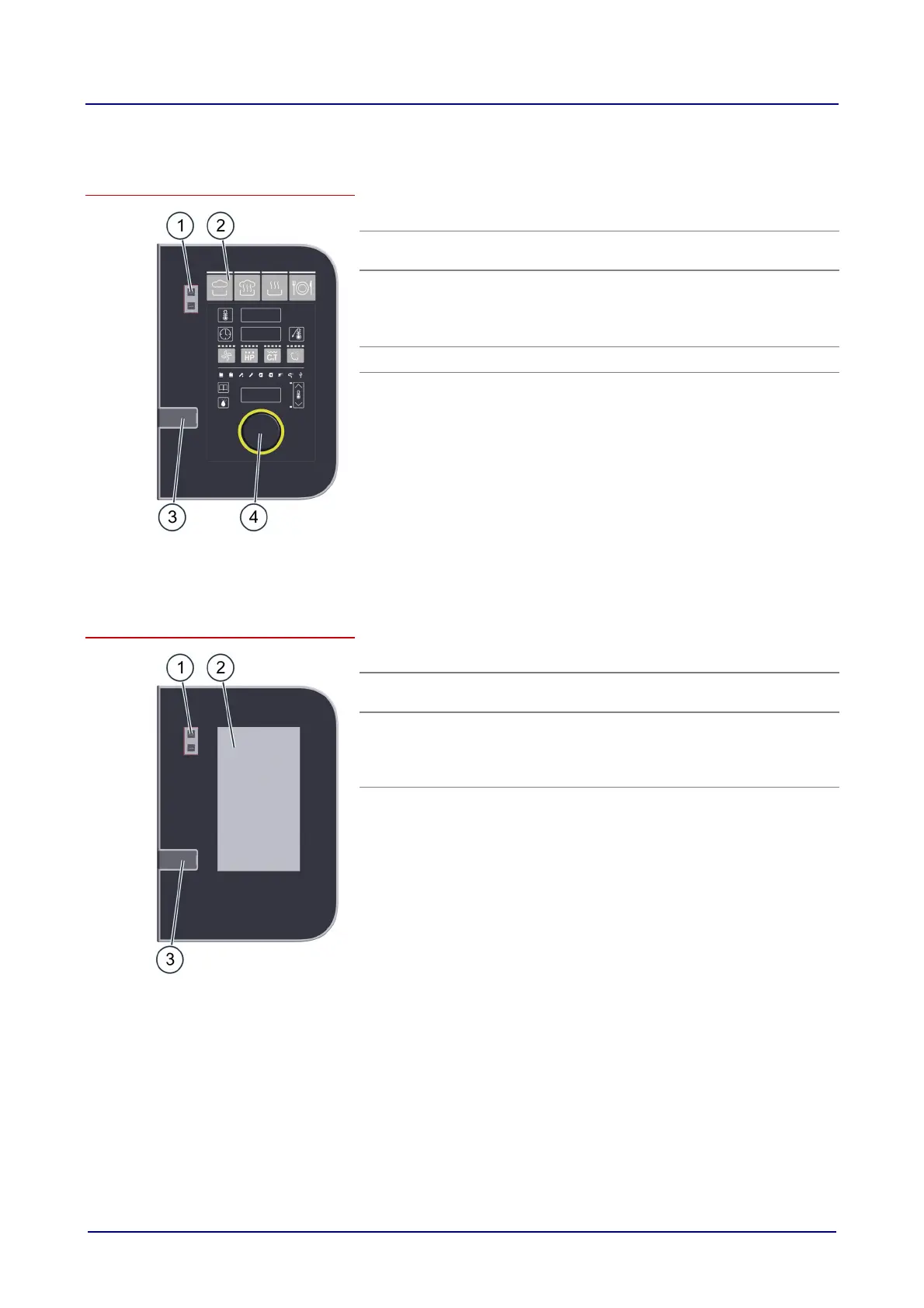
7.1 easyDial
Layout and elements of the easyDial control panel
Item Name Function
1 Appliance
ON/OFF switch
Switches the combi steamer on and off
2
Control panel
Central controls for appliance
Buttons for entering the cooking programs
Displays showing the values you have set
Prompts for the user
3
USB port For connecting a USB stick
4
C-Dial
Combined rotary knob and pushbutton for
adjusting and setting the cooking parameters.
7.2 easyTouch
Layout and elements of the easyTouch control panel
Item Name Function
1 Appliance
ON/OFF switch
Switches the combi steamer on and off
2 Full touchscreen
display
Central controls for appliance
Appliance operated by touching icons on the
control panel (full touchscreen display)
Status displays
3
USB port For connecting a USB stick













 To Next Page