5 Service programs
Training manual Convotherm 4 67
5.2 easyTouch
5.2.1 Running the Service program
The Service mode software was developed for After Sales Service and designed for authorized and
trained Field Service Engineers to aid fault diagnosis.
Therefore opening Service mode will disable all automatic software functions that normally run in the
background and will inhibit error-message generation.
This means that with the door open and the suction panel removed, the oven heater or the fan may
start running for instance --> risk of injury, risk of burns
It is also possible to switch on the boiler heating element, for instance, without water being in the boiler
--> event. Boiler sensor and boiler heating element may be irreparably damaged.
When in Service mode, take care to keep yourself safe and to avoid potentially irreparable damage to
the appliance.
If you are not certain what precautions you should take in Service mode, please contact Convotherm
After Sales Service.
Please note:
Making changes to the Service value settings without suitable technical knowledge may result in
damage to the combi steamer.
Unauthorized changes in the Service menu may void the guarantee.
1.
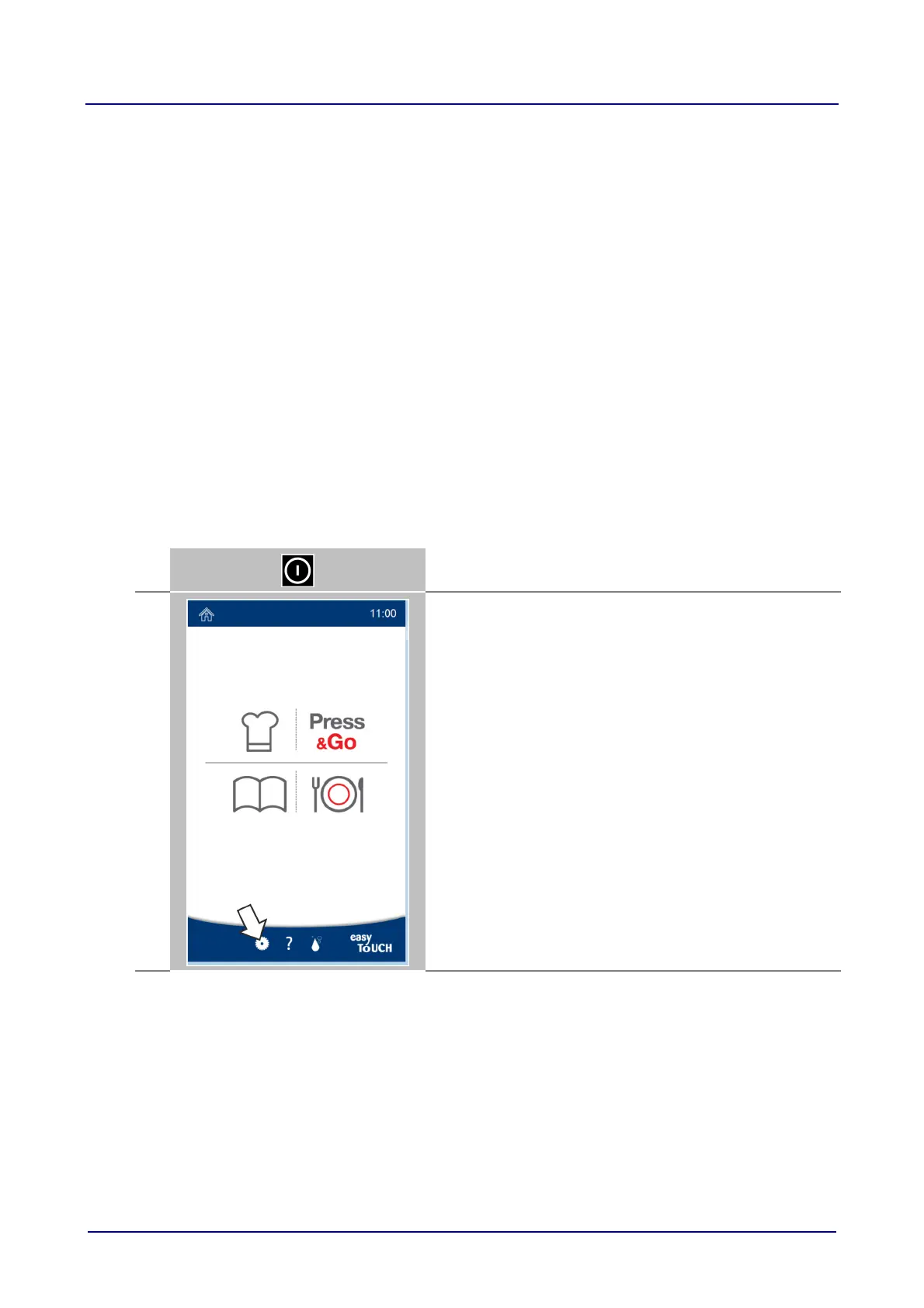
Switch on the combi steamer.
2.
Press the 'Settings' button on the home page.













 To Next Page