25
Installation and commissioning
704 67 020 00 _ 111
OPERATING INSTRUCTIONSGF Robimat XL / XM
Refer to chapt. 6.1 for information relating to the software
• Open the door and insert the service key.
• Access the main menu [INSTALLING MODE] M7: [ M ] - [ 7 ] - [ E ].
• Press [ M ] once to access the [CREDIT SYSTEM]. Press [ E ] to enter.
• Press [ 1 ] to make your selection:
[MDB] - [Key system] - [Free Vend] -[BDV-Executive] - [BDV dual] - [MDB] ...
• Press [ E ] to enter.
• Return to the main menu by pressing [ M ] + [ L ].
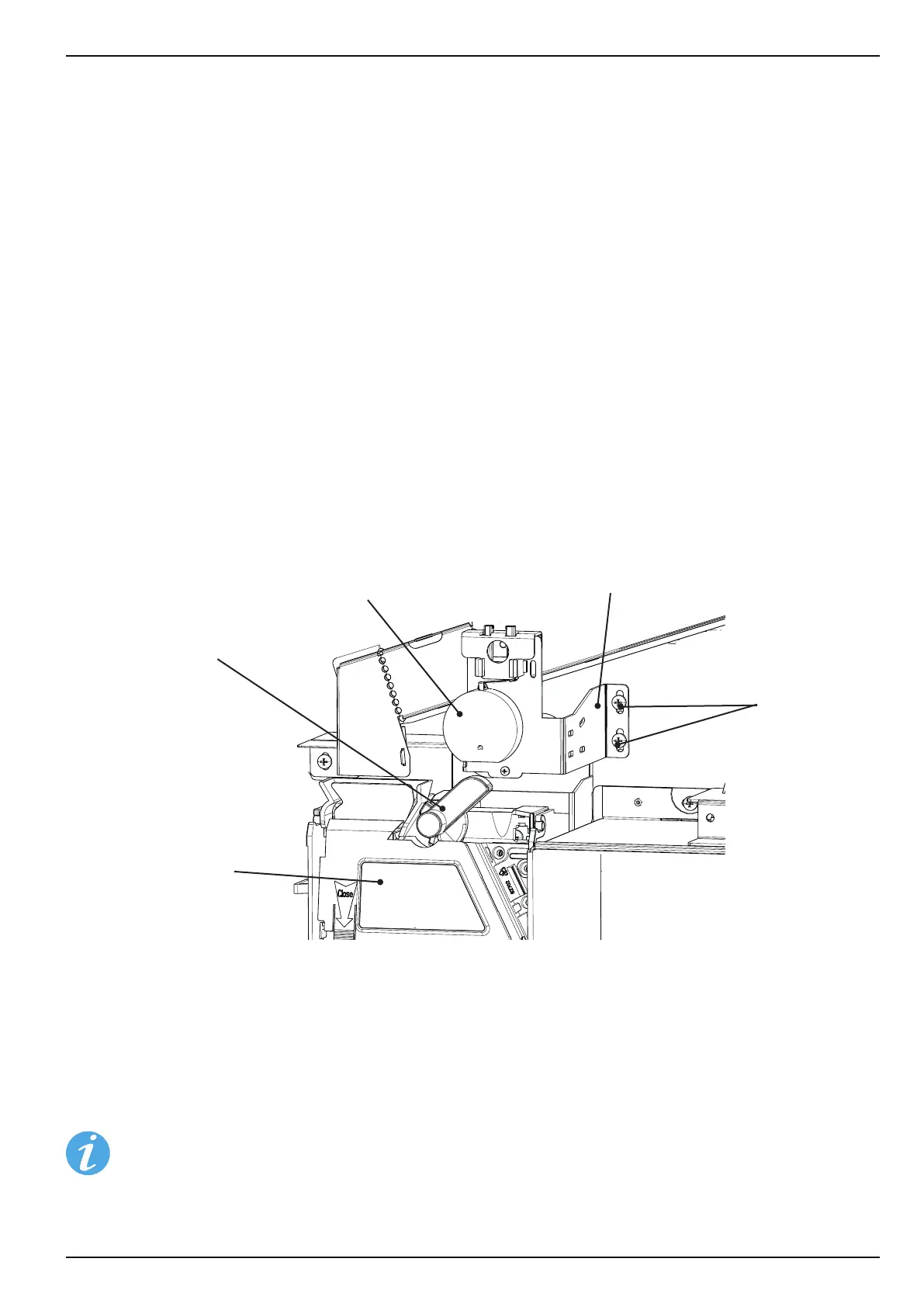
Setting the motorised coin return depends on the coin mechanism used. This is why the support plate with the return
motor can be moved up and down. Adjust the motorised coin return so that the return lever on the coin mechanism is
rmly activated when pressing the return button [ R ]. To make this adjustment the service key must be used.
When the return button [ R ] is activated by the customer, the eccentric disk must make a full rotation in order to
operate the return lever suciently to refund any coins inserted.
Screws
Holding plate
Coin mechanism
Refund lever
Eccentric disk
On rst-time lling approx. 10 coins should be inserted into each coin tube (sleeping coins). The number of coins
required depends on the coin mechanism that is used and the settings in the [INSTALLING MODE] menu M7.
Press [ M ] - [ 8 ] - [ E ] - [ E ] in succession on the programming keys.
Now, ll each tube with 10 coins. The coin mechanism counts the value of the coins inserted. As soon as the coin
mechanism reaches the minimum number of coins, the machine goes into vend mode.
When using a banknote reader the amount of coins in the coin mechanism must be checked and, if
necessary, lled up so that there is always sucient change.



 To Next Page