47
Machine control board, Software
704 67 020 00 _ 111
OPERATING INSTRUCTIONSGF Robimat XL / XM
CHECK
←L SEL. M→ :E
INSTALLING MODE
←L SEL. M→ :E
INSTALLING MODE
> MACHINE
INSTALLING MODE
> CREDIT SYSTEM
INSTALLING MODE
> READOUT
INSTALLING MODE
> COIN MECHANISM
INSTALLING MODE
> CARD READER
INSTALLING MODE
> BILL VALIDATOR
M
7
E
MM M
M
M
M
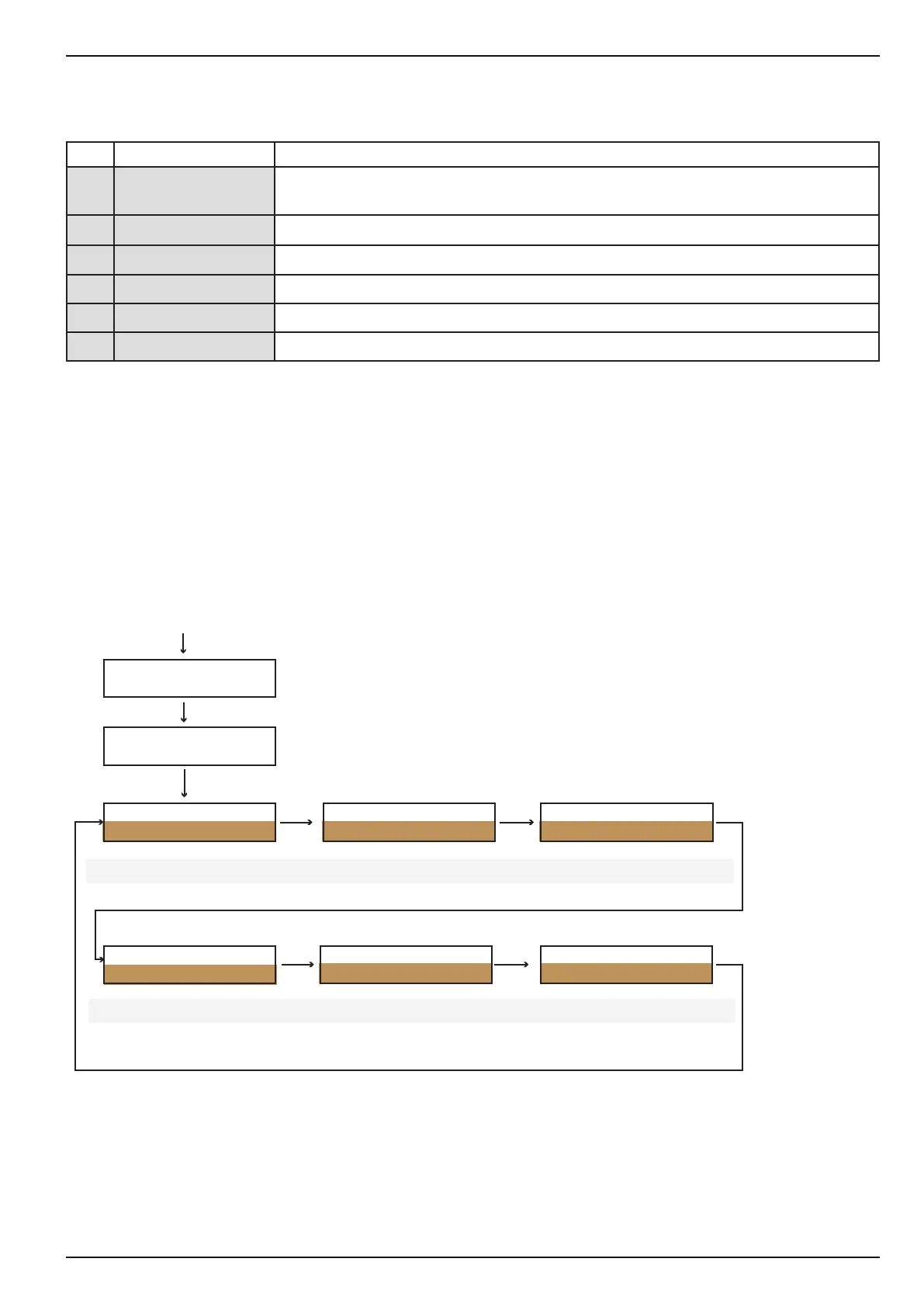
Machine parameters are programmed in the [INSTALLING MODE ] menu. There are 6 sub-menus.
1 [MACHINE]
Basic machine settings, which aect the dialogue with the user, e.g. language, age
verication, security codes etc.
2 [CREDIT SYSTEM]
General settings for coin changers, card systems and banknote readers
3 [READOUT]
Conguration and statistical data readout
4 [COIN MECHANISM]
Refers to the coin mechanism settings (coin changer)
5 [CARD READER]
Settings for payment systems such as e.g. microtronic ®, fage ® coges ®
6 [BILL VALIDATOR]
Refers to banknote settings
• To select a sub-menu use the [ M ] button. Press [ E ] to open a sub-menu.
• The availability of individual functions in the sub-menus depends on the credit systems connected.
• The next selection eld in the sub-menu can be selected by pressing [ 1 ]. Conrm your selection by pressing
[ E ].
see chapter 6.4.8.1 on
page 48
see chapter 6.4.8.2 on
page 51
see chapter 6.4.8.3 on
page 53
see chapter 6.4.8.4 on
page 55
see chapter 6.4.8.5 on
page 57
see chapter 6.4.8.6 on
page 59



 To Next Page