45
Machine control board, Software
704 67 020 00 _ 111
OPERATING INSTRUCTIONSGF Robimat XL / XM
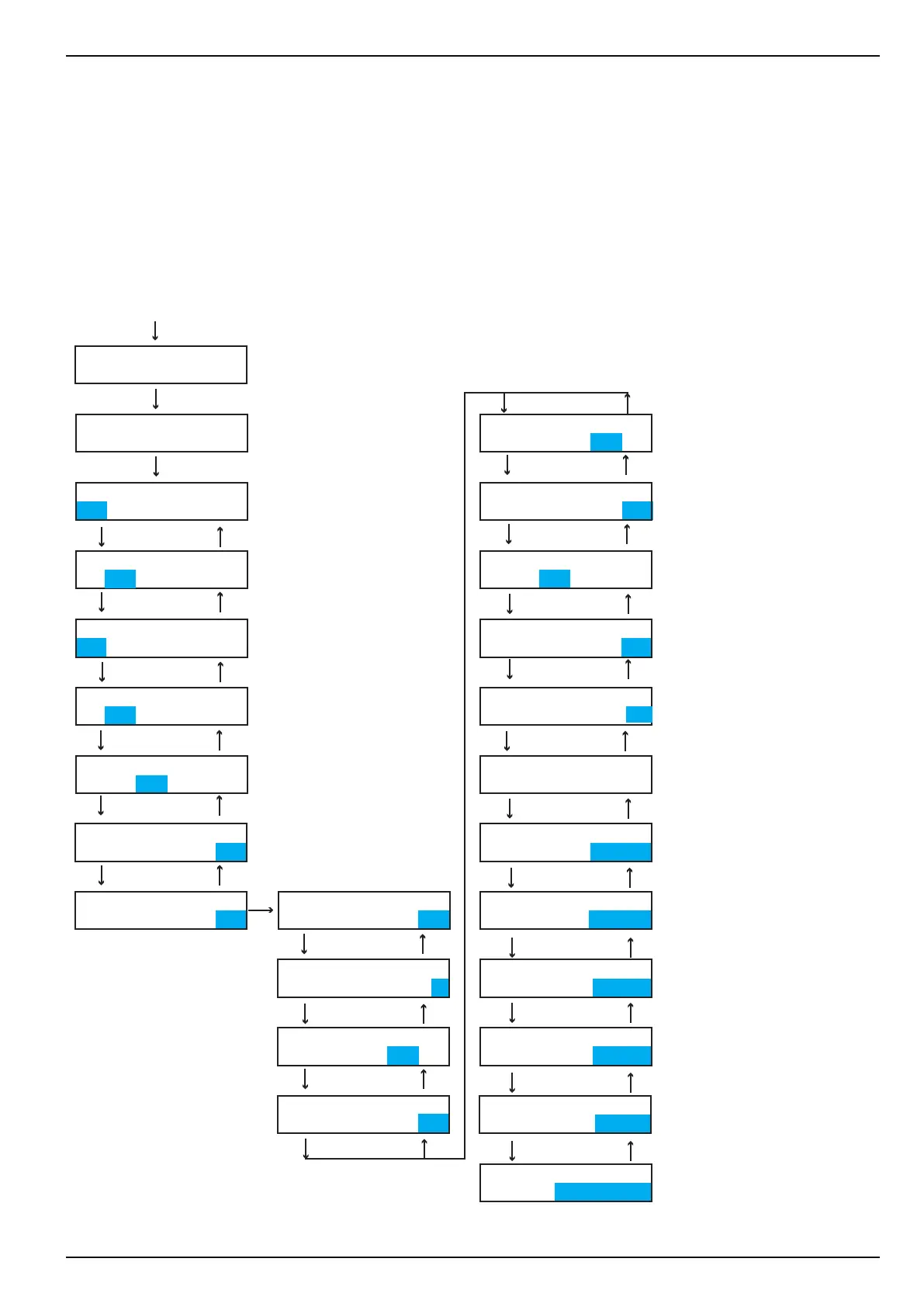
In the menu [PROG.TIME/LOCKS] the [HOUR] as well as the [DATE] is entered. This information is entered in the
current input eld using the selection keypad.
The control board automatically calculates the [DAY OF WEEK].
In addition, [LOCKING] can be programmed in this menu. During programmed locking times vends cannot be made.
6
E
E L
E L
E L
E L
E
L
E L
E L
E L
E L
2
E L
E L
E L
E L
E L
E L
E L
E L
E L
E L
E L
E L
E
L
CHECK
←L SEL. M→ :E
PROG. TIME/LOCKS
←L SEL. M→ :E
TIME
09:23:21
TIME
09:23:21
TIME
17.01.13
DATE
17.01.13
DATE
17.01.13
ILLUMINATION
TO 18.30
ILLUMINATION
FROM MO TO MO
yes=1, no=0
LOCKING? 1
yes=1, no=0
AUTO SET? 0
LOCKING
1: FROM 22.00
DAY OF WEEK
MO-SU = 1-7: TH
off/on/time=0-2
ILLUMINATION? 1
ILLUMINATION
TO 18.30
ILLUMINATION
FROM MO TO MO
LOCKING
1: to 06.00
LOCKING
2: FROM 22.00
off/on/time=0-2
ILLUMINATION? 2
yes=1, no=0
AUTO SET? 0
ILLUMINATION
FROM 07.30
ILLUMINATION
FROM 07.30
LOCKING
2: to 06.00
LOCKING NO. 4321
MO ACTIVE : 1111
LOCKING tyYHF--L
SEL.10 00010000



 To Next Page