public 15
om_yxm_usage.fm document release 1.1 last updated 30/9/15
Using the YOXIMO
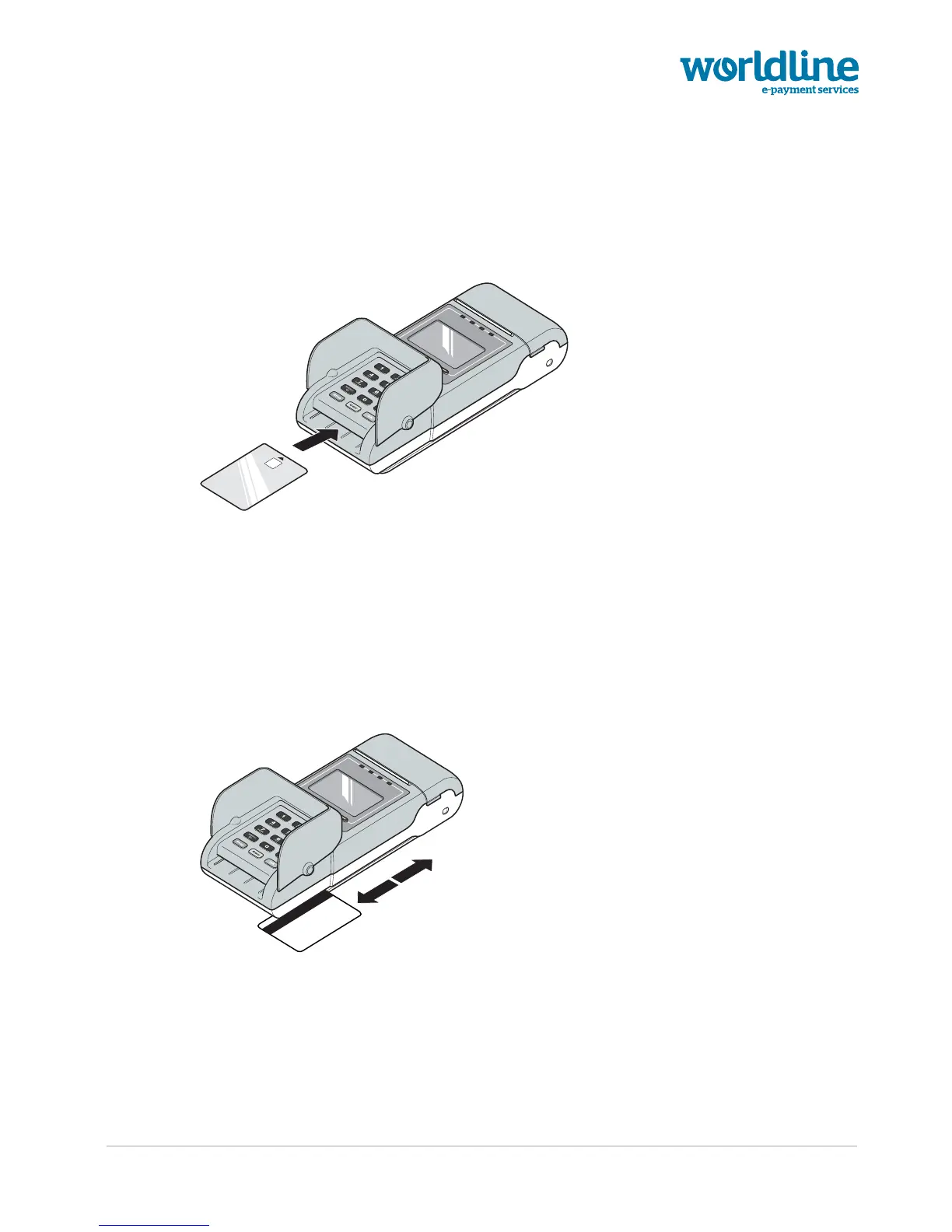
Reading a chip card
Figure 15. Inserting a chip card in the terminal
To read a chip card:
1. Put the privacy shield in the upright position.
2. Insert the chip card face-up in the slot at the front side of the terminal, as shown by the
pictogram
Reading a magstripe card
Figure 16. Swiping a magstripe card through the card reader
To swipe a magstripe card:
1. Put the privacy shield in the upright position.
2. Swipe the card through the reader located at the righthand side of the terminal.
Hold the card with the stripe upward, as indicated on the pictogram on the terminal



 To Next Page