YOXIMO owner manual
8 public
last updated 30/9/15 document release 1.1 om_yxm_installation.fm
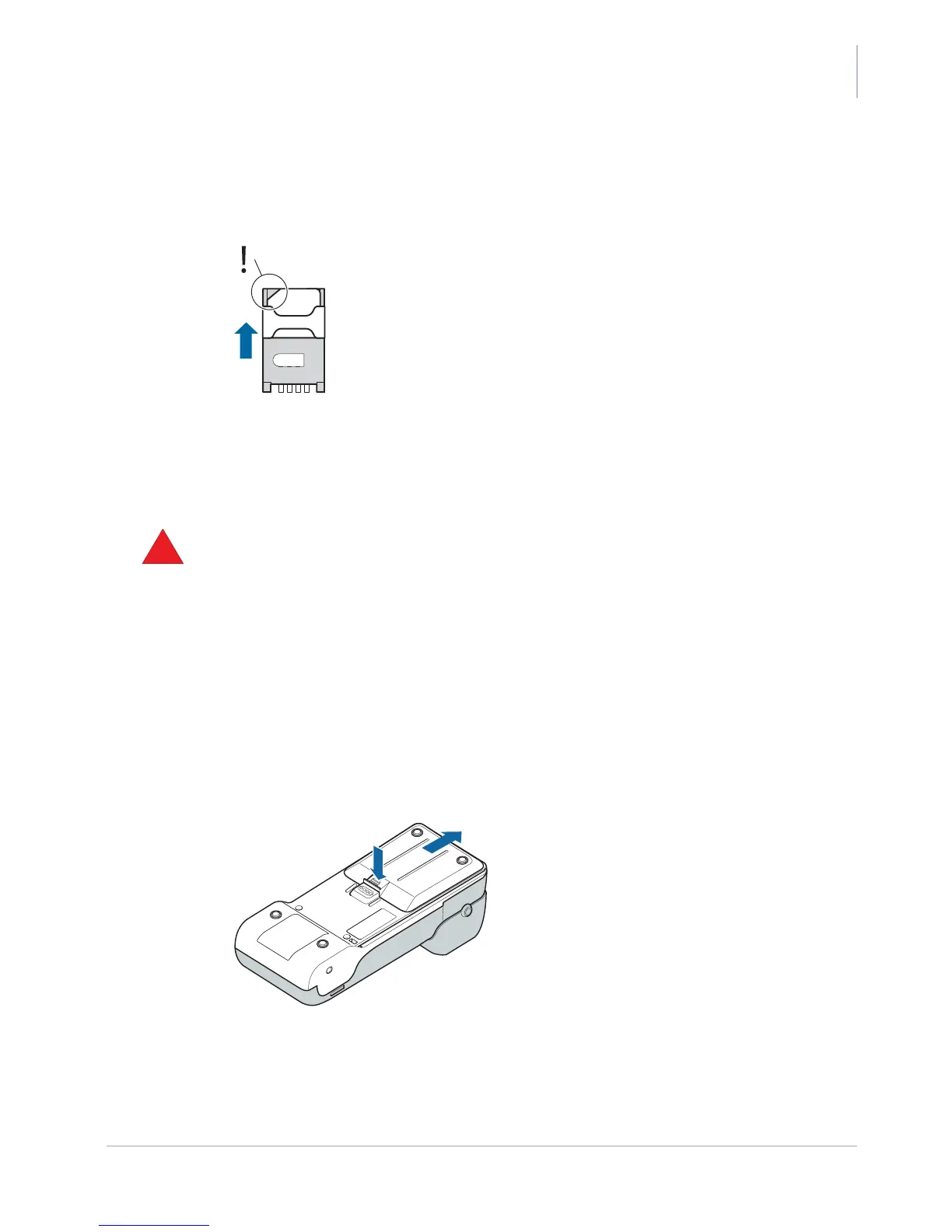
4. Close the holder.
Make sure the bevel fits behind the corner, then shift the latch up until you hear a click.
5. Make sure that all holders (SIM and SAM) are closed.
Figure 6. Closing a SIM / SAM holder
6. Put the battery back in its recess and close the battery cover again.
Fitting the battery
•
never operate the YOXIMO terminal without a battery
Trying to operate the terminal without a battery will damage the terminal.
• only use the battery that is supplied with your YOXIMO
• to get the best performance from the battery, make sure it is at room temperature (20°C) when
operating YOXIMO
• do not touch the terminal battery contacts
To install the battery:
1. Put the PIN privacy shield in the upright position.
2. Remove the battery cover at the rear side of the terminal.
Press with your thumb on the top of the battery cover to release it, then slide the cover
backwards.
Figure 7. Opening the battery cover
3. Lower the battery into its recess.



 To Next Page