public 3
om_yxm_description.fm document release 1.1 last updated 30/9/15
About the YOXIMO
This chapter gives an overview of the terminal.
• for information on the power supply options, see Power supply and power consumption, on
page 19, and Powering the cradle, on page 32.
• for information about accessories, see Carrying case and cradle, on page 23
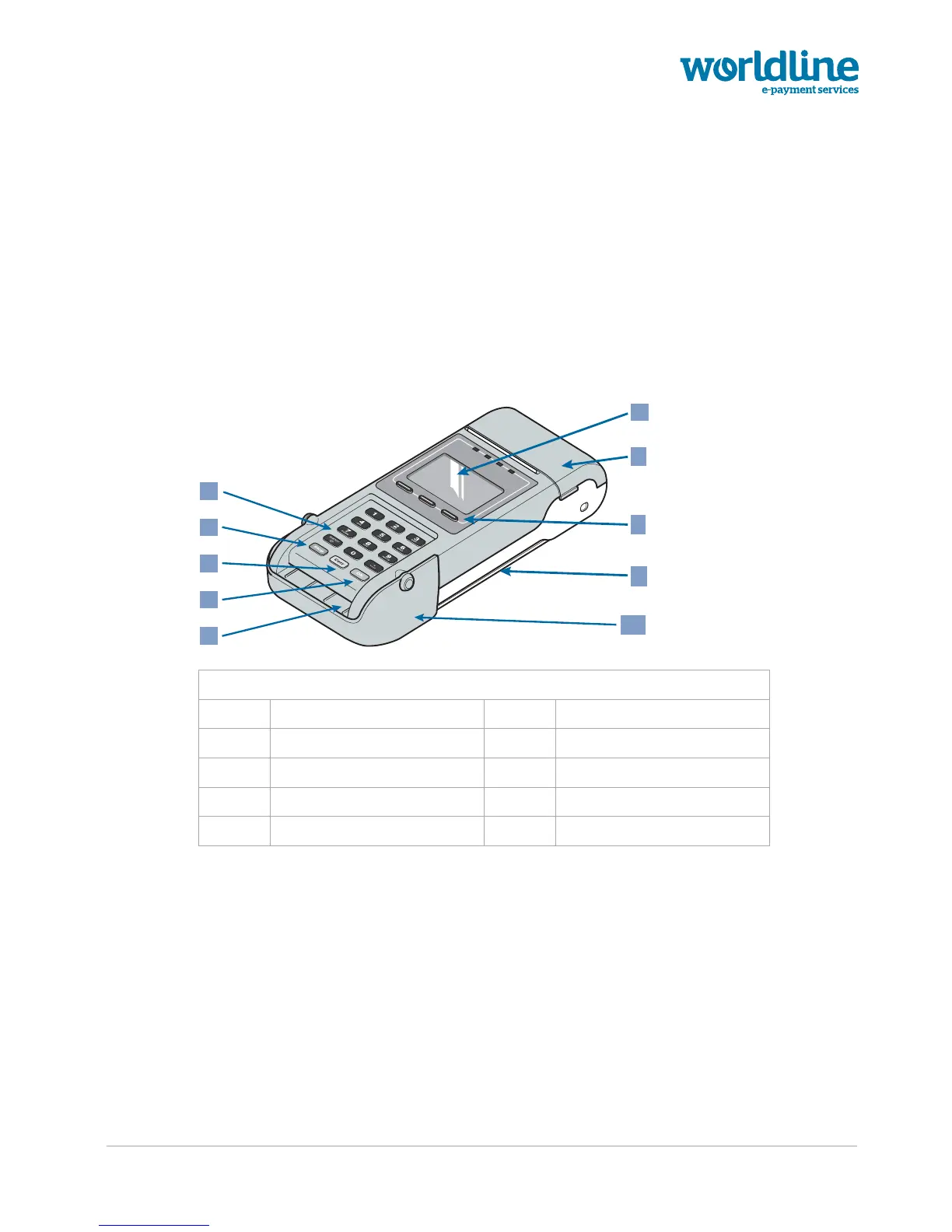
Terminal – top view
Figure 1. Terminal (PIN privacy shield closed)
1 keypad 6 display
2 Corr / On / reset button 7 printer cover
3 Stop / power-down button 8 function keys
4 OK button 9 magstripe-card reader
5 chip-card reader 10 PIN privacy shield
7
8
9
10
2
1
3
4
6
5



 To Next Page