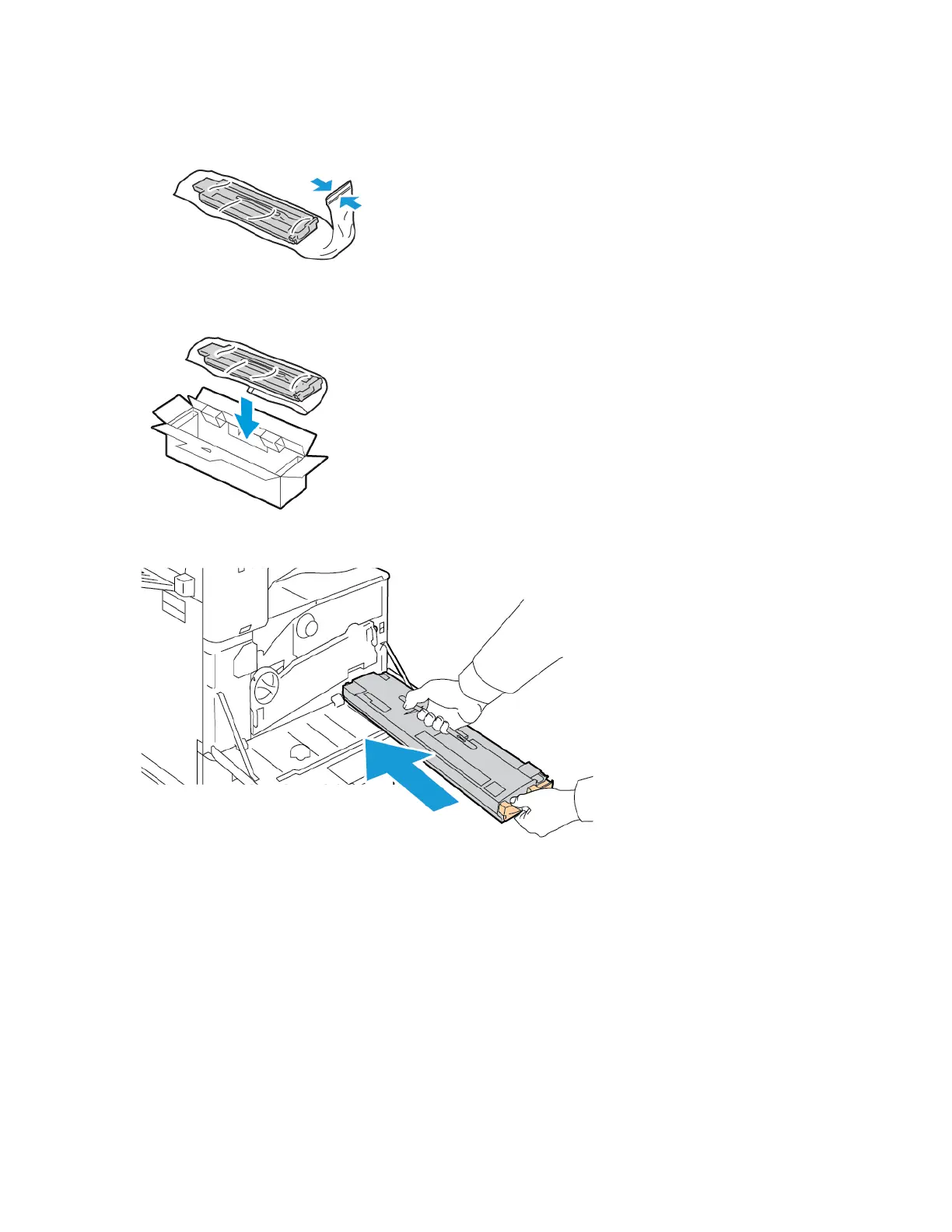
4. Place the used waste container in the plastic bag, then seal the bag firmly using the zipper.
5. Place the used waste container in the empty box.
6. Hold the left side of the new waste container and slide it into the printer until it clicks.
7. Clean the printhead lenses. For details, refer to Cleaning the Printhead Lens.
Xerox
®
AltaLink
®
B8145/B8155/B8170 Series Multifunction Printer User Guide 249
Maintenance


 To Next Page
 Loading...