Troubleshooting 222
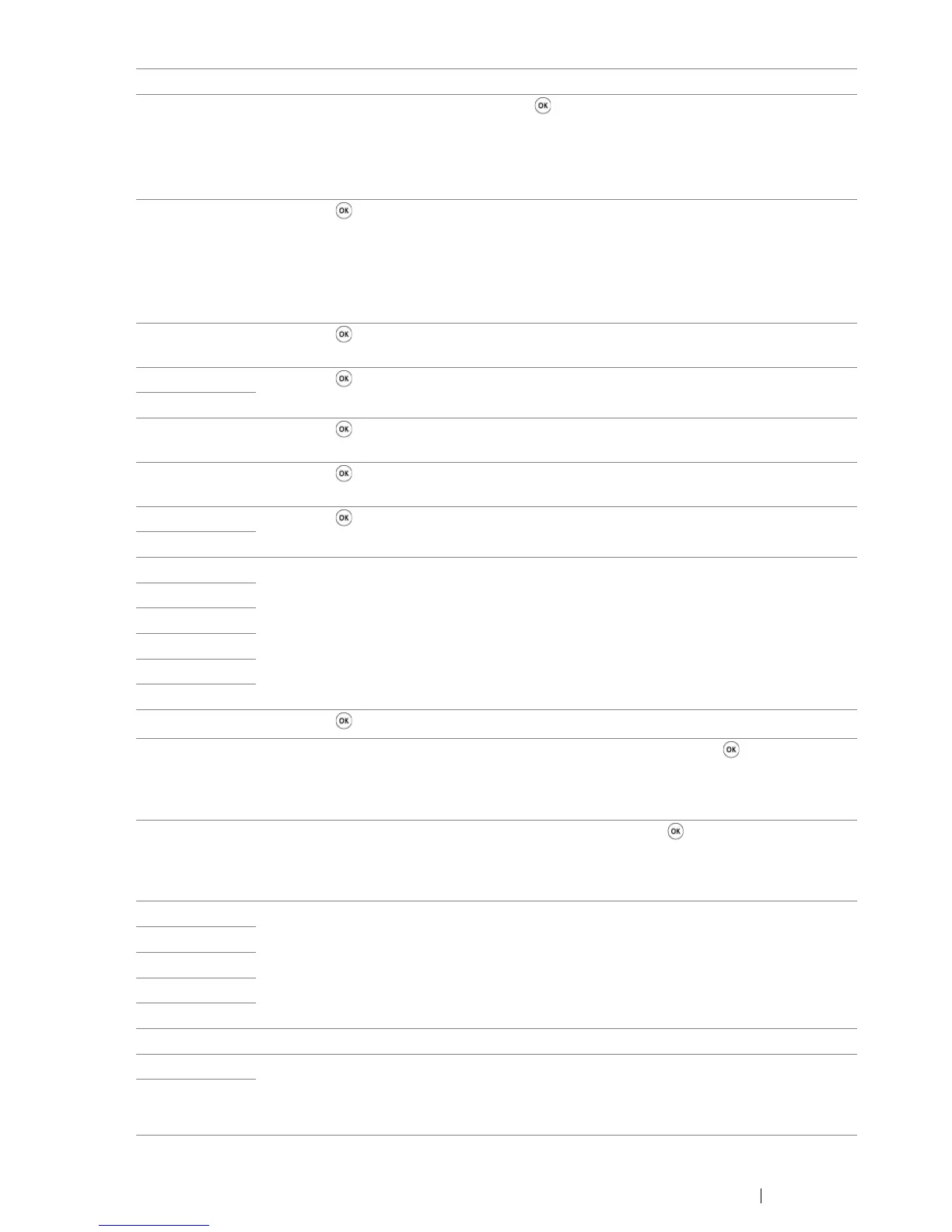
024-958 Load the specified paper and press the button to clear the message.
See also:
• "Loading Print Media in the Multipurpose Feeder (MPF)" on page 74
• "Loading Print Media in the Priority Sheet Inserter (PSI)" on page 81
024-963 Press the button to clear the message and load the specified paper. Follow the on-
screen instruction if one appears.
See also:
• "Loading Print Media in the Multipurpose Feeder (MPF)" on page 74
• "Loading Print Media in the Priority Sheet Inserter (PSI)" on page 81
026-720 Press the button to clear the message. Check if the USB memory device has
enough memory.
026-721 Press the button to clear the message. Check if the USB memory device can store
data.
026-722
026-723 Press the button to clear the message. Check if the path and file name to save the
data is too long.
026-750 Press the button to clear the message. Check if the interface cable is securely
connected, or restart the application you use.
026-751 Press the button to clear the message. Check if the interface cable is securely
connected.
026-752
041-340 Turn off the printer, and then on. If this does not solve the problem, contact the Fuji
Xerox local representative office or an authorised dealer.
See also:
• "Online Services" on page 261
042-358
042-372
061-370
062-321
062-360
062-790 Press the button to clear the message.
075-100 Check and clear the paper path, load the paper, and then press the button.
See also:
• "Clearing Paper Jams From the Front of the Printer" on page 185
075-921 Load paper for the second side (odd) pages, and press the button.
See also:
• "Manual Duplex Printing (Windows Print Driver Only)" on page 86
077-100 Check and clear the paper path.
See also:
• "Clearing Paper Jams From the Back of the Printer" on page 186
077-104
077-106
077-108
077-109
077-304 Close the rear cover.
077-900 Check and clear the paper path.
See also:
• "Clearing Paper Jams From the Back of the Printer" on page 186
077-901
Error-Code What You Can Do


 To Next Page
 Loading...