Registering a mail server
used for mail notification
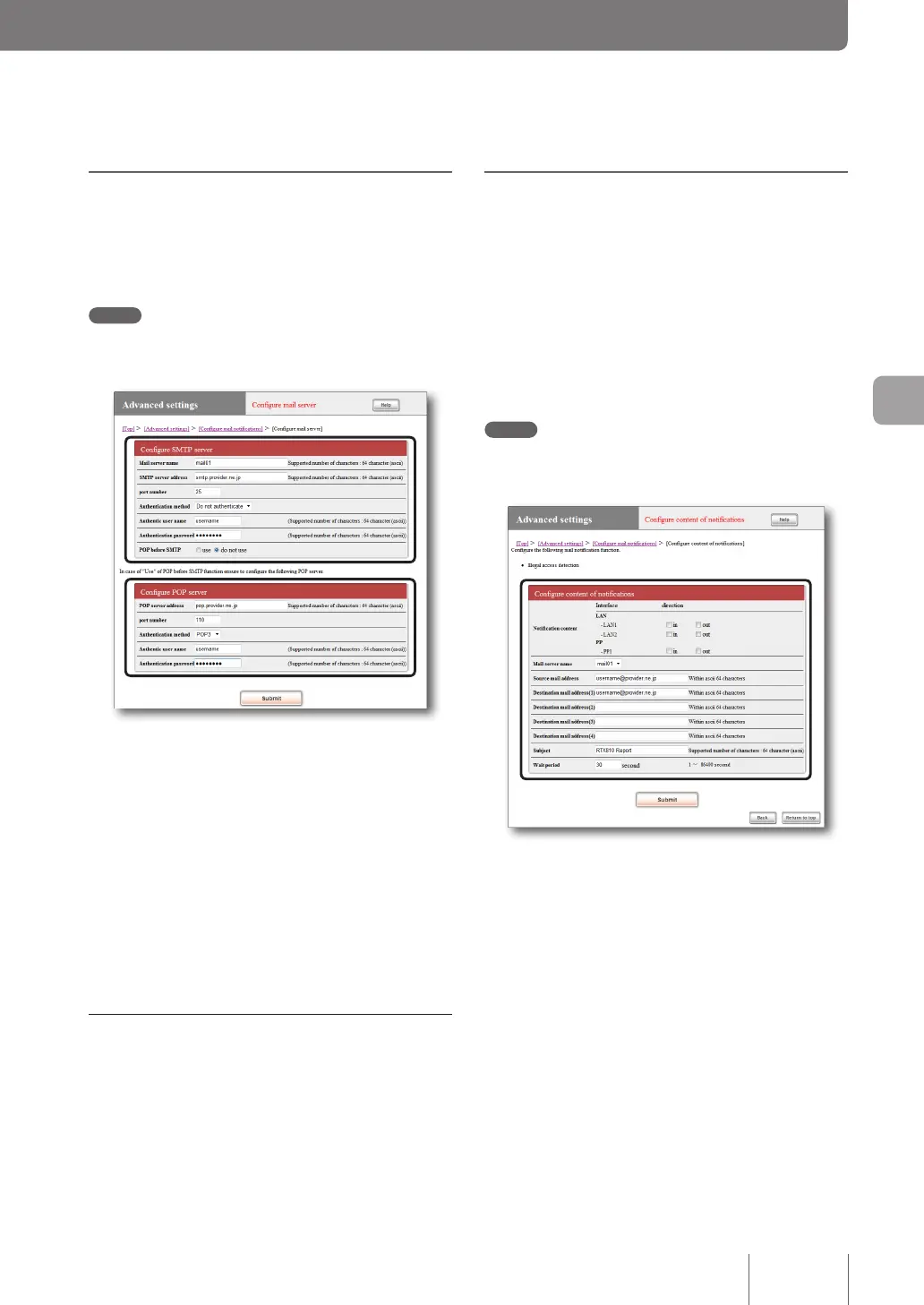
On the “Congure mail server” screen, register a mail server
used for sending e-mail to the notication destination.
Note
The destination's provider is that set on the provider conguration
screen.
For more details on the settings, click “Help” on the setup
screen and refer to the description displayed.
To open the “Configure mail server” screen
From “Basic conguration page”, click the buttons on the
setup screen in the following order:
▶ “Advanced settings” in the top page
▶ “Congure” of “Congure mail notications”
▶ “Add” in the “Congure mail server” eld
To delete the registration of mail server
On the “Congure mail notications” screen, click “Delete”
of the mail server of which registration you want to delete.
Notifying of illegal access
detection by e-mail
The record of unauthorized accesses detected by rewall
(page 92) of the product can be sent to the specied e-mail
address periodically. This is convenient when you check,
while out the door, any unauthorized access or unintended
automatic connection.
On the “Congure content of notications” screen, specify
the transmission destination and date/time.
Note
The destination's provider is that set as the auto-connect
destination.
For more details on the settings, click “Help” on the setup
screen and refer to the description displayed.
To open the “Configure content of notifications”
screen
From “Basic conguration page”, click the buttons on the
setup screen in the following order:
▶ “Advanced settings” in the top page
▶ “Congure” of “Congure mail notications”
▶ “Add” in the “Congure content of notications” eld
109
Maximizing use of the product
6



 To Next Page