Types of configuration
methods available
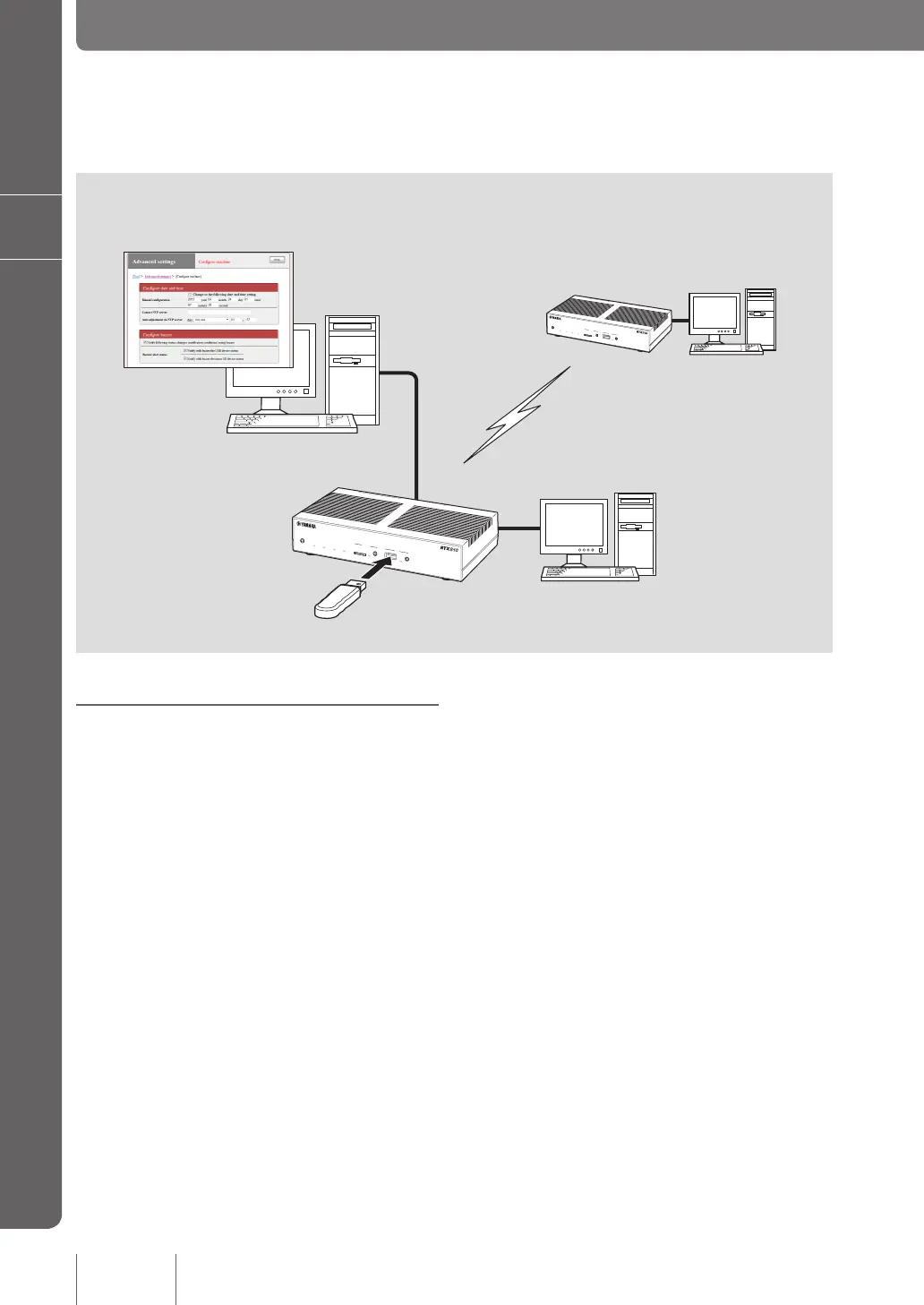
Using the web browser of PC (page 20)
If a PC is connected to the product, you can use the web
browser to open “Basic conguration page” included in
the product to view the product status or congure various
function settings.
Using console commands (page 117)
You can use TELNET or SSH software to enter commands
from the console screen to check the product status or
congure various functions.
You can also enter commands from a PC connected to
the console port of the product using a serial cable. Using
console commands enables you to congure more detailed
settings than using other methods.
Using an external memory device (page 123)
You can load a conguration le stored in a commercially-
available external memory device (USB memory stick or
microSD card) to the product to change settings.
The following shows the methods to congure the product functions or check the conguration.
Use the easiest method according to your environment.
DOWN
LOAD
POWER
STATUS
LAN
WAN
micro8D
USB
WAN
4
3
2
1
ON
STANDBY
CONSOLE
LAN
DOWN
LOAD
POWER
STATUS
LAN
WAN
micro8D
USB
WAN
4
3
2
1
ON
STANDBY
CONSOLE
LAN
116
Operating and managing the product
7
Changing the product settings
Use web browser, TELNET,
or SSH software (via LAN)
Use the console port
Use remote setup from a
remote site (3G line)
Use a USB memory stick
or microSD card



 To Next Page