115
Maximizing use of the product
6
Controlling Yamaha switches
From the setup screen of the product, you can change
settings or check the status of Yamaha switches.
To change settings or check the status of Yamaha switches,
take the following steps.
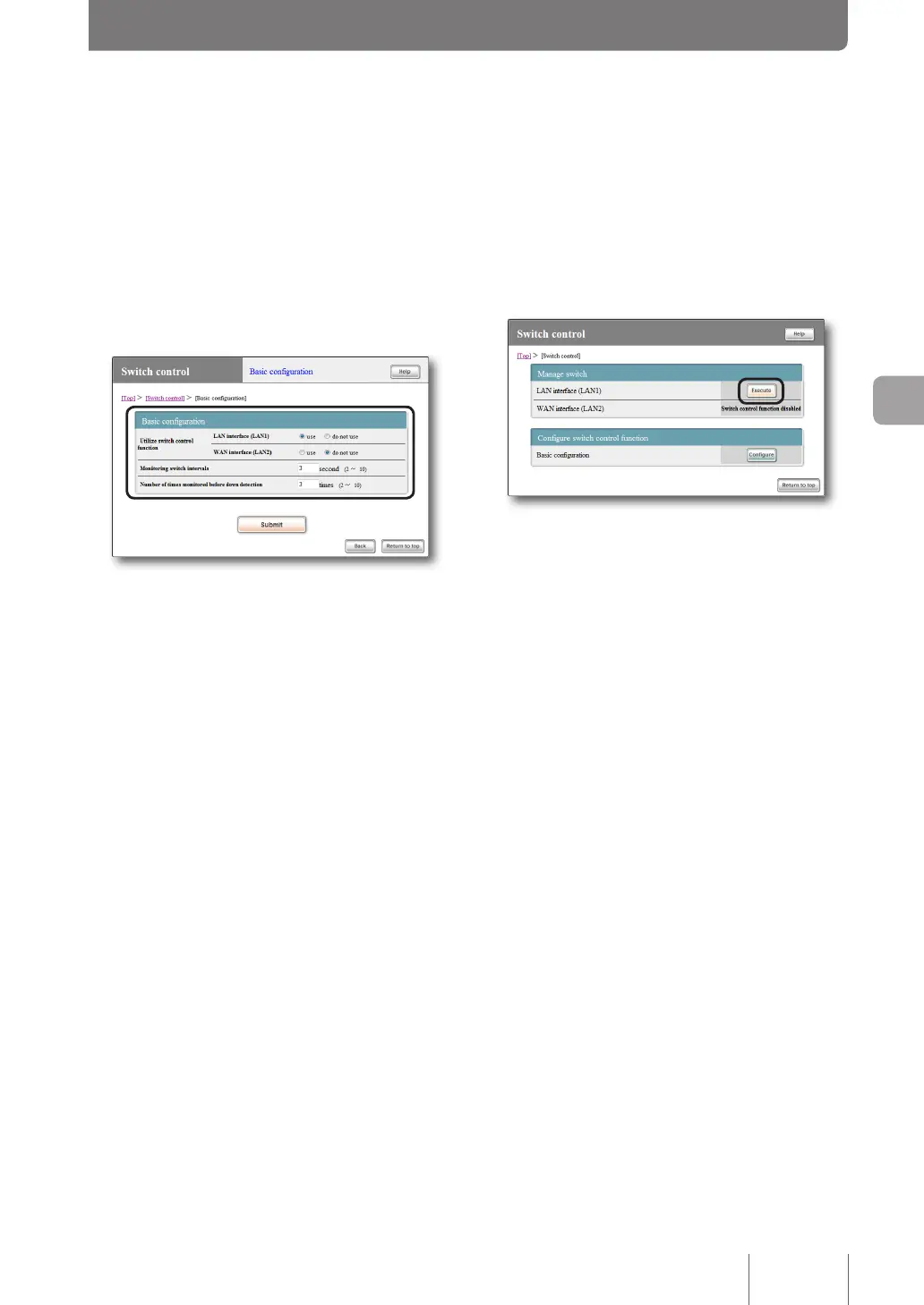
1
On the “Basic configuration” screen of switch
control, change required setup items.
For more details on the settings, click “Help” on the
setup screen and refer to the description displayed.
To open the “Basic configuration” screen of
switch control
From “Basic conguration page”, click the buttons on the
setup screen in the following order:
▶ “Switch control” in the top page
▶ “Congure” of “Basic conguration”
2
Click “Submit”, then click “Return to top”.
3
On the “Switch control” screen, click “Execute”
of the LAN interface to which Yamaha switches
are connected.
Yamaha switches connected to the selected LAN
interface is displayed in tree view.
Please refer to the instruction manual of Yamaha
switches for more details on settings.
To open the “Switch control” screen
From “Basic conguration page”, click the buttons on the
setup screen in the following order:
▶ “Switch control” in the top page



 To Next Page