5 - Connecting to the Internet
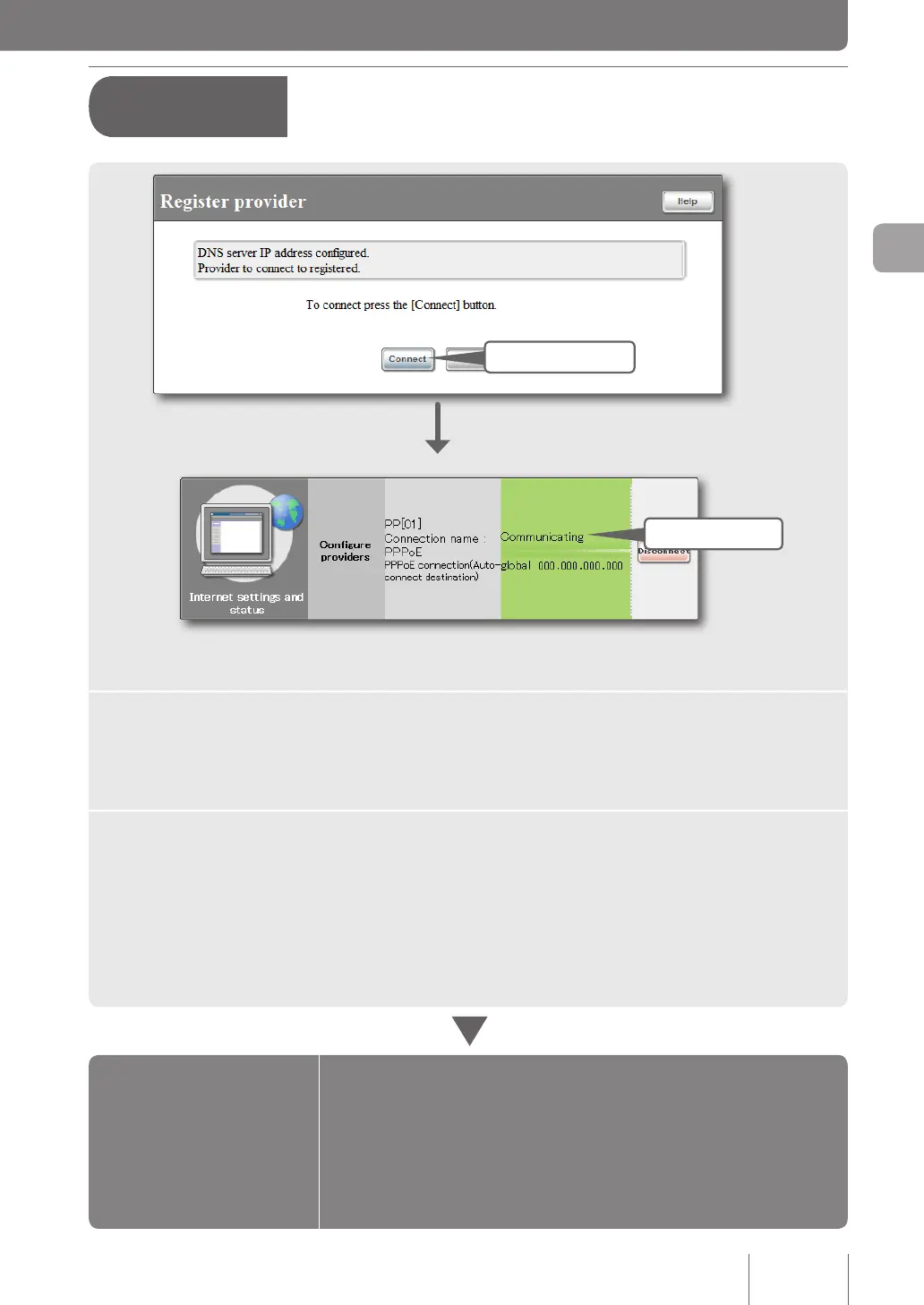
1 Click
2 Check
1
Click “Connect”.
The product connects to the Internet and shows the “Connect/disconnect provider” screen.
Click “Return to top” to return to the top page of the “Basic conguration page”.
2
Check whether the product is connected to the Internet.
Check that the product is connected to the Internet by viewing the status of Internet connection on
the lower part of the screen.
q If you cannot connect to the Internet:
Check 1 Check the connection between the product and your PC, ADSL modem
or ONU.
Check 2 Check the entries again on pages 36 and 37.
Check 3 If you still have difculties, refer to “Troubleshooting” for solutions
(page 139).
Configurations
are completed.
Configuration settings for
your Internet connection are
now complete.
A
Terminal broadband
connection over PPPoE
(from page 35)
39
Connecting to the Internet
3



 To Next Page