Configuring the product to
use PPTP
Congure the settings required for the product to act as a
PPTP server or client. Congure the RTX810 attached to
the LAN on the connecting end as a PPTP client and the
RTX810 attached to the LAN on the connected end as a
PPTP server.
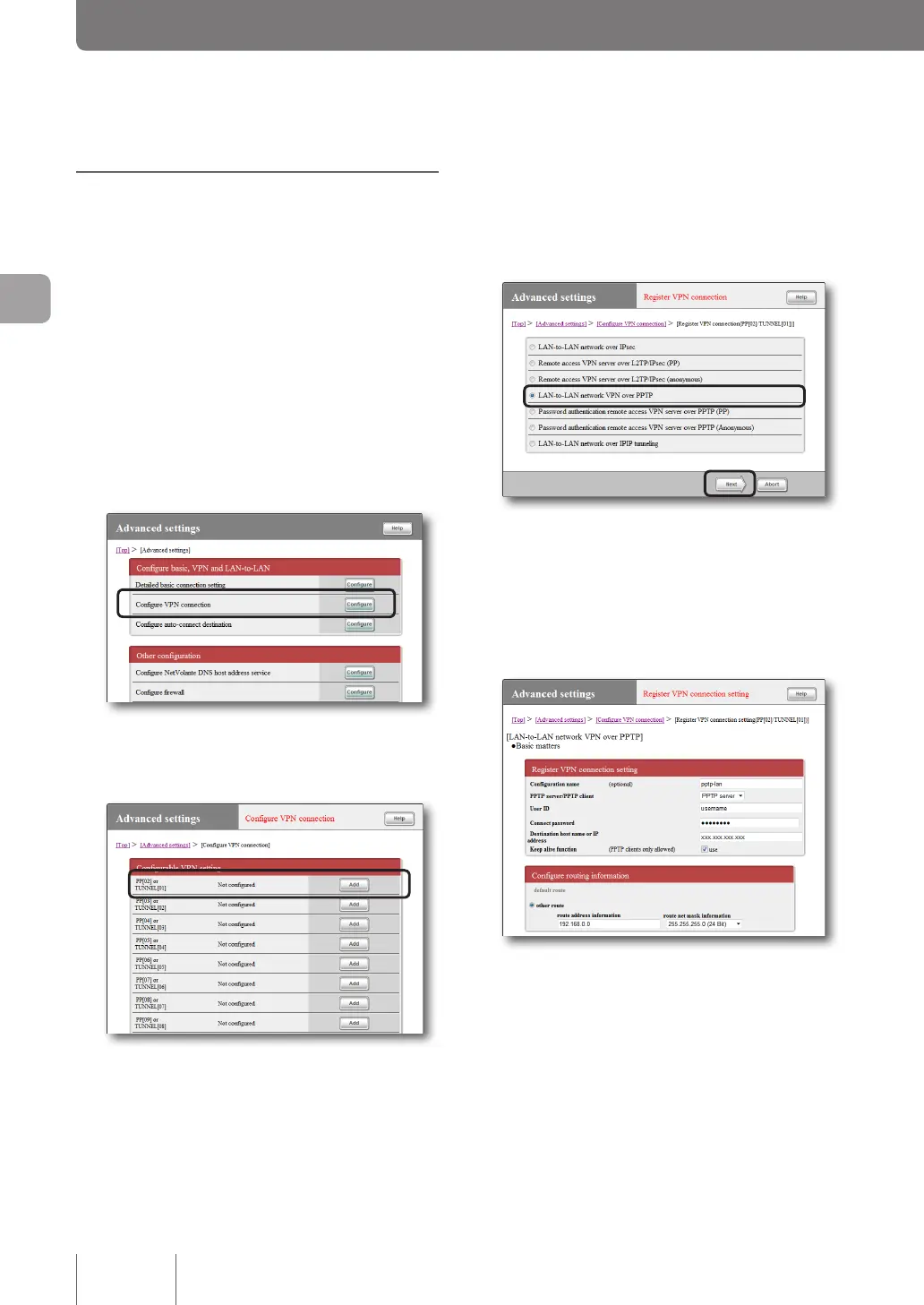
1
On the top page of “Basic configuration
page”, click “Advanced settings”, then click
“Configure” to the right of “Configure VPN
connection”.
2
Click “Add ” to the right of the destination you
want to register.
3
Select “LAN-to-LAN network VPN over PPTP”
and then click “Next”.
The “Register VPN connection setting” screen appears.
4
Configure the required settings and then click
“Submit”.
The connection destination is registered.
For more details on the settings, click “Help” on the
setup screen and refer to the description displayed.
86
Implementing site-to-site VPN connections
4
Creating a Virtual Private Network (VPN) using PPTP
(PPTP-LAN-to-LAN connection)
(continued from the previous page)



 To Next Page