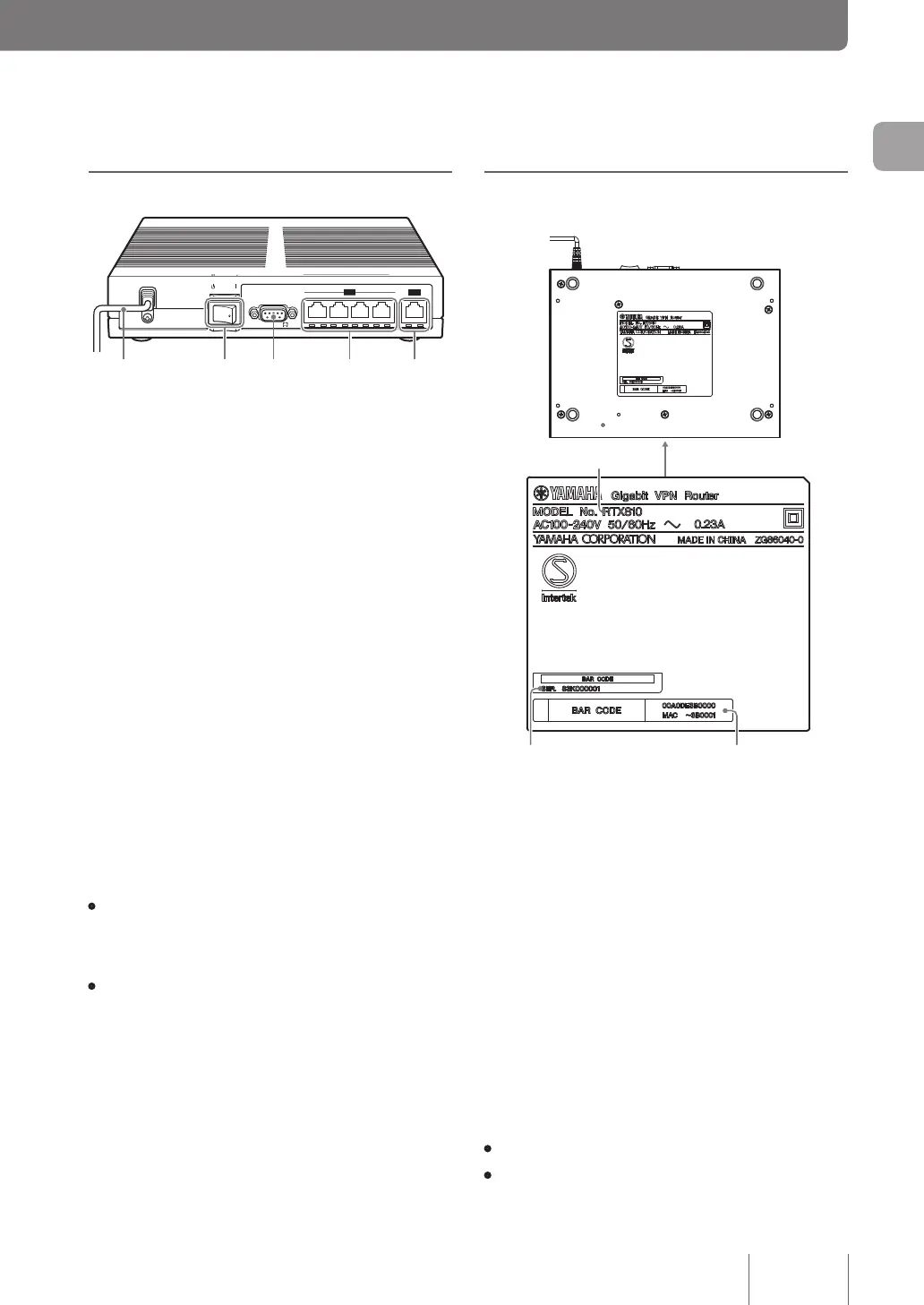
Rear panel
ON
STANDBY
WAN
4
3
2
1
CONSOLE
LAN
1 2 3
WAN
CONSOLE
STANDBY ON
SPEED
LINK/DATA
4
LAN
a
Power cord
Power cord and plug shape vary depending on the
destination.
b
Power switch
This switches the power status of the product to ON/
STANDBY.
c
Console port
For use in connecting the RS-232C terminals (serial
connector) of PCs when it is necessary to perform
congurations from the console. For more information,
see “Using the console port” (page 121).
d
LAN ports
The LAN port is for use connections with the LAN port or
hub port of a PC via a LAN cable.
The power part of each LAN port includes a LINK lamp
(left) and SPEED lamp (right).
• Link lamp: Off (link lost), lit up (link established), or
ashing (transferring data) according to the individual
status of the link concerned.
• SPEED lamp: Off (100BASE-TX/10BASE-T) or lit up
(1000BASE-T) according to the speed of the connection.
WAN port
The WAN port is for connecting to a cable modem, ADSL
modem, or ONU via a LAN cable.
Bottom panel
a
Equipment name
Provides the equipment name of the product.
b
Serial number
Provides the serial number used to manage/classify the
product.
c
MAC address
Provides the individual network ID numbers unique to the
equipment on the LAN side and WAN side. In the example
of “00A0DE3B0000”, “MAC - 3B0001” provided in the
gure above the individual MAC addresses on the LAN
side and WAN side are as follows:
• MAC address on the LAN side: 00A0DE3B0000
• MAC address on the WAN side: 00A0DE3B0001
15
Introduction
1



 To Next Page