94
Enhancing security
5
Configuring the filter settings
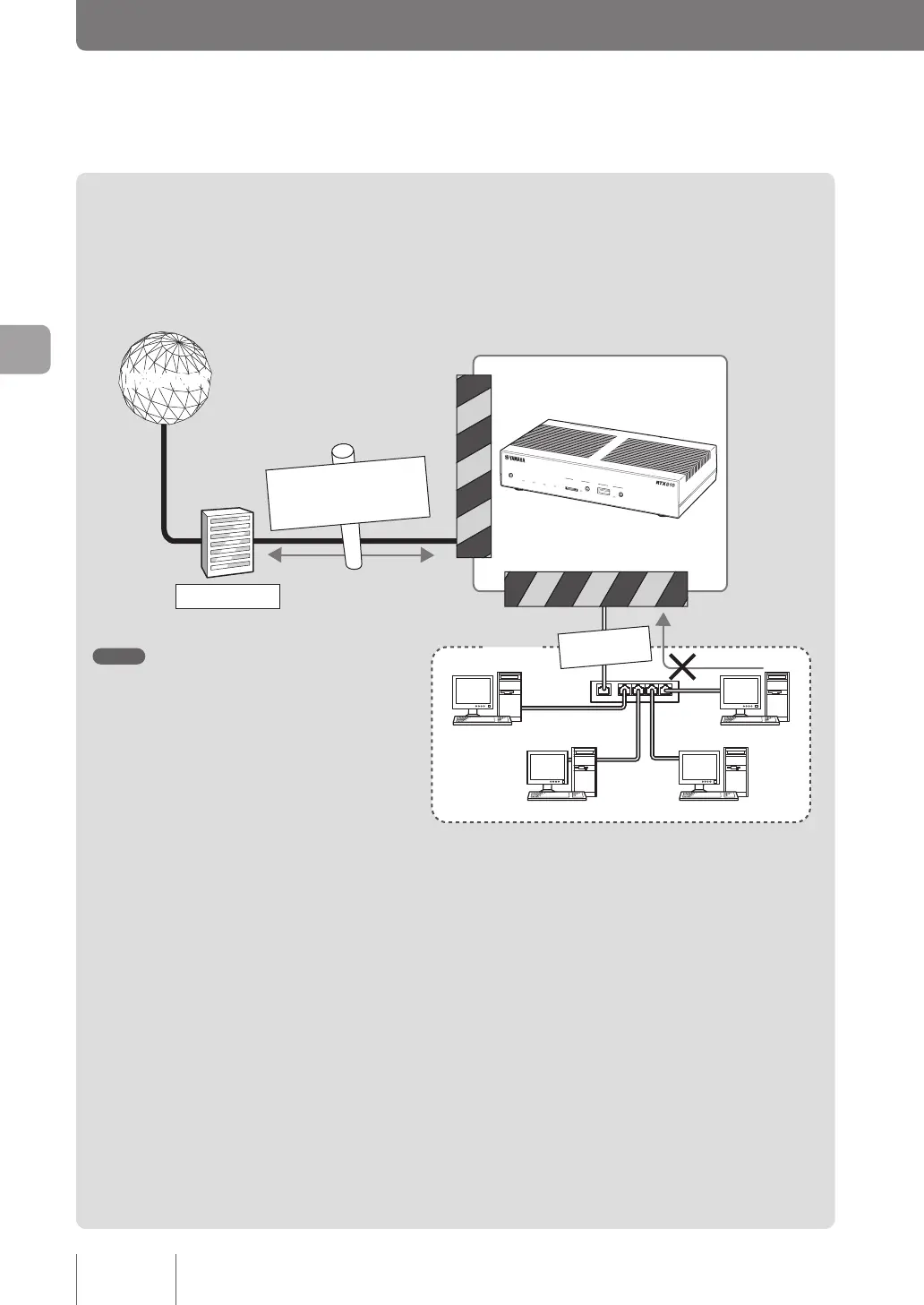
In the product, up to 100 lters can be set for each connection destination. Each lter can block packets depending
on the packet transmission source or destination, the protocol type, or the direction. Invalid packets can be prevented
from entering your LAN by setting impossible packets or packets that may be used for unauthorized accesses to be
discarded when they pass the router.
U
P
LINK
1
3
4
2
192.168.100.10
LAN
192.168.100.2 192.168.100.5
192.168.100.11
WAN-side
filter
LAN-side filter
InternetInternet
Prohibit WAN access
in 192. 168. 100.5
Permit traffic
qhttp, ftp, smtp, pop3
Prohibit traffic
qNetBIOS
Provider
DOWN
LOAD
POWER
STATUS
LAN
WAN
micro8D
USB
WAN
4
3
2
1
ON
STANDBY
CONSOLE
LAN
Note
Packets such as highly disguised ones, viruses
attached to e-mail, and ActiveX and Java applets
can pass the router as valid packets. The lter of the
product cannot block them. We recommend that you
use virus detection software or rewall software of
application gateway type together with the product.
What is “Packet”?
A packet is a unit of data that ows through
the network. Data owing through the network
is divided in units of a packet, and each packet
has information about the transmission source/
destination and the data type.
The lter function of the router enables you to set
packet conditions to prevent unwanted connections,
or specify destinations of the packets to congure
different connection destination settings.



 To Next Page