From the Internet, you can download the program (rmware)
managing the product functions to use the latest functions
(Firmware upgrade or revision up).
Note
• When you have started a rmware upgrade process, be
sure not to perform any other operations until the process is
completed and the product restarts. Doing so stops the upgrade
process and the product may become inoperable. Should this
occur, please contact your retailer.
• During the rmware upgrade process, lamps on the front panel
other than the POWER lamp ash in turn.
• All communications are disconnected during the upgrade
process.
• Be sure not to remove cables during the upgrade process.
Doing so may cause the product to be inoperable. Should this
occur, please contact your retailer.
• In the “Execute revision up” screen of “Basic conguration
page”, the rmware can be upgraded only to a formally-
released revision. When using “Basic conguration page”,
you cannot upgrade the rmware to a beta version for which
Yamaha does not formally assure normal operation.
Tip
If you change the “Allow for revision down” setting to “allow”
on the “Execute revision up” screen of “Basic conguration
page”, you can downgrade the rmware to an older version
(Revision down). Please refer to the Help on the “Execute
revision up” screen for more information.
Upgrading the firmware
using the DOWNLOAD
button
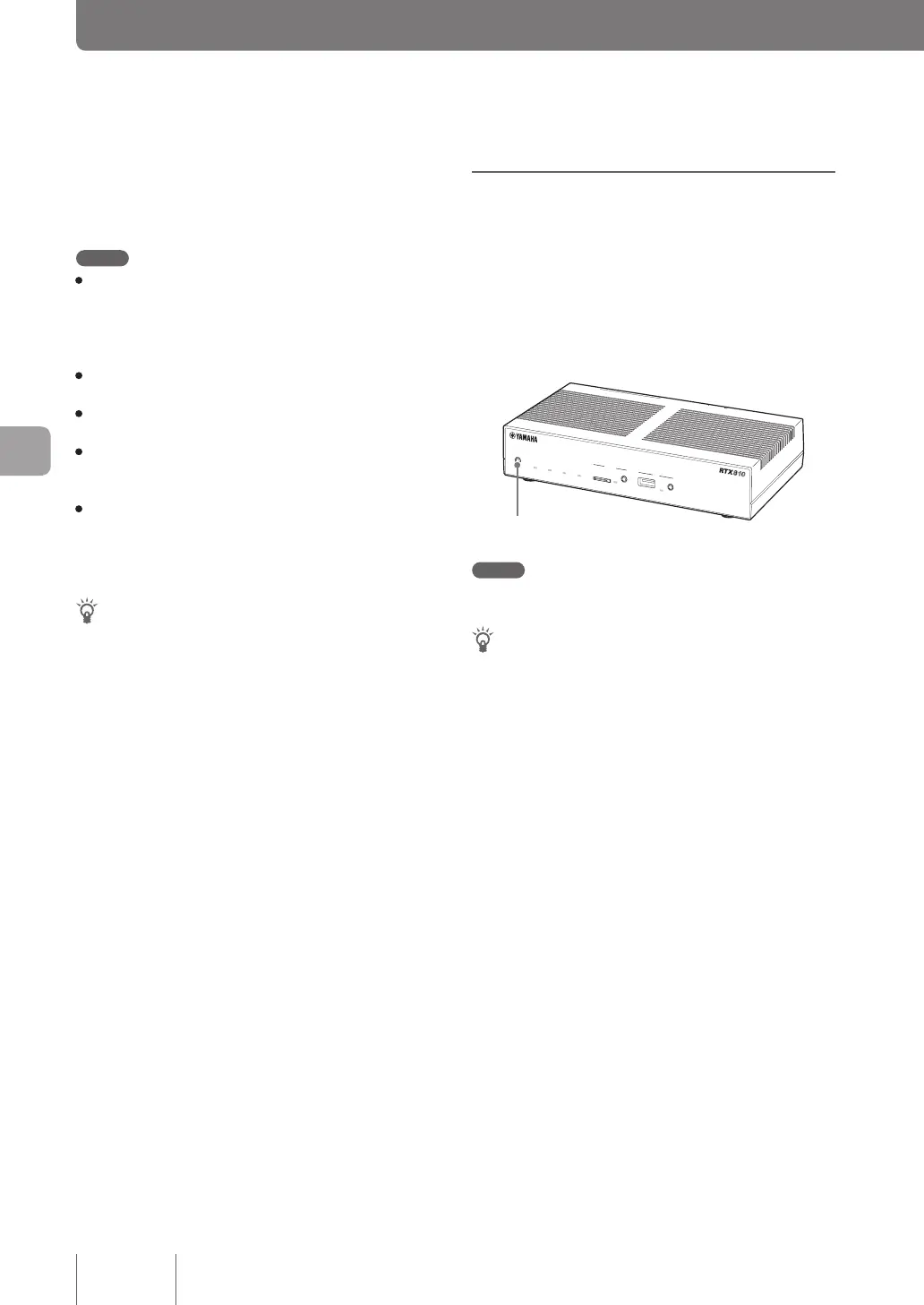
If “Revision up” option is selected on the “Congure
DOWNLOAD button” screen, the firmware can be
upgraded simply by holding down the DOWNLOAD
button on the product front panel for three seconds.
DOWN
LOAD
POWER
STATUS
LAN
WAN
micro8D
USB
WAN
4
3
2
1
ON
STANDBY
CONSOLE
LAN
DOWNLOAD button
Note
Before upgrading the rmware, conrm “Concerning software
license contracts when using the DOWNLOAD button” (page 10).
Tip
While upgrading the rmware using the DOWNLOAD button,
you can check the status of the process with the product lamps.
When a rmware upgrade process has begun after downloading
the rmware, lamps on the front panel other than the POWER
lamp ash in turn.
128
Operating and managing the product
7
Using the latest function (Revision up)



 To Next Page