165
Annex
9
For Windows XP
1
Click the “Start” button, then click “Control
Panel”.
2
Click “Network and Internet Connections”.
3
Click “Network Connections”.
4
Click the “Local Area Connection” icon.
5
Click “Change settings of this connection”.
6
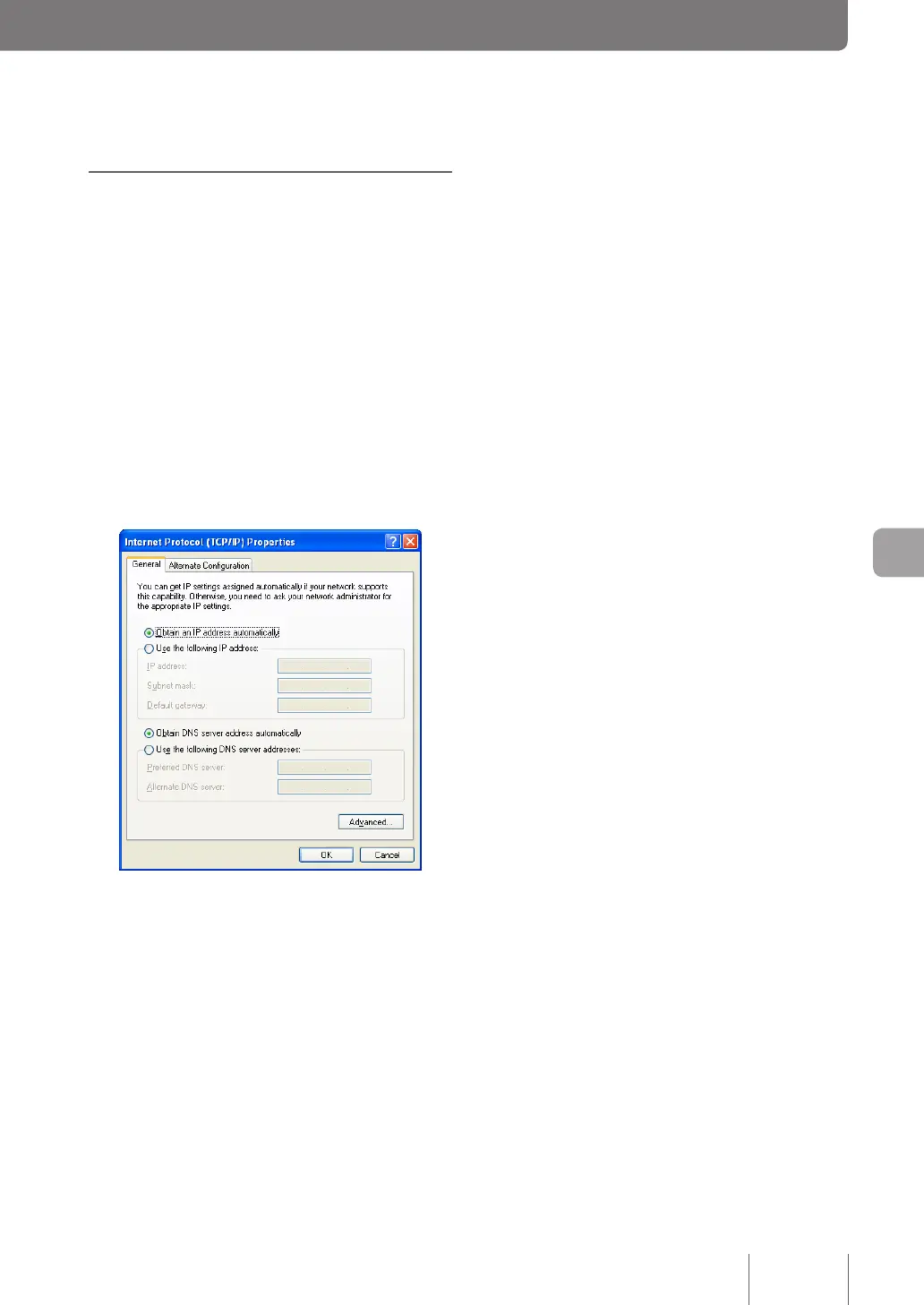
Select “Internet Protocol (TCP/IP)” and then
click “Properties”.
7
Select “Obtain an IP address automatically” and
“Obtain DNS server address automatically”,
and then click“ OK”.
8
In the “Local Area Connection Properties”
screen, click “OK”.
9
Click the “Start” button, then click “All Programs”
- “Accessories” - “Command Prompt”.
10
Type in “ipconfig /release”, and press the Enter
key.
The IP address assigned to the PC is released.
11
Type in “ipconfig /renew”, and press the Enter
key.
New IP address is assigned to the PC.
12
Repeat steps 1 to 11 on all PCs in the LAN,
so that all PCs have different IP addresses.



 To Next Page