Preparation 5
Configuring the IP address on
the LAN side
To connect LANs at different locations via broadband connections, make sure the network addresses
for LANs do not overlap. Determine a new network address for each LAN and congure the IP address
and netmask according to the new network address on the product and PC.
Note
If a different network address has already been congured, give the product the IP address and netmask
according to that network address. Make sure the product has the IP address that do not overlap with the one
assigned to other device installed within the LAN.
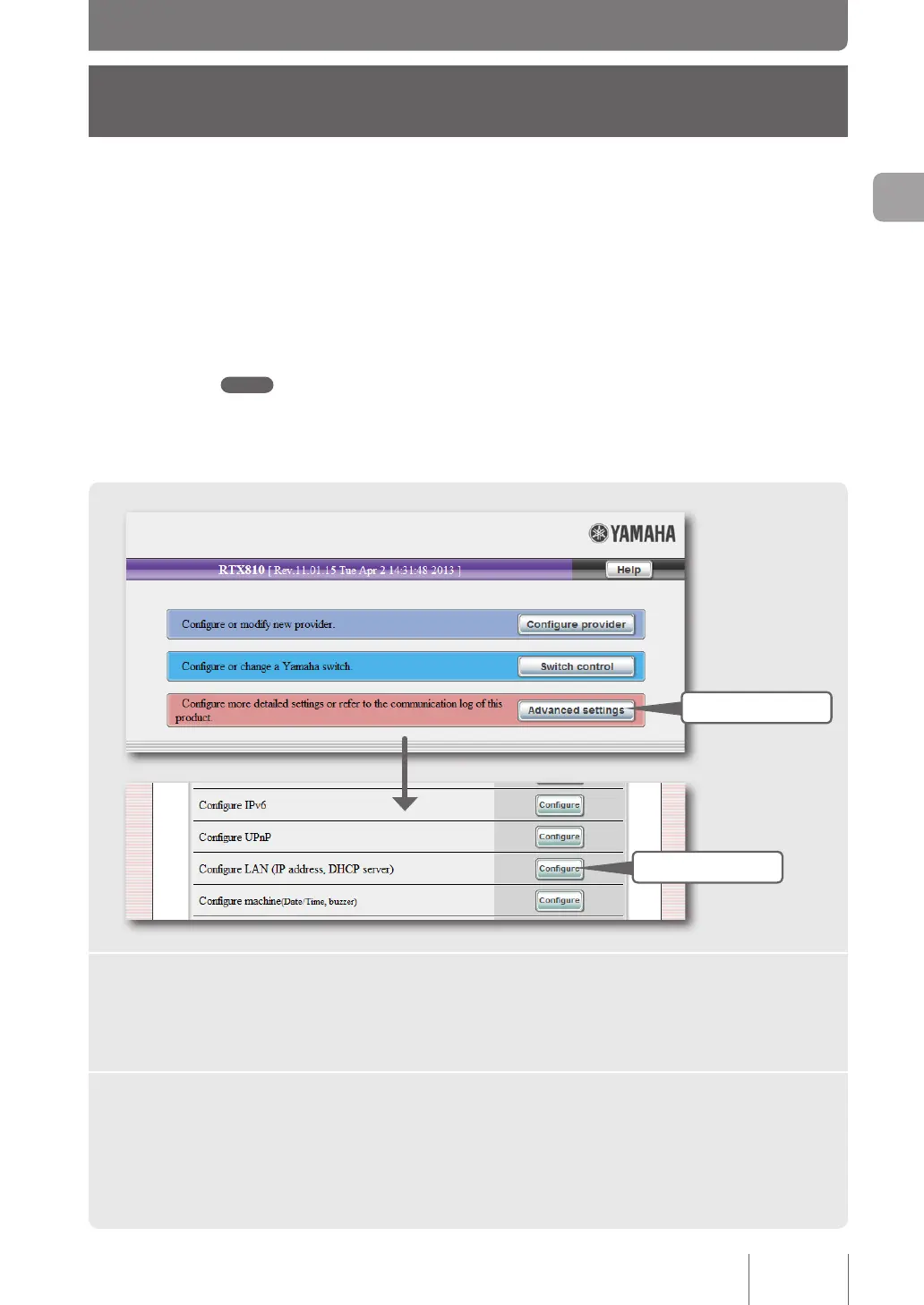
1 Click
2 Click
1
Click “Advanced settings” on the top page of “Basic configuration
page”.
The “Advanced settings” screen appears.
2
Click “Configure LAN (IP address, DHCP server)”.
The “Congure LAN” screen appears.
29
Making preparations
2



 To Next Page