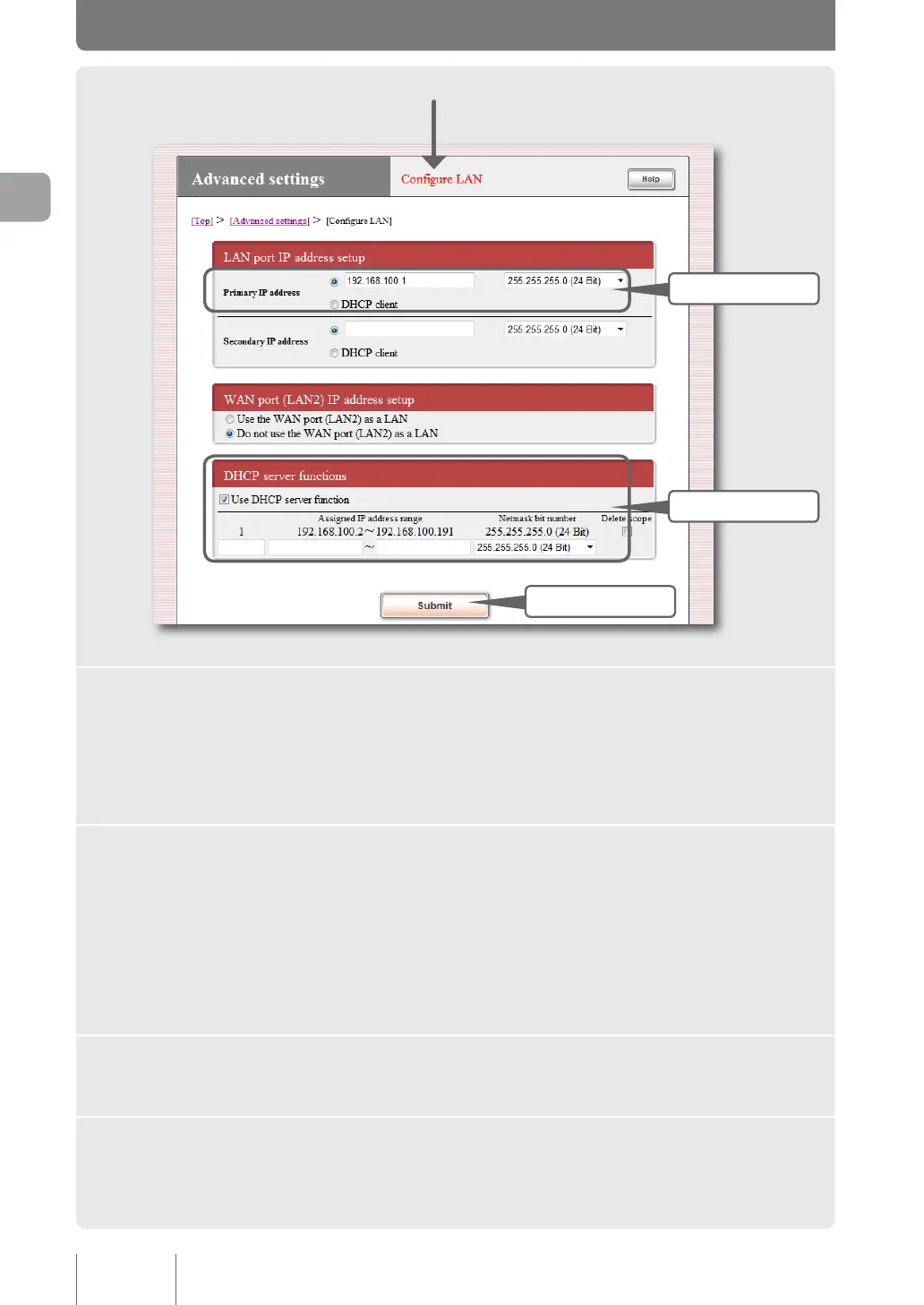
3 Fill in
5 Click
4 Fill in
3
Enter the IP address on the LAN side of the product in “LAN
port IP address setup”.
Primary IP address
Enter the IP address according to the new network address you determined, and select the netmask.
4
Enter the IP address you want to assign to a PC within the LAN
in “DHCP server functions”.
Assigned IP address range
Entering “1” in identication number overwrites the setting.
Enter the range of IP addresses that do not overlap with the IP address of the product. Select the
same value as the netmask of the product for the netmask bit number.
5
Click “Submit”.
A conrmation screen appears.
6
Click “Execute” before changing the IP addresses of PCs.
For information on changing the IP addresses of PCs, refer to the description on page 31 onward.
30
Making preparations
2



 To Next Page