100
Enhancing security
5
Restrict hosts that can change product
settings
The product is equipped with password function and host restricting function to assure the security of the product
itself. Using those functions enables you to prevent third persons from changing a router setting without permission.
The product can be accessed by means of the web browser (HTTP), TELNET, SSH, or SFTP software. You can
congure the restriction individually for each of them.
DOWN
LOAD
POWER
STATUS
LAN
WAN
micro8D
USB
WAN
4
3
2
1
ON
STANDBY
CONSOLE
LAN
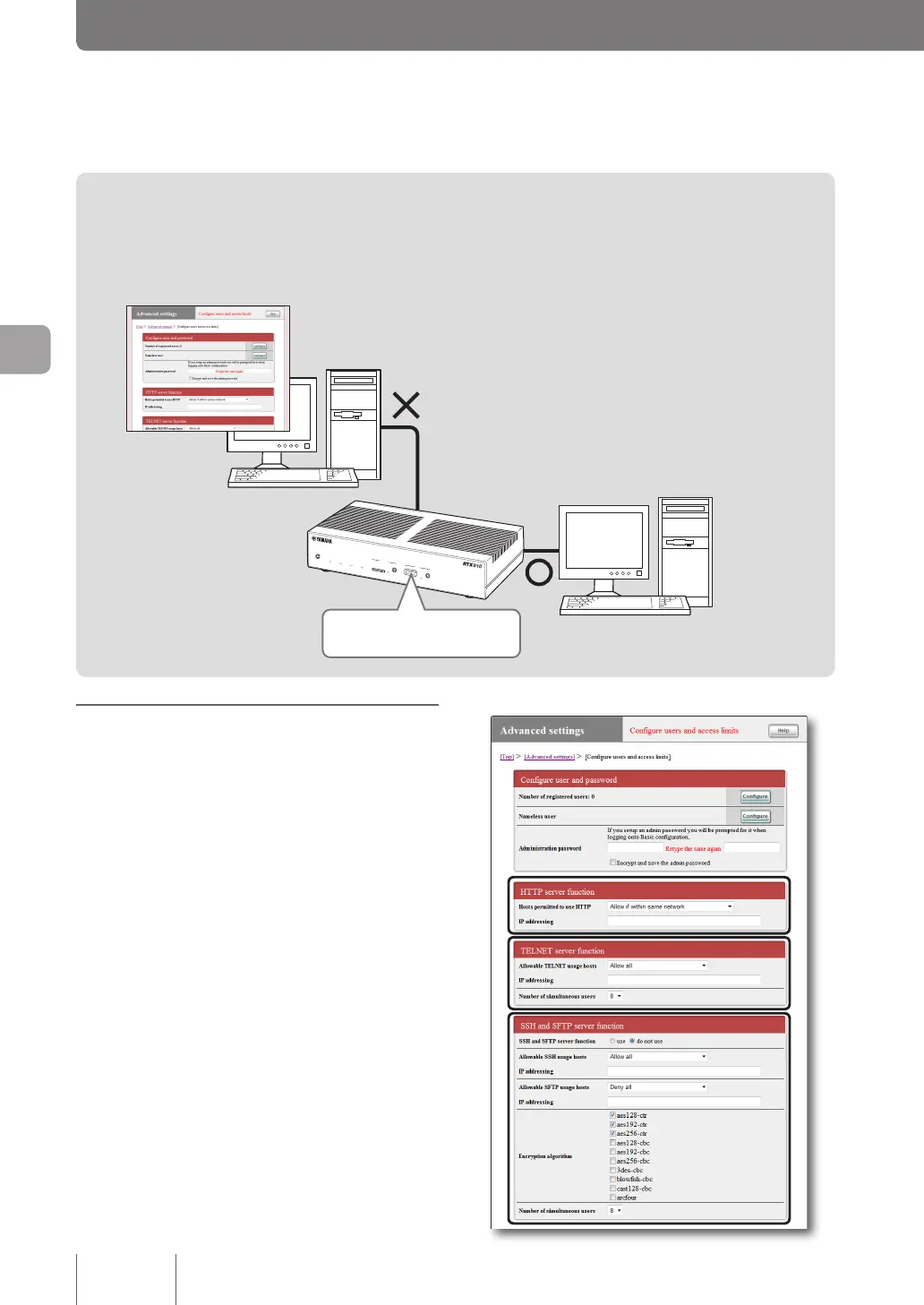
Prohibit web browsers
from changing settings
Permit a specific user to change settings
via TELNET or SSH only from a host with
a specific IP address
Register the password to prohibit
unauthorized change of settings
Setting the restriction for
each individual service
In the “Congure users and access limits” screen, you can
restrict hosts that can change a product setting using the
web browser (HTTP), TELNET, SSH, or SFTP software.
In addition to restricting the IP addresses of hosts that
can access the product for each individual service, you
can also restrict the number of users allowed to connect
simultaneously.
For more details on the settings, click “Help” on the setup
screen and refer to the description displayed.
To open the “Configure users and access limits”
screen
From “Basic conguration page”, click the buttons on the
setup screen in the following order:
▶ “Advanced settings” in the top page
▶ “Congure” of “Congure users and access limits(HTTP,
TELNET, SSH, SFTP)”



 To Next Page