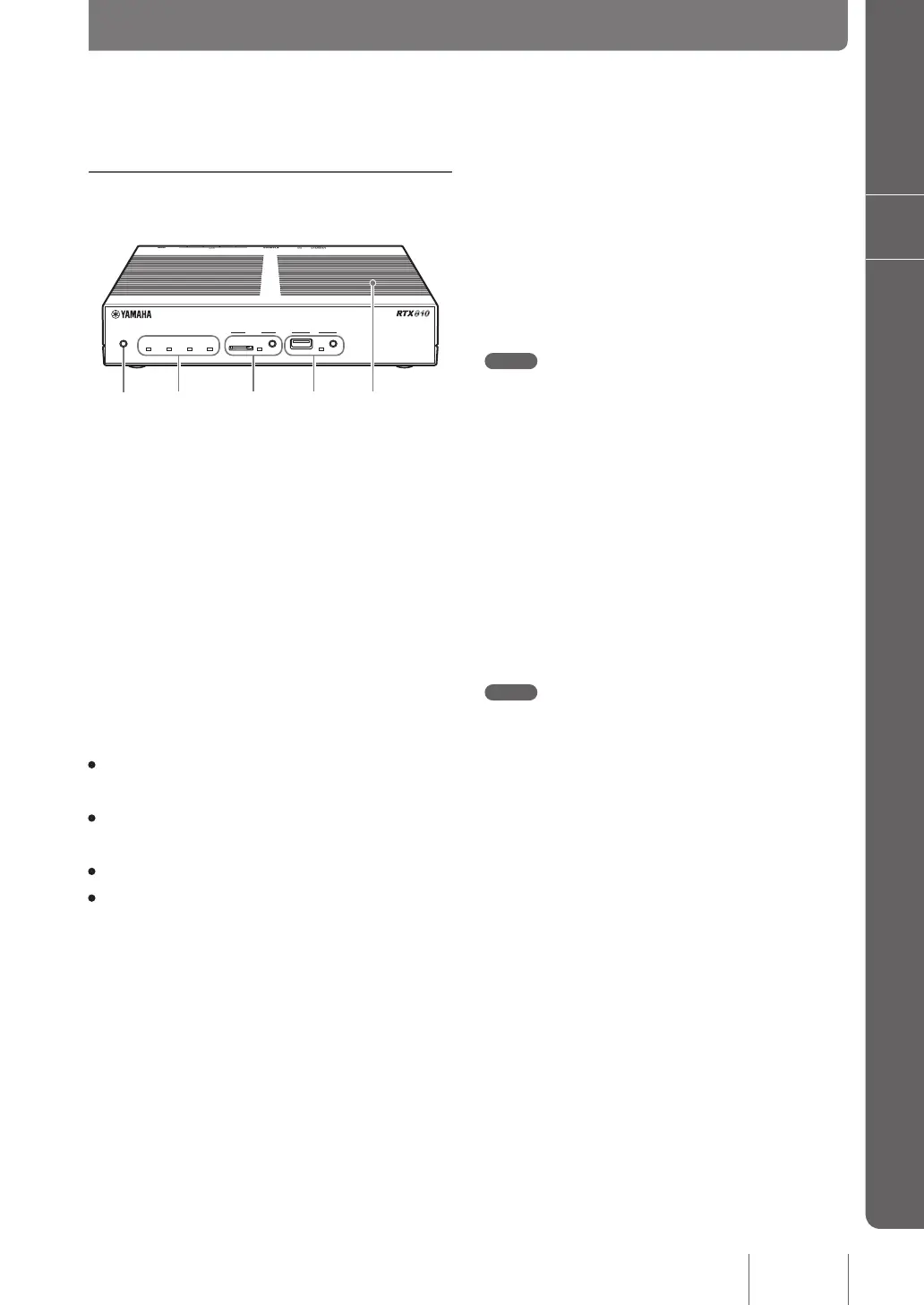
Name and function of individual parts
c
microSD lamp/button/slot
Commercially available microSD cards can be used to copy
the conguration le (pages 123 and 134), save the log le (page
133), and update the rmware (page 130).
Before ejecting the microSD card, be sure to rst cancel
the connection by pressing and holding down the microSD
button for two seconds.
Note
When reinserting a microSD card please ensure that it has rst
been completely ejected.
d
USB lamp/button/port
Connecting a commercially available USB memory stick
enables the conguration le to be copied (pages 123 and 134),
the log to be saved (page 133), and the rmware updated (page
130). In addition, communication can also take place via use of
a 3G mobile phone line by connecting a USB connection
data communication terminal (page 50).
Before removing any USB devices please be sure to cancel
the connection by pressing and holding down the USB
button for two seconds.
Note
Do not connect the USB memory slot with any other USB
equipment than USB data communication terminals. Failure to
observe this could damage the product.
Ventilator
This is a hole used to release the internal heat.
Front panel/Top panel
DOWN
LOAD
POWER STATUS LAN WAN
microSD
USB
a
DOWNLOAD button
If the product was set to permit rmware revision updating
via the DOWNLOAD button the rmware can be updated
merely by pressing and holding down the button for three
seconds. Please refer to “Using the latest function (Revision
up)” (page 128) for more details.
b
Lamps
The lamps indicate the operating status of the product.
Please refer to the “Each lamp on the front panel indicates
one of the three statuses” (page 14) for the relationship
between the lamp light and the status of the product.
• POWER: Indicates the current power status of the
product
• STATUS: Indicates whether communication with any
connected equipment is active or not
• LAN: Indicates the usage status of the LAN port
• WAN: Indicates the usage status of the WAN port
13
Introduction
1



 To Next Page