159
Troubleshooting
8
If you cannot initialize from
the “Basic configuration
page”
If you cannot initialize the setting from the “Basic
conguration page” of the product, for example, when
you have set a wrong IP address of the product, you can
alternatively initialize the setting using the PC connected to
the console port, or through button operation of the product.
Initializing from the PC connected to
the console port
1
Power off the product.
2
Connect the console port of the product to the
serial port of your PC with a serial cable.
Please refer to page 121 for details on the connection and
setting of the PC.
3
Start the terminal software on the PC.
Please refer to page 122 for more information.
4
Power on the product.
The version of the ROM of the product is displayed
in the terminal software screen of the PC, pending for
pressing the Enter key.
5
Press the Enter key before the count down of
“Will start automatically in ... ” ends.
If the count down of “Will start automatically in ...
” ends, the product will start in normal procedure. If
the product has started, power off the product once,
wait for 10 seconds or more, and then power on again
to operate.
You can restore the product settings to their factory defaults.
Note
When restoring the settings to their factory defaults, be sure to
note the following:
• All communications are disconnected immediately after the
restoration is performed.
• Any setting that has default value is changed to the default
value.
• Filter denitions and registered address are deleted.
• Non-volatile memory contest are overwritten without the save
command.
• You cannot restore the original setting once the operation is
complete.
Tip
If you save the settings to an external memory before initialization,
you can restore the original settings after initialization. Please
refer to “Checking the conguration information and log of the
product” (page 133) for the procedure to save setting.
Initializing from the “Basic
configuration page”
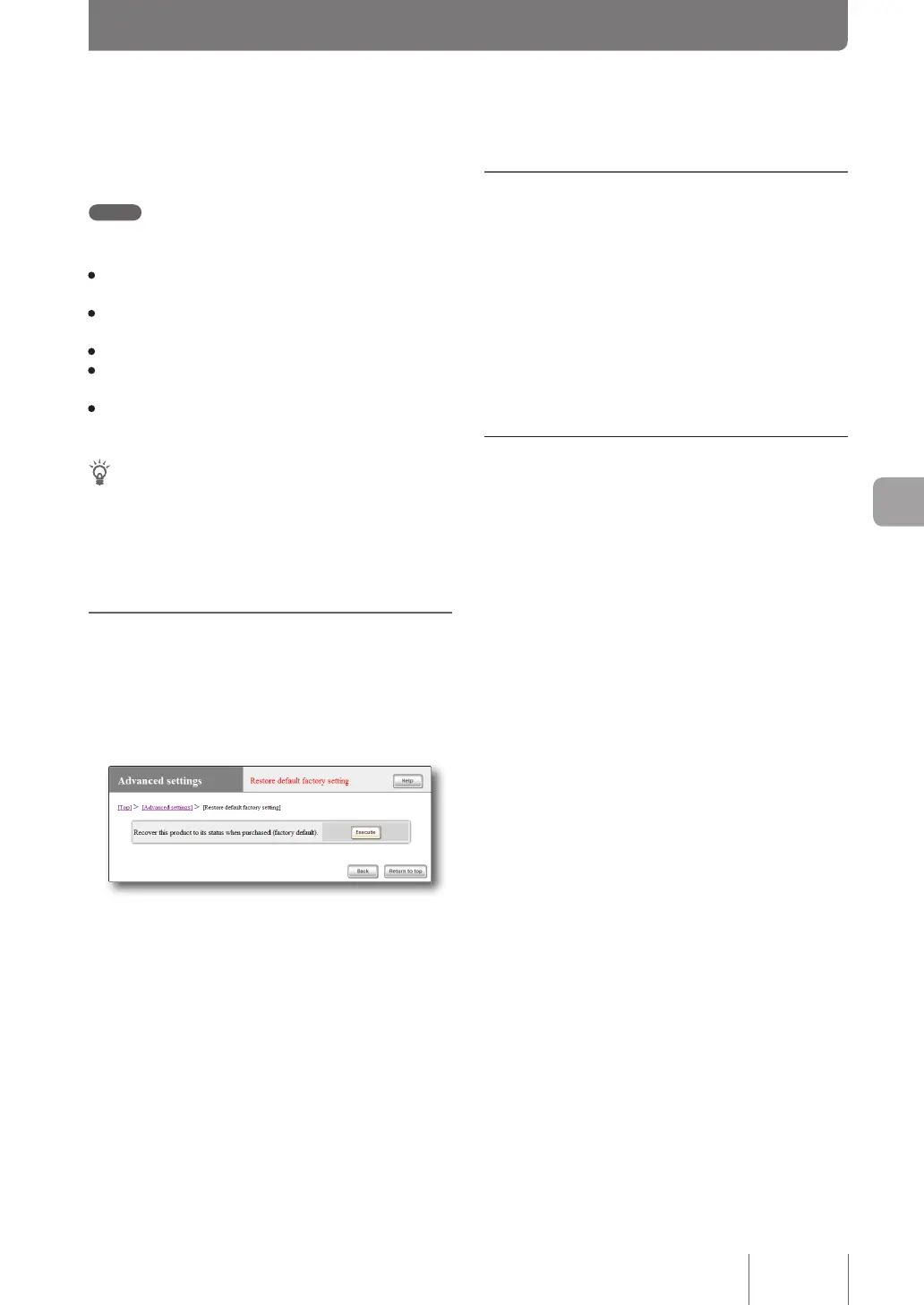
If you want to restore the product settings to their factory
defaults, you can initialize the setting in the “Restore default
factory setting” screen.
For more details on the settings, click “Help” on the setup
screen and refer to the description displayed.
To open the “Restore default factory setting”
screen
From “Basic conguration page”, click the buttons on the
setup screen in the following order:
▶ “Advanced settings” in the top page
▶ Executing the “Restore default factory setting” function
Initializing the product settings



 To Next Page