166
Annex
9
Instructions on transferring/disposing of
the product
If you transfer/dispose of the product you will need to
perform the following operations.
1.Delete the netvolante DNS registration.
2.Initialize all the congurations.
Note
• If you initialize the congurations rst, you will not be able
to delete the host address registered in the netvolante DNS
server. Be sure to delete the registration of netvolante DNS
before initializing the congurations.
• Deletion of the netvolante DNS registration is necessary only
for customers who have registered the netvolante DNS (host
address service).
• If you transfer the product you will also need to transfer the
accompanying instruction manuals.
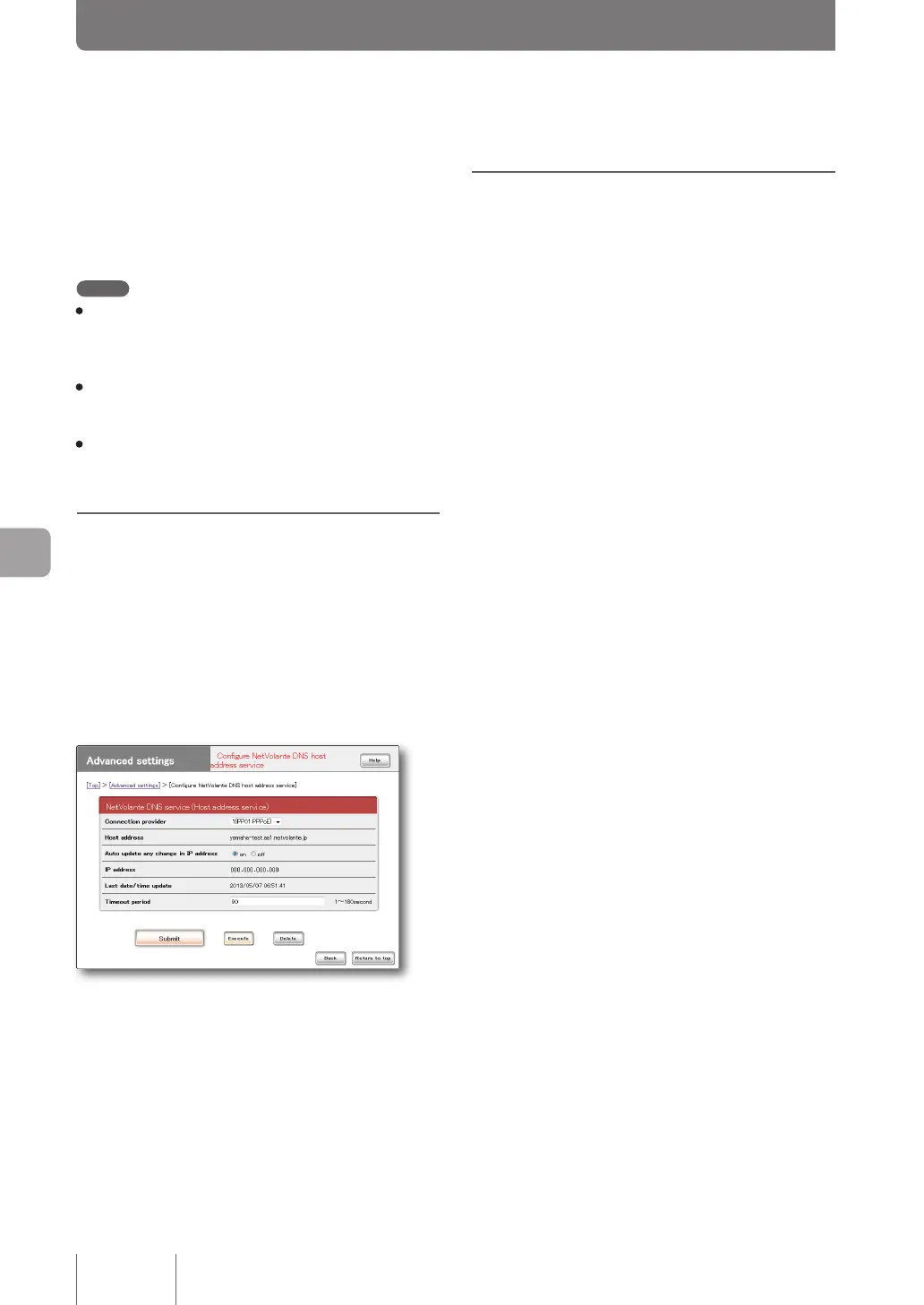
Delete the netvolante DNS
registration
For effective operation of the netvolante DNS service,
your cooperation would be appreciated to delete the
unnecessary netvolante DNS before transferring/disposing
of the product.
In the “Congure NetVolante DNS host address service”
screen, click “Delete”.
To open the “Configure NetVolante DNS host
address service” screen
From “Basic conguration page”, click the buttons on the
setup screen in the following order:
▶ “Advanced settings” in the top page
▶ “Configure” of “Configure NetVolante DNS host
address service”
Initialize all the
configurations
The saved congurations include ID and password required
for connection to the provider. If you transfer/dispose of
the product without initializing the congurations, such
information may be used for bad ends by a third party
with knowledge.
Please refer to “Initializing the product settings” (page 159)
for details on the initialization procedure.



 To Next Page