113
Maximizing use of the product
6
Checking whether your PC
can use the UPnP function
Take the following steps to check whether your PC can use
the UPnP function.
Tip
For more details on introducing the UPnP environment, please
refer to Help that is displayed by clicking “Start” - “Help and
Support”. In the “Search” eld, enter “Network Discovery” for
Windows 7 or Windows Vista, or “UPnP” for Windows XP to
display relevant information.
For Windows 7
1
Click the “Start” button, then click “Control
Panel”.
2
From “Network and Internet”, click “View
network status and tasks”.
3
Click “Change advanced sharing settings”,
and confirm whether the “Turn on network
discovery” checkbox is selected in “Network
Discovery”.
•
If this checkbox is selected, the UPnP function is
available in the PC.
•
If the checkbox is not selected, select it and click
“Save Changes”.
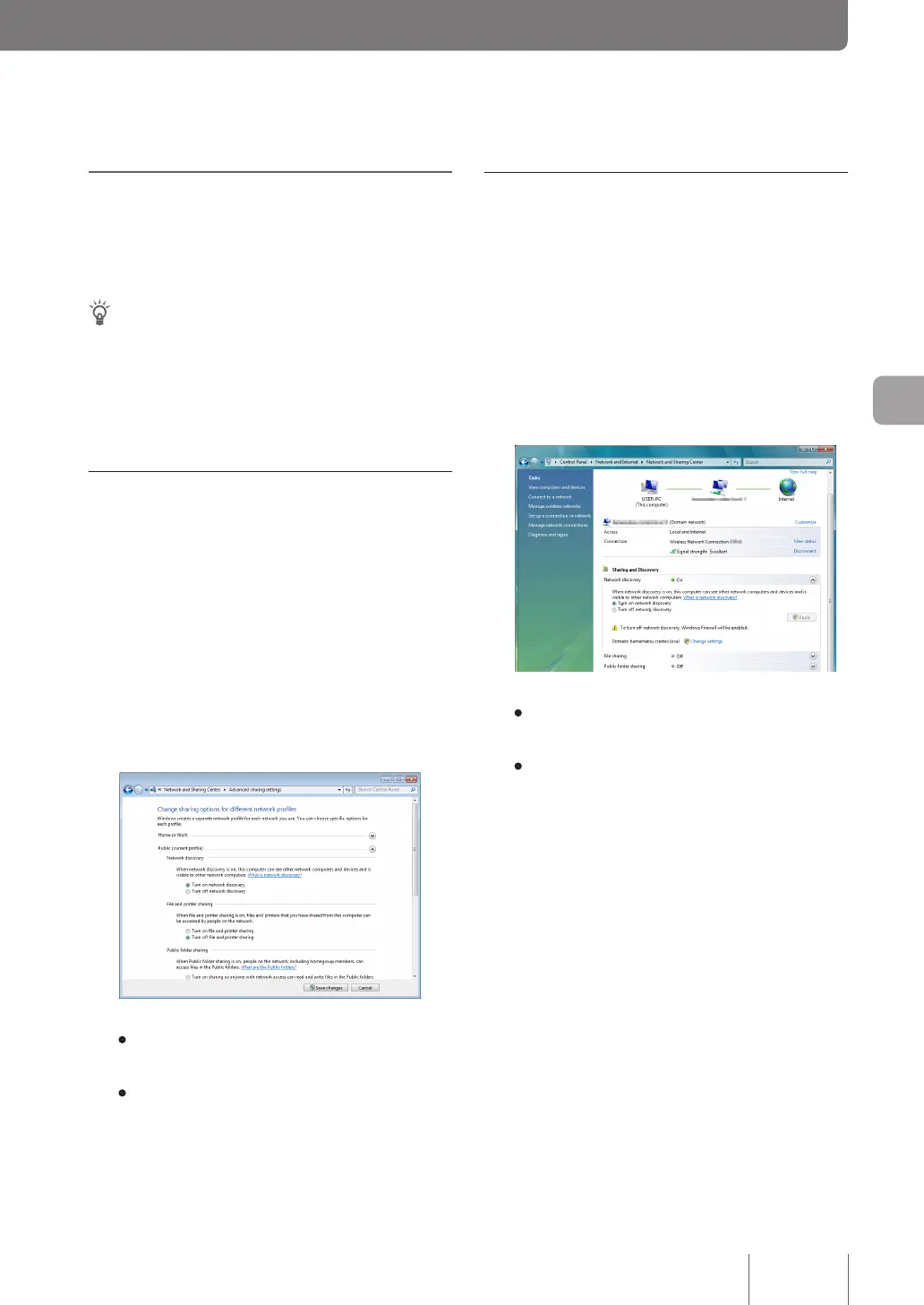
For Windows Vista
1
Click the “Start” button, then click “Control
Panel”.
2
From “Network and Internet”, click “View
network status and tasks”.
3
Click “Network discovery” in “Sharing and
Discovery”, and confirm whether the “Turn
on network discovery” checkbox is selected.
• If this checkbox is selected, the UPnP function is
available in the PC.
• If the checkbox is not selected, select it and click
“Apply”.



 To Next Page