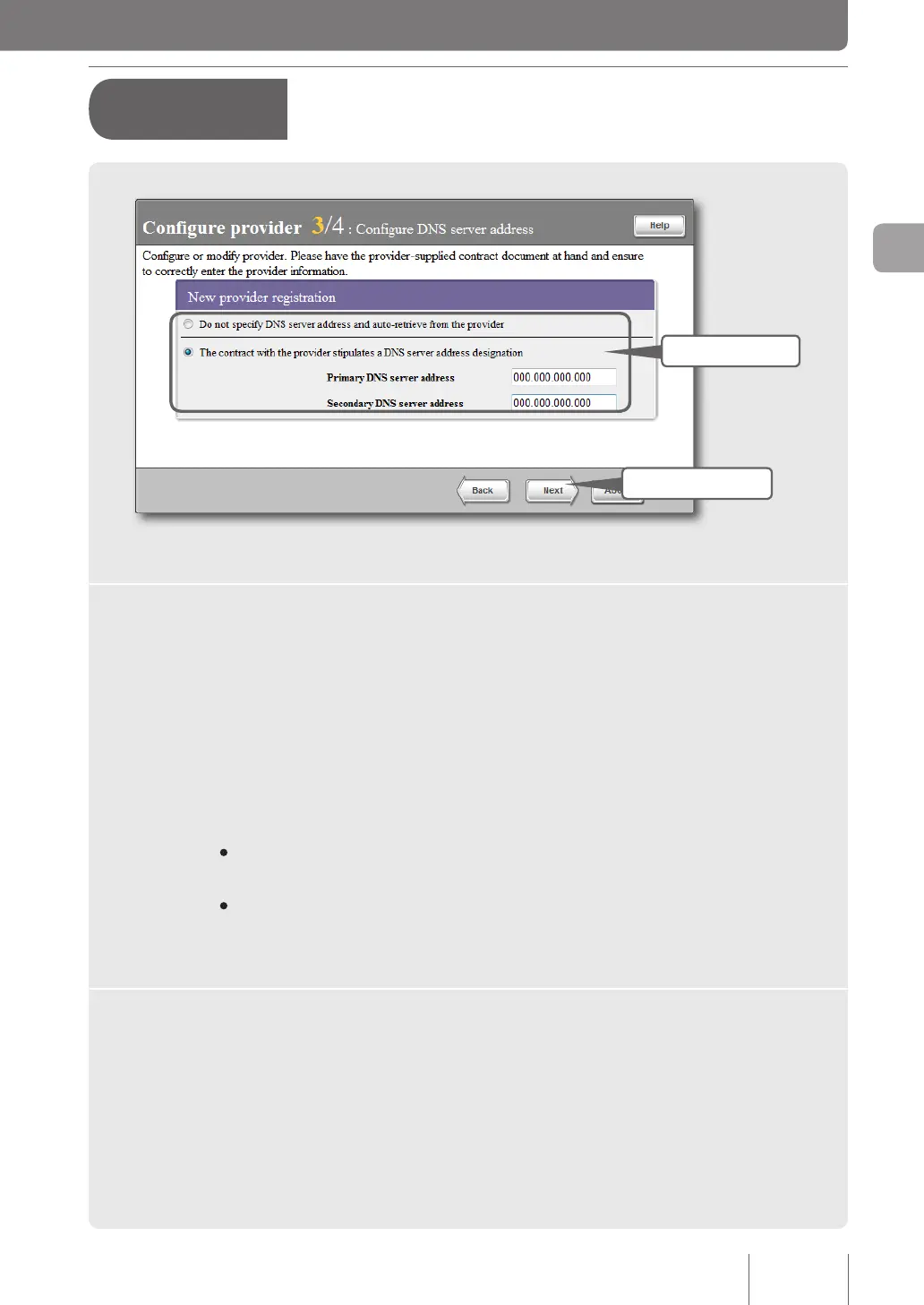
3 - Specifying the DNS server
address
1 Specify
2 Click
1
Specify the DNS server address.
If the DNS server address is not assigned by your provider:
Click “Do not specify DNS server address and auto-retrieve from the provider” to select it.
If the DNS server address is assigned by your provider:
Click “The contract with the provider stipulates a DNS server address designation” to select it and
then set the following addresses.
• Primary DNS server address: Enter the DNS server address assigned by your provider in
numeric characters.
• Secondary DNS server address: Enter the secondary DNS server address if your provider
provides you with two DNS server addresses (if your provider provides you with only one DNS
server address, leave this eld blank).
2
Click “Next”.
The “Congure provider 4/4” screen appears.
A
Terminal broadband
connection over PPPoE
(from page 35)
37
Connecting to the Internet
3



 To Next Page