CONSOLE
SPEED
LINK/DATA
1
2
3
4
STNDBY
ON
WAN
WAN
4
3
2
1
ON
STANDBY
CONSOLE
LAN
LAN
4
3
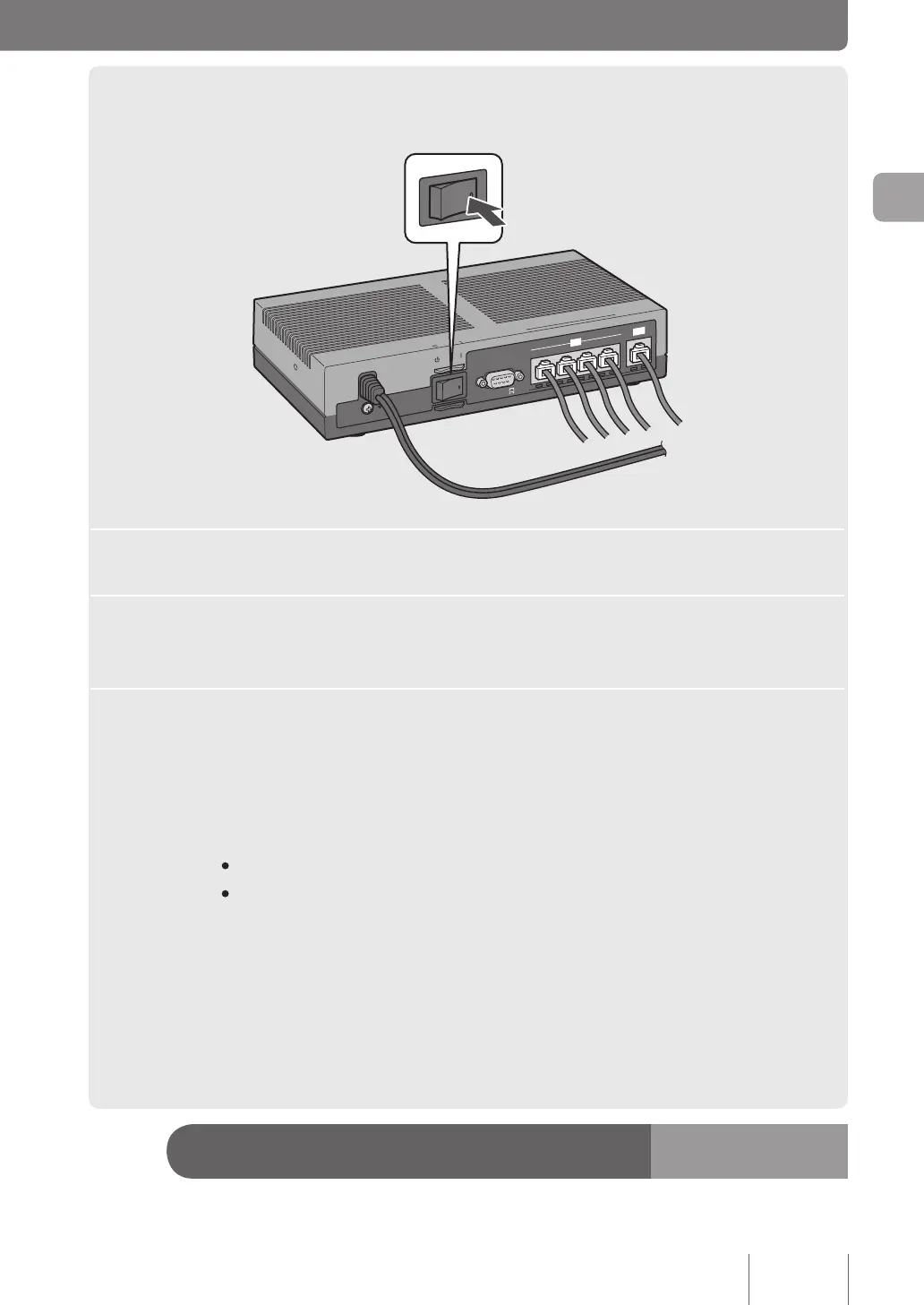
Plug the power cord of this product into an electrical outlet.
4
Place the POWER switch in the ON position.
The POWER lamp lights up after ashing several times.
5
Power your PC or hub.
If the LAN and WAN lamps on the front panel light up or ash, the product is correctly connected
to your PC or hub.
/If the LAN lamp does not light up or flash:
• Check that the LAN cable is correctly connected and your PC or hub is powered on.
• No LAN lamps light or ash when all PCs and the hub connected the product are powered on.
/If the WAN lamp does not light up or flash:
Check that the ADSL modem (or cable modem or ONU) is correctly connected to the product or the ADSL
modem (or cable modem or ONU) is powered on.
Now, the connecting procedures are completed.
Proceed with other preparations.
q
See page
20
19
Making preparations
2



 To Next Page