1
Check that the product is powered on.
2
Launch a web browser on your PC.
3
Type “http://192.168.100.1/” in the address bar and then press
Enter.
The “Windows Security” screen appears.
4
Leave the “User name” and “Password” fields blank, and click
“OK”.
The top page of the “Basic conguration page” appears.
Note
Enter user name and password if you have set them.
/If the top page of the “Basic configuration page” does not appear:
Refer to “Setting failed with the “Basic conguration page”” (page 142).
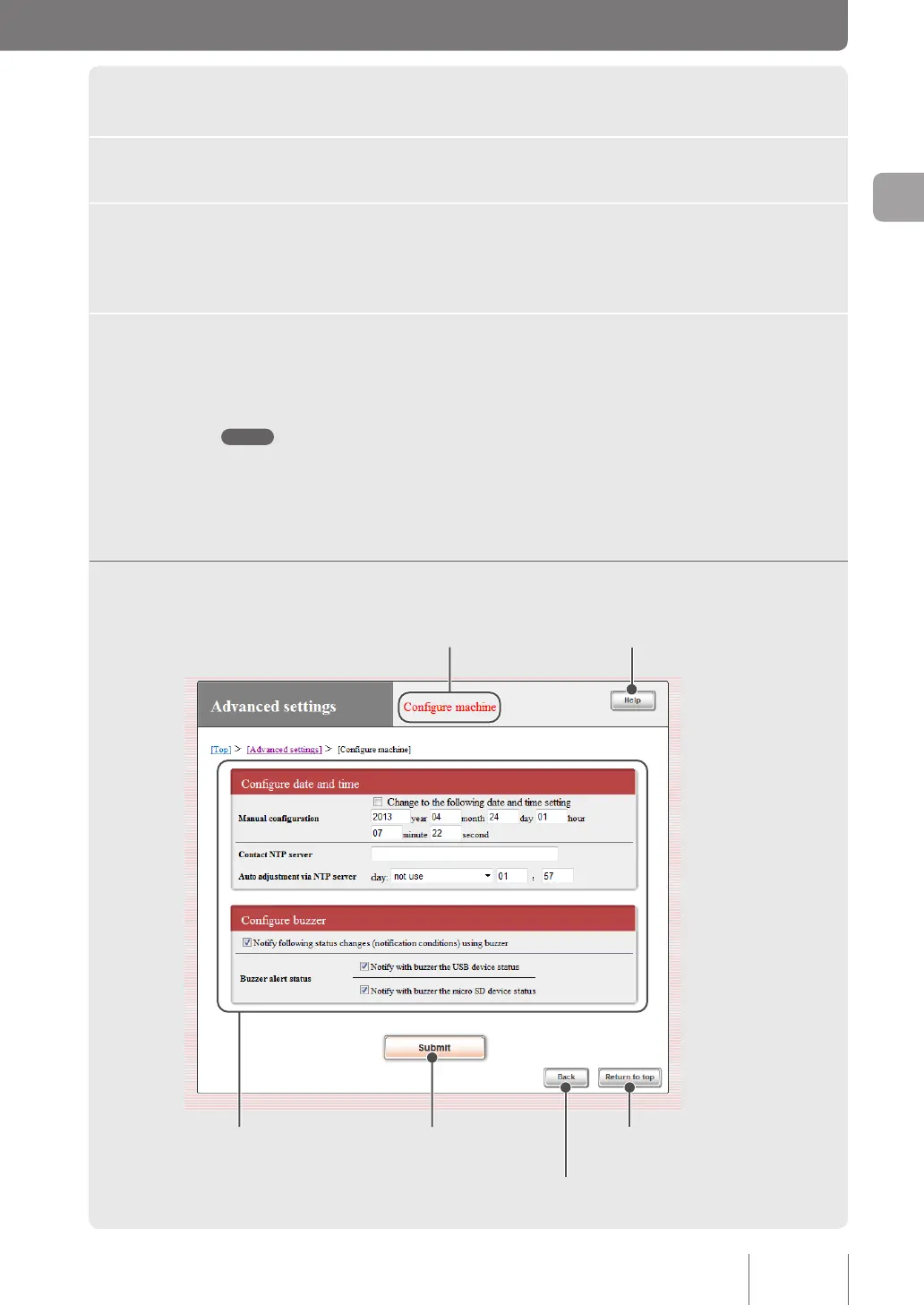
Understanding the “Basic configuration page”
Indicates the current screen name. Shows Help screen.
Configure the settings as needed.
Accept your entries and
save them in the product.
Return to the previous page
without saving your entries.
Return to the top page without
saving your entries.
21
Making preparations
2



 To Next Page