4 Specify
5 Specify
4
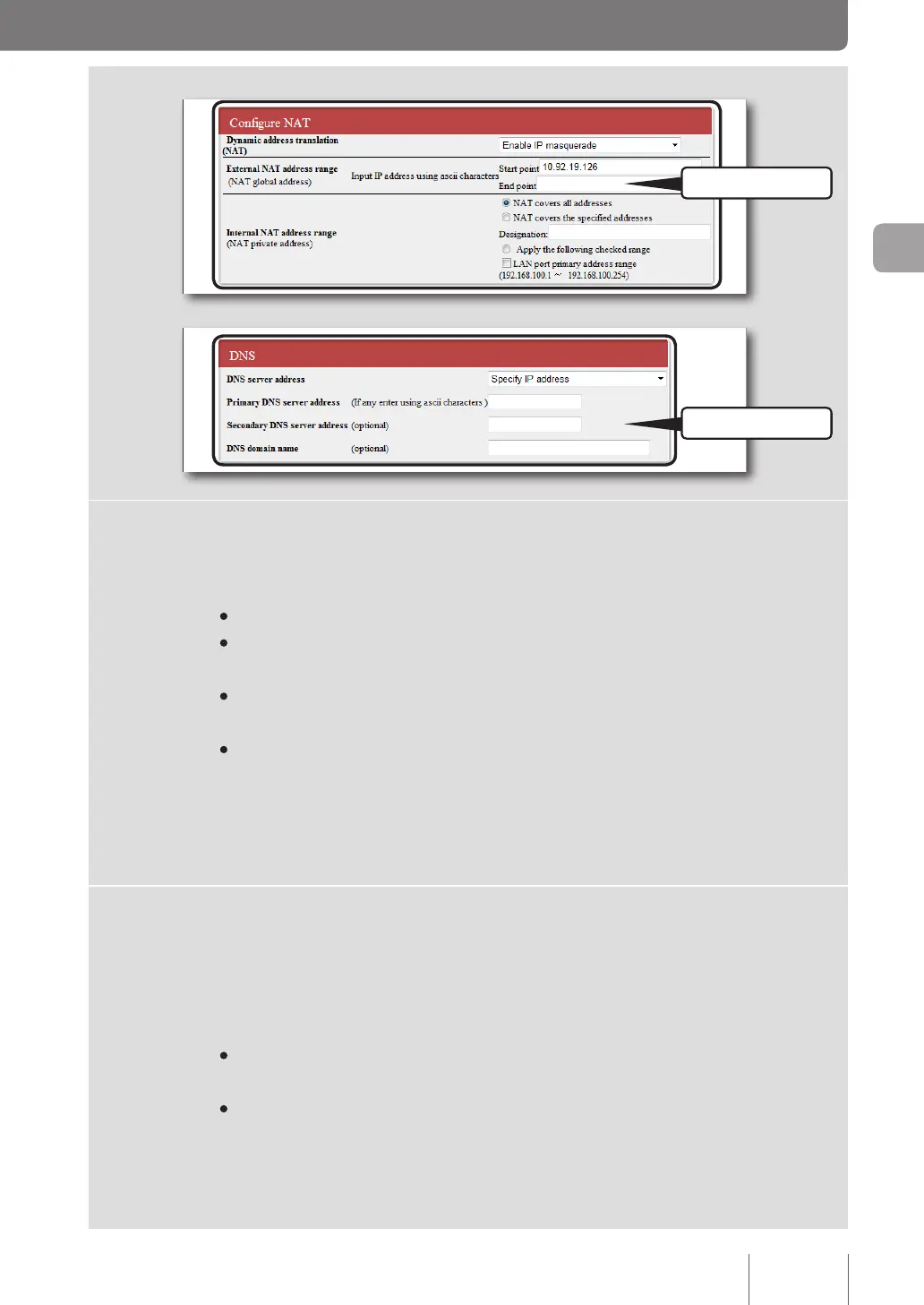
Specify the Network Address Translation (NAT) configuration.
Dynamic address translation (NAT)
Select a method for translating the line's address into a LAN address and vice versa.
• Enable NAT: Select when translating a line's address and the LAN address on a one-to-one basis.
• Enable IP masquerade: Select when translating a line's address and the LAN address on a one-to-
many basis.
• Use NAT and IP masquerade in parallel: Select when a mix of global IP and private IP addresses
are congured for equipment on the LAN side.
• do not use: Select when not using any address translation function.
External NAT address range
Enter shared global IP addresses assigned to the line side.
Internal NAT address range
Enter the range of private IP addresses to be address translated.
5
Specify the DNS server address.
If the DNS server address is not assigned by your provider:
Select “Automatically retrieve upon connecting”.
If the DNS server address is assigned by your provider:
Select “Specify IP address” and then congure the following settings.
•
Primary DNS server address: Enter the DNS server address assigned by your provider in numeric
characters.
•
Secondary DNS server address: Enter the secondary DNS server address if your provider provides
you with two DNS server addresses (if your provider provides you with only one DNS server
address, leave this eld blank).
If a domain name is assigned by your provider:
Enter the specied domain name in the “DNS domain name” eld.
47
Connecting to the Internet
3



 To Next Page