5 Checking the setting information
1 Check
2 Click
1
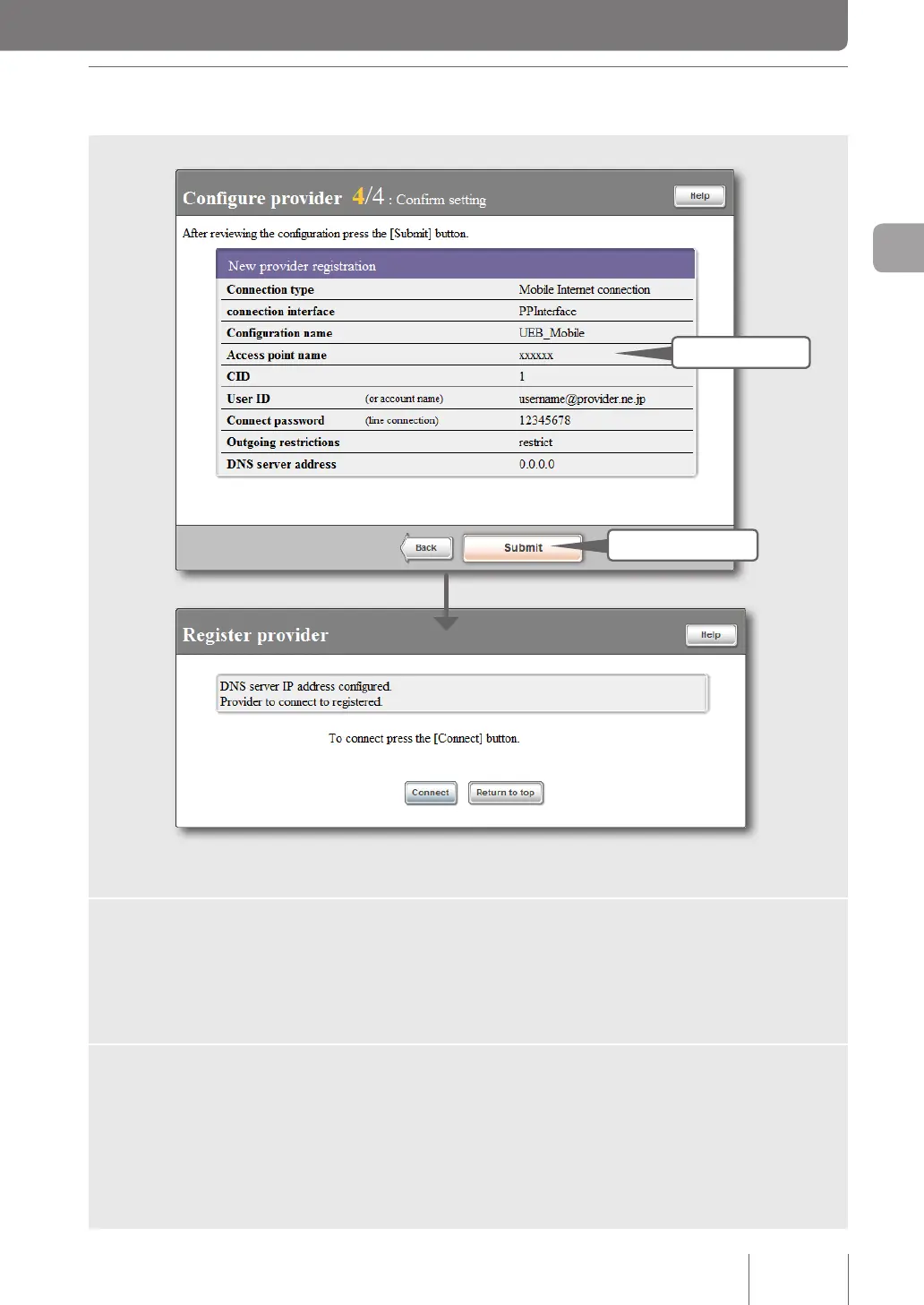
Ensure that the entries displayed on the screen comply with the
information provided by your provider.
If an incorrect setting has been made, click “Back” to bring up the necessary setting screen
to set it correctly.
2
Click “Submit”.
The “Register provider” screen appears.
55
Connecting to the Internet
3



 To Next Page