60
Implementing site-to-site VPN connections
4
2
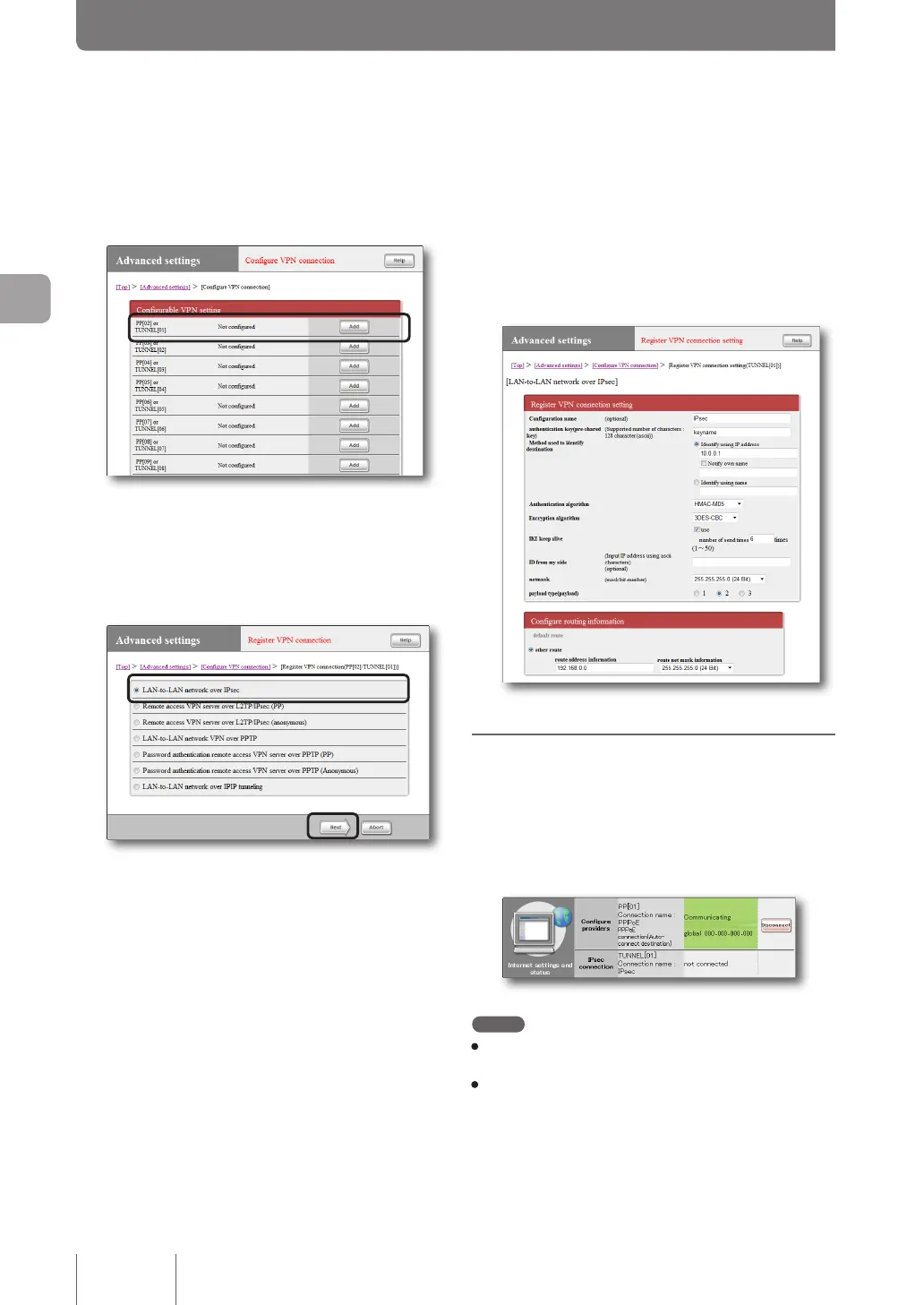
Click “Add ” to the right of the destination you
want to register.
3
Select “LAN-to-LAN network over IPsec” and
then click “Next”.
The “Register/modify VPN connection setting” screen
appears.
4
Configure the required settings and then click
“Submit”.
The connection destination is registered.
For more details on the settings, click “Help” on the
setup screen and refer to the description displayed.
Connecting with IPsec
If authentication succeeds on both sites, the IPsec
communication is automatically established (no manual
operations are required). Once the IPsec connections are
complete, the top page of the “Basic conguration page”
shows a message, “Communicating”.
Note
• For the IPsec connection, both sites must have the same pre-
shared key.
• A pre-shared key is a password that provides important
information. Any pre-shared key must be long and not be easily
guessed by outsiders. Use a combination of alphanumeric
characters, lower and upper cases, and symbols. Great care
is needed in managing these keys.
Creating a Virtual Private Network (VPN) using IPsec
(IPsec LAN-to-LAN connection)
(continued from the previous page)



 To Next Page