Before configuring the
settings
• To connect LANs, it will be necessary to congure
a different network address for each LAN to avoid
overlapping. Change the product's LAN network address
in advance.
• To attach the product to a LAN with a different network
address assigned, change the conguration of the product
according to the network you install. Please refer to
“Conguring the IP address on the LAN side” (page 29)
for more information.
Note
• With IPIP tunnel connections, data is transferred without being
encrypted. The use of IPIP tunnel connections with no data
encryption on the Internet is very dangerous. Do not use the
IPIP tunnel connections on the Internet.
• Before conguring the IPIP tunnel connections, it is required
to congure the connection to a closed network.
• When using the LAN-to-LAN connection, be sure to
congure adequate security settings to maintain data integrity.
Inadequate security settings may cause PCs in the LAN to be
hacked, sniffed, intercepted, or destroyed, or their data to be
lost.
• The LAN-to-LAN connection of the product does not support
Windows NetBEUI protocol or Apple's Mac OS AppleTalk
protocol.
• To share les in Windows, you need to use NetBIOS over
TCP/IP protocol or have a Windows Internet Name Service
(WINS) server.
• To share les in Macintosh, open System Preferences, select
“Sharing” and select “File Sharing” check box.
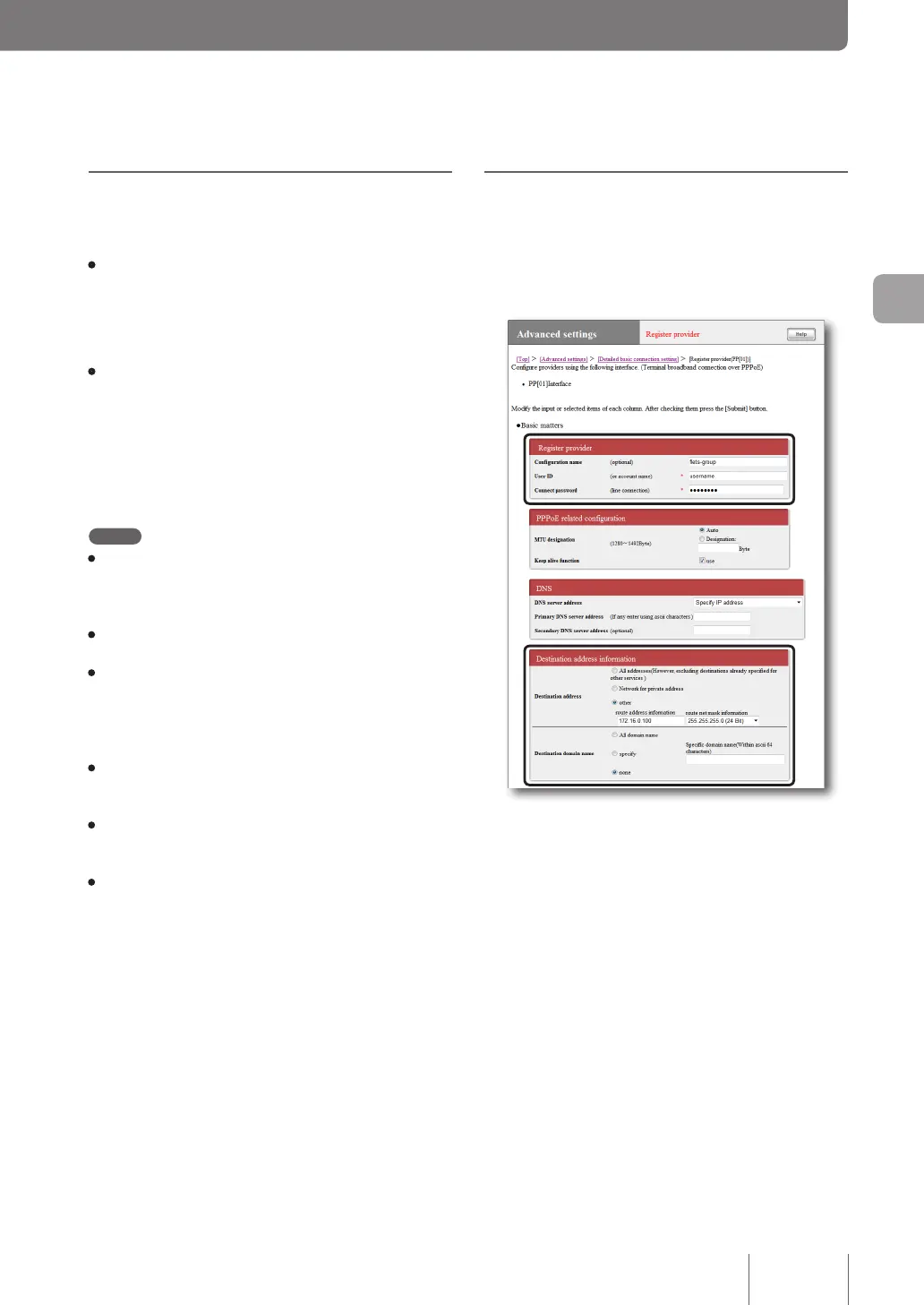
Configuring the product to
connect to a closed network
To connect the product to a closed network, congure the
required settings in the “Terminal broadband connection
over PPPoE” screen.
For more details on the settings, click “Help” on the setup
screen and refer to the description displayed.
To open the “Terminal broadband connection
over PPPoE” screen
From “Basic conguration page”, click the buttons on the
setup screen in the following order:
▶ “Advanced settings” in the top page
▶ “Congure” to the right of “Detailed basic connection
setting”
▶ “Add” to the right of the destination you want to add
settings
▶ Select “Terminal broadband connection over PPPoE”
and then click “Next”.
89
Implementing site-to-site VPN connections
4



 To Next Page