6. Operating with DeviceNet Communications
99
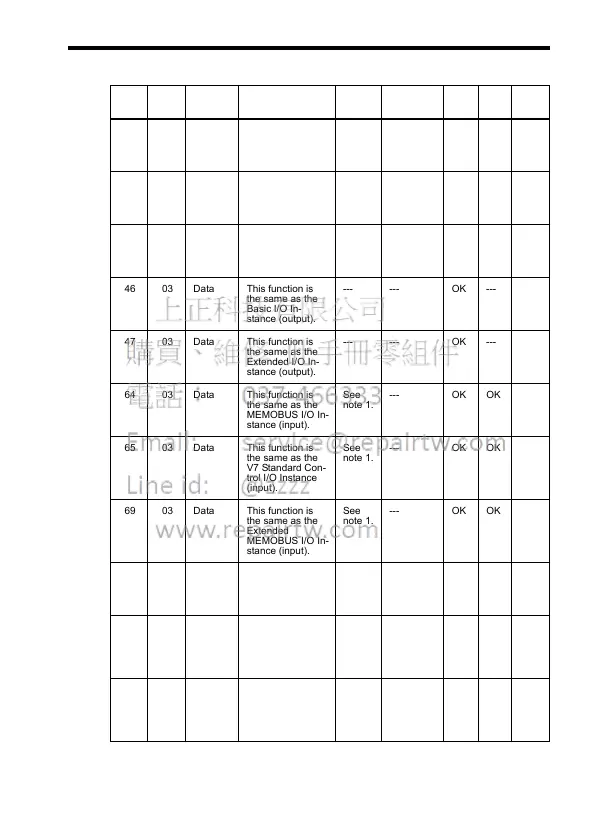
• Object Contents
* 1. The setting ranges are the same as the ranges for the corresponding I/O
message functions.
In-
stance
At-
tribute
Name Contents Setting
Range
Factory Set-
ting (Hex)
Read Write Size
00 01 Object
Soft-
ware
Revision
Indicates the As-
sembly object's
software revision.
--- 0002 OK --- Word
14 03 Data This function is
the same as the
Basic I/O In-
stance (input).
See
note 1.
--- OK OK Byte x
4
15 03 Data This function is
the same as the
Extended I/O In-
stance (input).
See
note 1.
--- OK OK Byte x
4
46 03 Data This function is
the same as the
Basic I/O In-
stance (output).
--- --- OK --- Byte x
4
47 03 Data This function is
the same as the
Extended I/O In-
stance (output).
--- --- OK --- Byte x
4
64 03 Data This function is
the same as the
MEMOBUS I/O In-
stance (input).
See
note 1.
--- OK OK Byte x
5
65 03 Data This function is
the same as the
V7 Standard Con-
trol I/O Instance
(input).
See
note 1.
--- OK OK Byte x
8
69 03 Data This function is
the same as the
Extended
MEMOBUS I/O In-
stance (input).
See
note 1.
--- OK OK Byte x
8
96 03 Data This function is
the same as the
MEMOBUS I/O In-
stance (output).
--- --- OK --- Byte x
5
97 03 Data This function is
the same as the
V7 Standard Con-
trol I/O Instance
(output).
--- --- OK --- Byte x
8
9B 03 Data This function is
the same as the
Extended
MEMOBUS I/O In-
stance (output).
--- --- OK --- Byte x
8













 To Next Page