
 Need help?
Do you have a question about the ZeeVee ZyPerUHD60 and is the answer not in the manual?
Key capabilities and specifications of the ZyPerUHD60 AV distribution system.
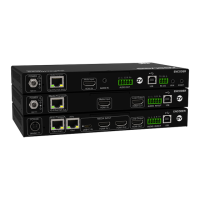
Describes how encoders accept, encode, and transmit AV data over Ethernet.
Explains how decoders receive, decode, and output AV data from the network.
Details the enclosure and rear panel ports for Triple Input Dual LAN Encoder (Rev 2E, 2EA, 2EMP).
Specifies essential requirements for USB-C cables used with this encoder model.
Covers front panel ports, LEDs, and analog audio for the Triple Input Dual LAN Encoder.
Details the enclosure and rear panel ports for Single Input Single LAN Encoder (Rev 0E/0EA).
Details the front panel ports and LEDs for Single Input Single LAN Encoder (Rev 0E/0EA).
Explains analog audio input/output for Single Input Single LAN Encoder (Rev 0E/0EA).
Details the enclosure and rear panel ports for Single Input Single LAN Encoder (Rev 1E/1EA).
Details the front panel ports and LEDs for Rev 1E/1EA Single Input Single LAN Encoders.
Explains analog audio input/output for Rev 1E/1EA Single Input Single LAN Encoders.
Details the enclosure of the Wallplate Encoder (Rev 1WE).
Specifics of the front panel ports for the Wallplate Encoder.
Covers back panel ports and USB-C cable requirements for Wallplate Encoder.
Details the enclosure and rear panel ports for Dual LAN Decoders.
Details the front panel ports and LEDs for Dual LAN Decoders.
Details the enclosure and rear panel ports for Single LAN Decoders.
Details the front panel ports and LEDs for Single LAN Decoders.
Displays general information, firmware version, and status of the unit.
Provides options for device naming, factory defaults, reboot, and console commands.
Allows changing the user login password for the web interface.
Shows detailed network and operational statistics for the device.
Configuration options for setting up video wall layouts and display mapping.
Configuring IP settings, DHCP, static IP, and casting modes.
Enables/disables features and selects video/audio sources for routing.
Settings for enabling/disabling video over IP, scaling, and video loss timeouts.
Configuration options for USB-over-LAN functionality and compatibility modes.
Settings for serial communication parameters like baud rate, parity, and stop bits.
Options to enable or disable audio streaming and the audio return path.
Configuration for 802.1X network authentication and certificate management.
Basic HTTP commands for device discovery and status checks.
HTTP commands specific to joining AV streams for decoders.
HTTP commands for controlling HDCP and input switching on encoders.
How to operate Dante transmitters and receivers, and network considerations.
Console commands to set decoder for Dante receive or transmit functions.
Console commands to set encoder Dante transmit or receive modes.
Console commands for setting IP modes and ports for Dante on dual-port units.
Technical parameters for HDMI video input and output on ZyPerUHD60 units.
General safety warnings and instructions for using electronic products.
Warnings related to electrical shock, internal circuitry, and user-serviceable parts.
Step-by-step guide for cleaning the exterior of the units.
Guidelines for cleaning the ZyPerMP control unit.
Defines the intended uses and capabilities of the ZyPerUHD60 equipment.
Recommendations for the physical environment where ZyPerUHD60 units should be installed.
Various methods and considerations for mounting the ZyPerUHD60 units.
Specifications and safety guidelines for connecting the AC power cord.
Statement regarding RoHS compliance for ZyPer Products.
Information on WEEE compliance and responsible disposal of products.
Details of RF emissions, harmonic emissions, and voltage fluctuations compliance.
Specific models of tested USB-C cables supporting high-resolution video and data.
Details how ZyPerUHD60 encoders can charge connected devices via USB-C.
Essential Ethernet cable specs and switch surge protection for PoE.
Illustrates valid connections for secondary LAN ports on non-Dante models.
Details optional accessories like rack mounts, power supplies, and keypad controllers.
 General
| Brand | ZeeVee |
|---|---|
| Model | ZyPerUHD60 |
| Category | Home Automation |
| Language | English |

 To Next Page