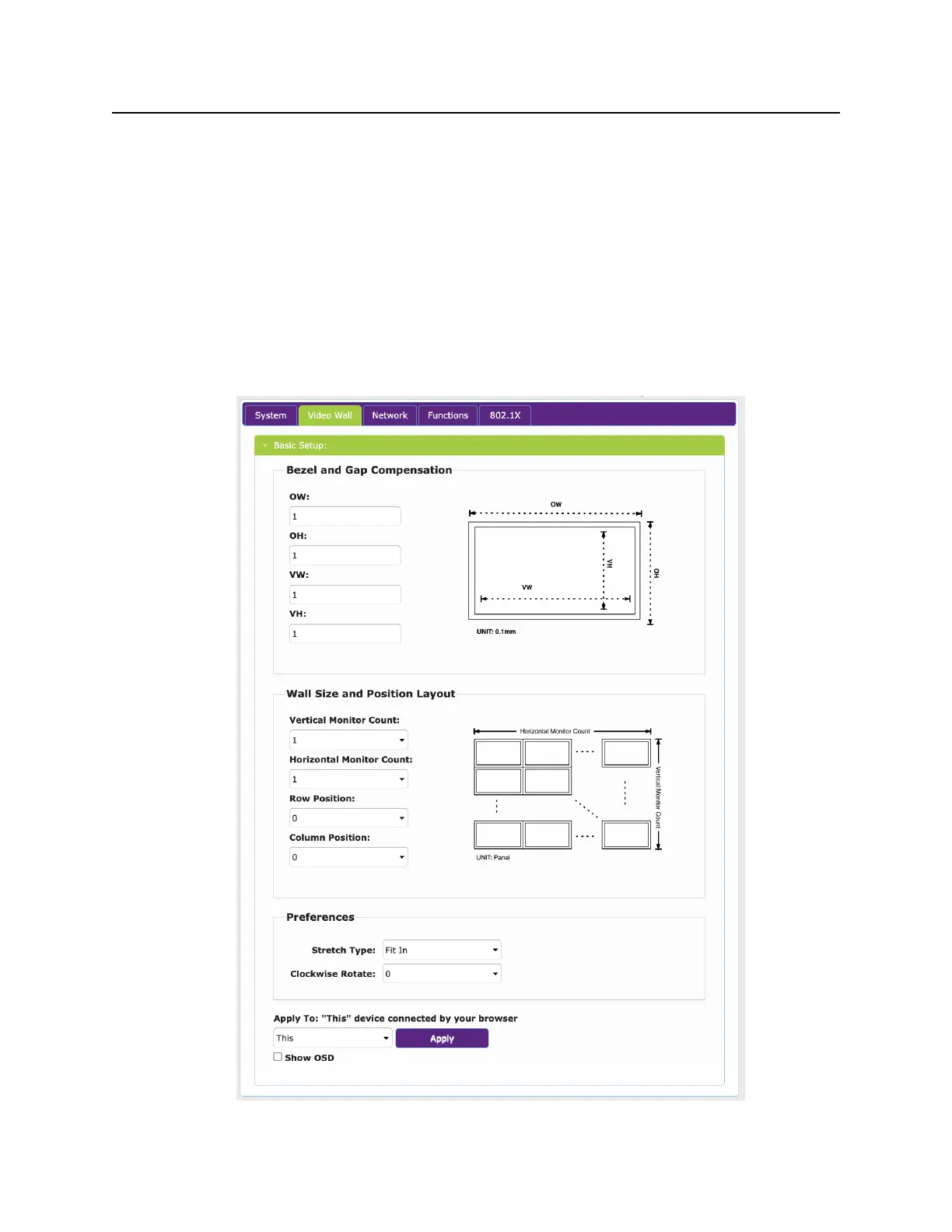
Video Wall Tab
The Video Wall tab is available on the Decoder side only. It allows you to set the size/
configuration of a Video wall and select what display this decoder represents in the wall.
Horizontal and Vertical Monitor Count determine the video wall size.
Row Position and Column position determine location in the wall. Note that location 0,0 is the
Top Left most position.
Preferences allows you to modify positioning and rotate the image in the wall if desired.
Bezel and Gap Compensation allow modification of borders to correct for display bezels.


 To Next Page