Setting up ZyPerUHD60
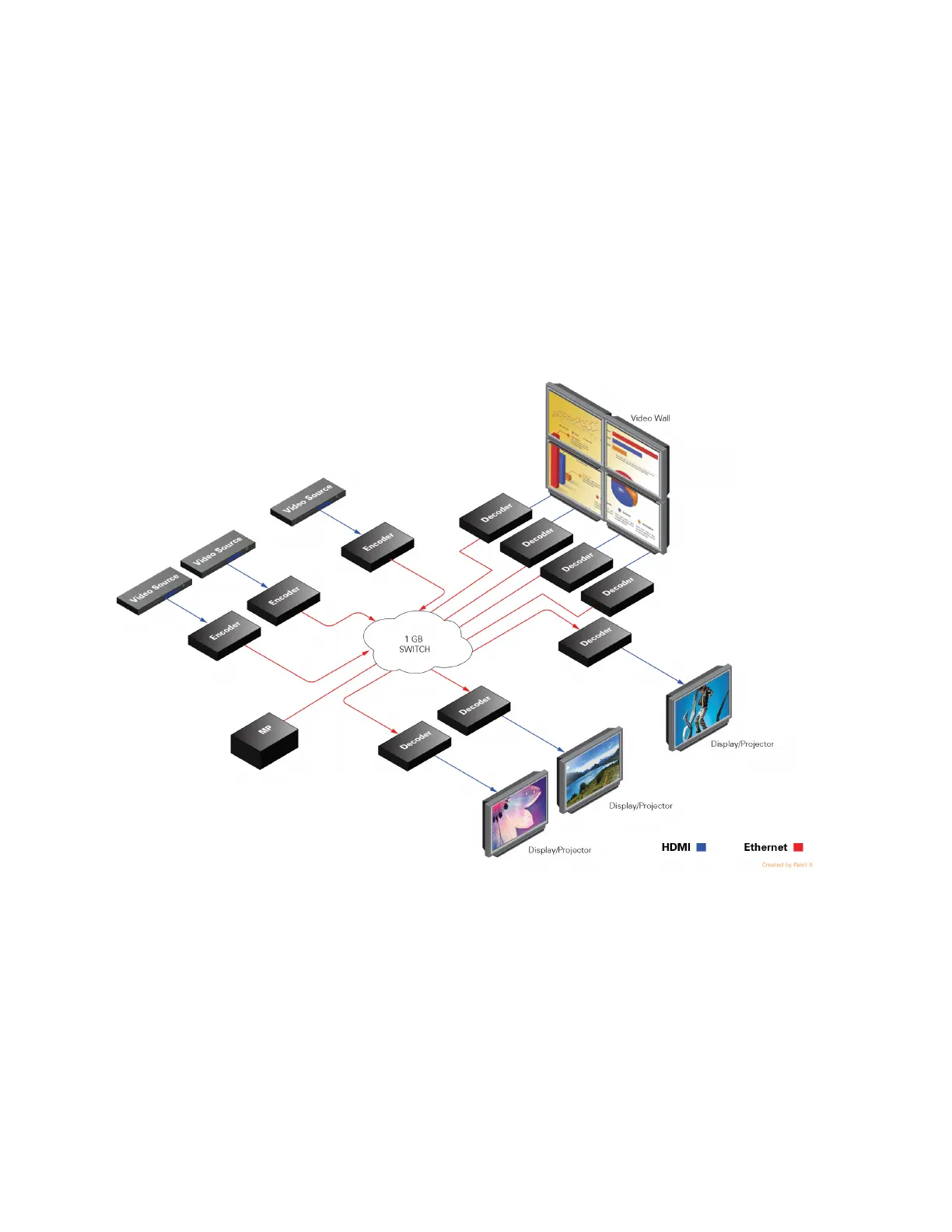
A many to many, or switched environment involves connecting many sources to many displays.
ZyPerUHD60 allows you a flexible and scalable amount of input-output options without
limitations.
#
For example, in a 24-port configuration, you can configure a 1x23, 6x18, or 4x20 (and so on)
system. A network switch is needed in these many to many configurations. These environments
also require configuration through the ZyPerUHD management software.
To set up ZyPerUHD60 in a many to many environment, you have to:
•
Install ZyPerUHD60 management software (Optional in some configurations)
•
Connect all Encoders and Decoders to the 1Gb network switch
•
Switch (or route) video from sources to displays


 To Next Page