Power Save Mode
The ZyPerUHD60 decoders can be put into a power save mode when not receiving an active
stream. By default when not receiving a video stream the decoder will output a backsplash
screen indicating no source found. This can be disabled by entering power saving mode. This
will disable all video output.
Note: This functionality is often needed when connecting a ZyPerUHD60 decoder to a Zoom or
Teams room hardware. These devices require the decoder output to completely discontinue
output after a call is ended.
The command is found in the ZyPer Management Platform User Guide.
Syntax
set decoder id powerSave arg
id is the identification of the Decoder
arg is the argument. Either enabled or disabled.
Examples:
set decoder UHD60dec powerSave enabled
set decoder UHD60dec powerSave disabled
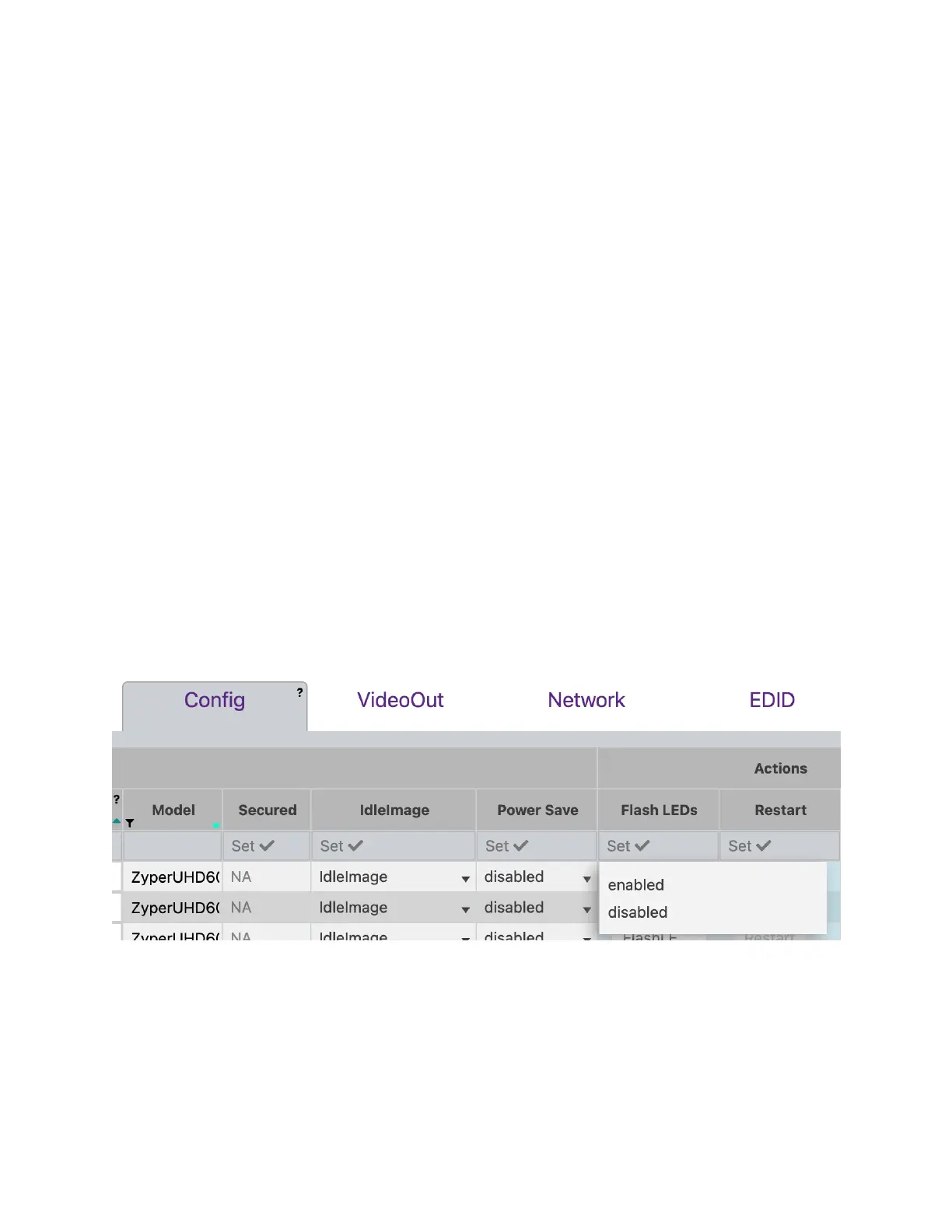
Power Save mode can also be set using the ZyPer Management Platform GUI. (Version 3.0 or
greater) The setting can be found in the Display Grid - Config Tab.


 To Next Page