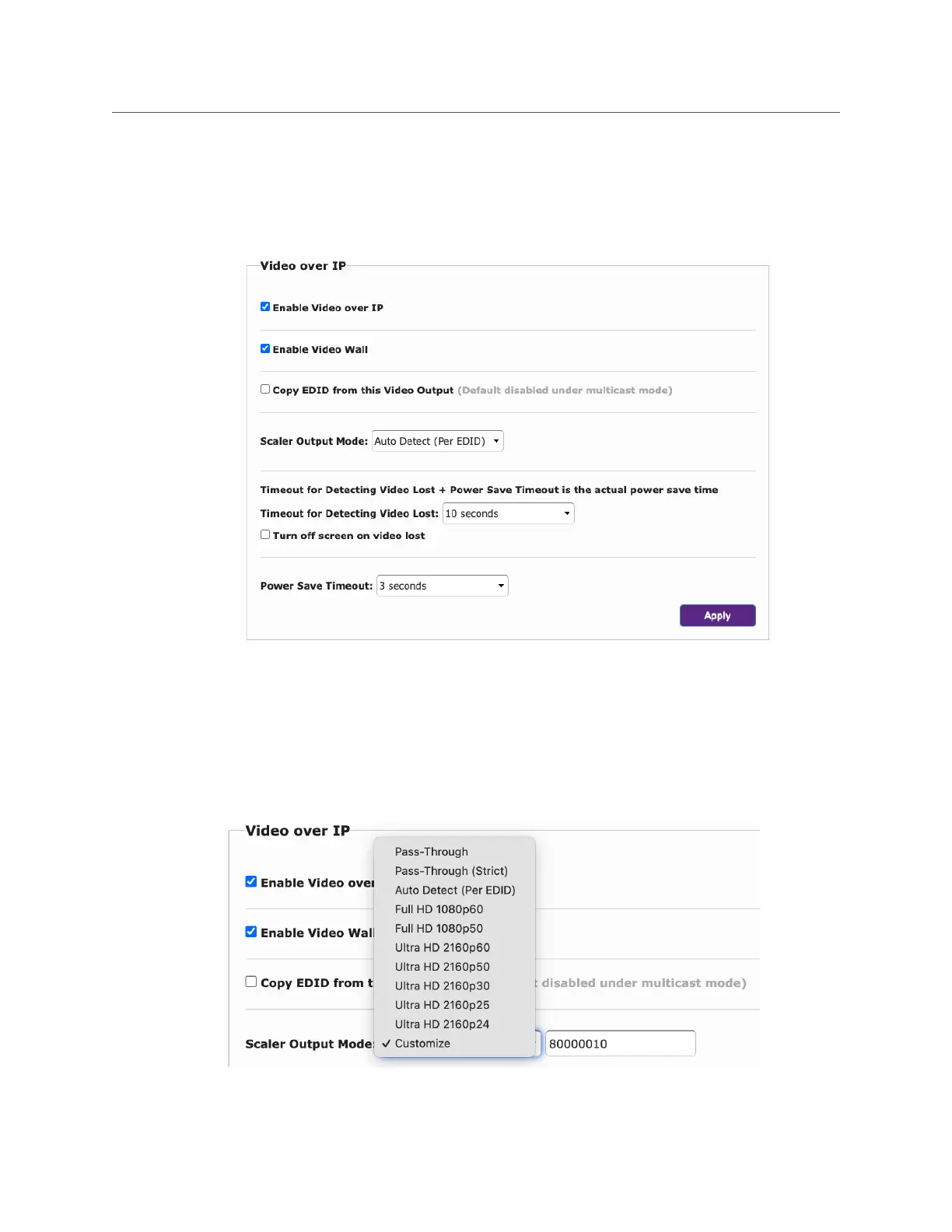
Video over IP
The Video over IP section allows the user to enable or disable certain features. Note that most
changes will require a reboot of the encoder/decoder before being implemented.
Turn off screen feature will cause decoder to not output the “Source Not Found” screen.
Scaler Output Mode: This feature is used to set the output resolution from the UHD60 Decoder.
Default is to use resolution specified by the display EDID. “Auto Detect (Per EDID)”.
The user can manually select other options to force the decoder to ignore the display EDID.


 To Next Page