Carl Zeiss Axiotech and Axiotech
vario
2-12 B 40-020 e 06/99
• Fix condenser in position with the clamping screw (2-13/4) and move it close to the uppermost stop
position via the condenser drive (2-13/2).
☞
Section 1.6 contains an overview of condensers available for the Axiotech.
The maximum specimen height for use of stage carrier D is 39 mm.
2.8
Attachment, change and centering of the microscope stage
When delivered, the microscope is factory-aligned in accordance with the order. The possibly required
change of the stage between reflected-light and transmitted-light applications is described below.
2.8.1
Axiotech 30 and Axiotech 100 with
stage carrier A
• Slightly tilt the microscope stand backwards.
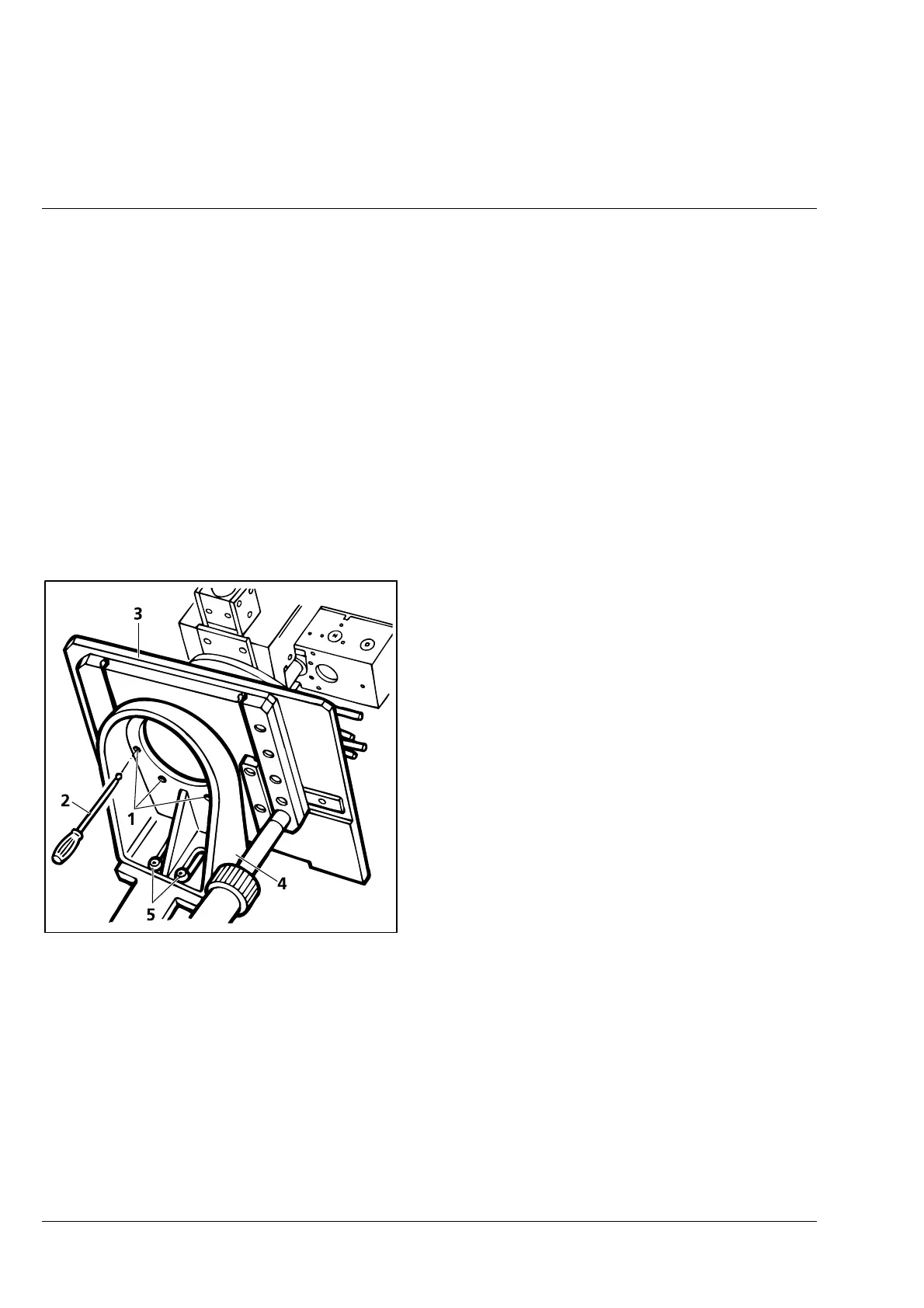
• Loosen four hexagonal screws (2-14/1) on the
stage carrier A using the SW3 ball-headed
screwdriver (2-14/2).
• Remove microscope stage (2-14/3) and replace
it with another stage.
• Screw the suitable specimen holder on the
microscope stage.
☞
Stage carrier A (2-14/4) remains attached. For specimens which are higher than 25 mm, the
stage carrier can be lowered after loosening the two screws (2-14/5). The maximum lowering
range is 24.5 mm, i.e. the specimen area is increased to the maximum specimen height of
49.5 mm.
Fig. 2-14 Attachment/change of microscope
stage (configuration with stage
carrier A)



 To Next Page