EasyManua.ls Logo

Zenith C32V37 - Set-top Box Hookup

Zenith C32V37
64 pages
Print Icon
To Next Page IconTo Next Page
To Previous Page IconTo Previous Page
Loading...
PAGE 13
206-03890
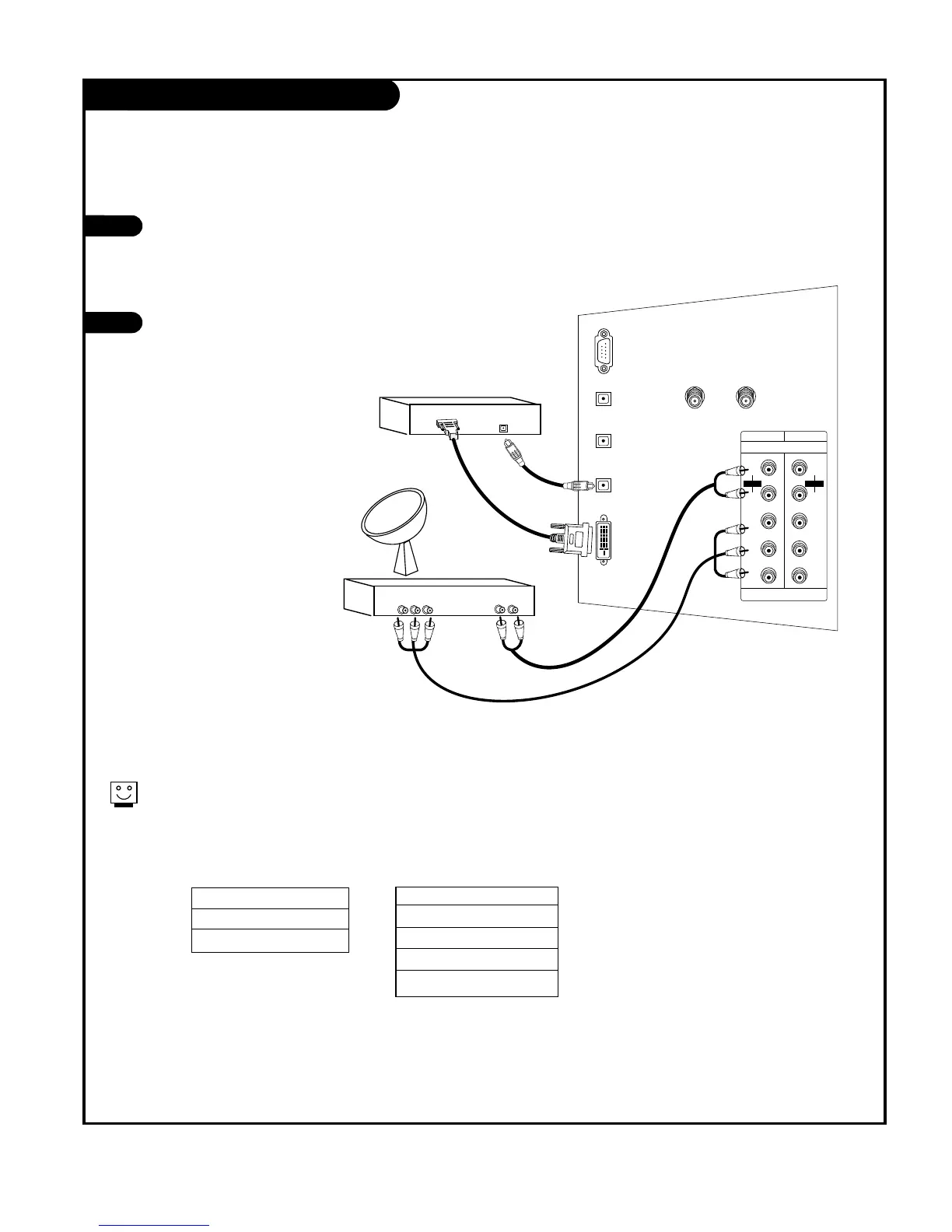
Set-top box Hookup
Find the audio and Y, PB, PR jacks or DVI
output port on the back of your set-top
box and connect them following the
instructions provided with your equip-
ment.
Connect these cables to your TV as
shown.
1
2
Digital Audio
Optical Output
Audio
L R
Component Out
Y Pb Pr
CALIBRATION
DIGITAL
AUDIO OUTPUT
OPTICAL
ANTENNA 1 ANTENNA 2
DVI-HDTV INPUT
DIGITAL
AUDIO INPUT1
OPTICAL
(COMPONENT1)
DIGITAL
AUDIO INPUT2
OPTICAL
(DVI)
DVD/DTV INPUT
P
R
COMPONENT1
(480i/480p/720p/1080i)
COMPONENT2
PB
Y
L
R
AUDIO
P
R
PB
Y
L
R
AUDIO
+75 +75
Set-top Box
Set-top Box
The DTV shows the sharpest picture in 720p/1080i mode.
1920x1080i
1280x720p
720x480p
DVI
or
Component 1 (or 2) Input
Y PB PR
1920X1080i
1280X720p
720X480p
720X480i

Other manuals for Zenith C32V37

Related product manuals