PAGE 22
206-03890
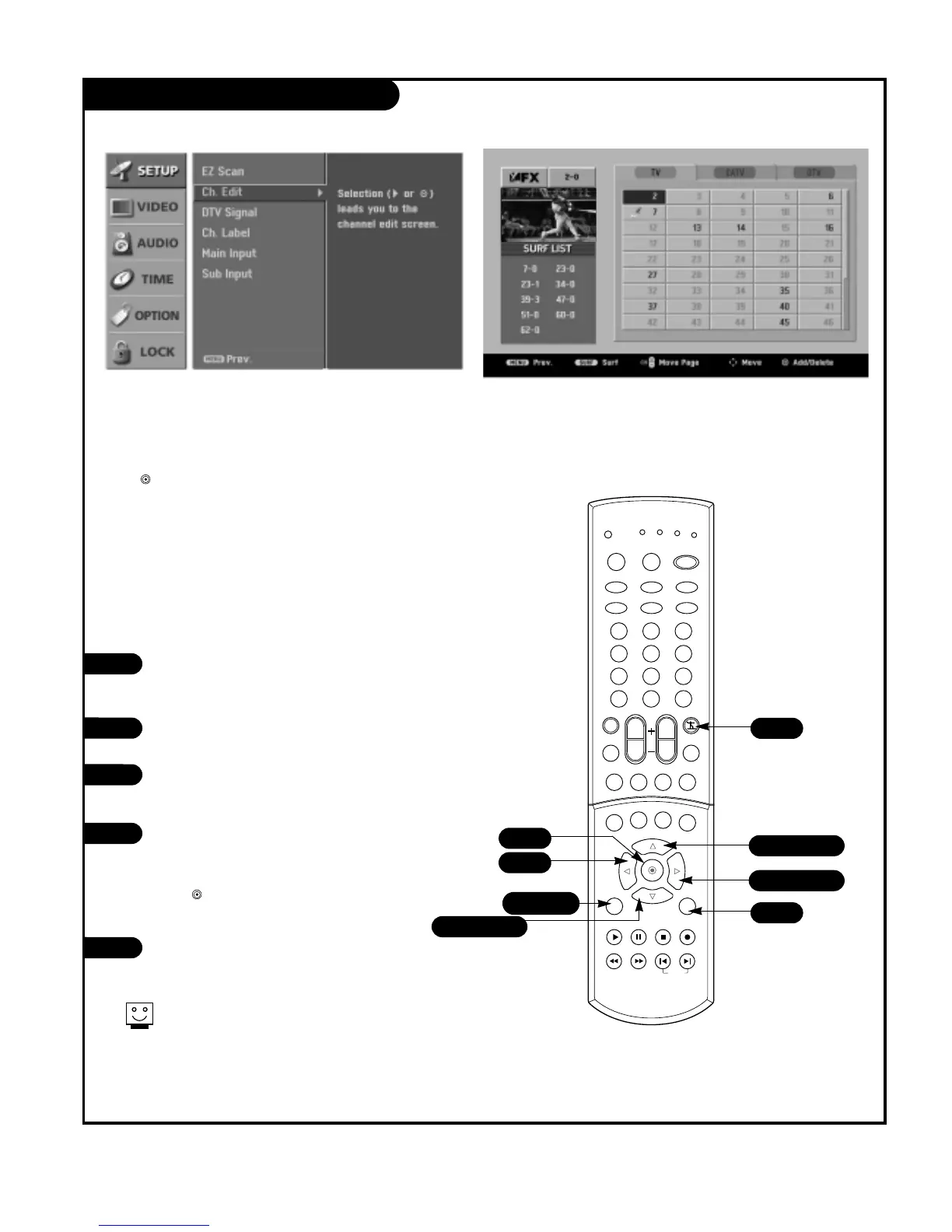
Channel Edit
Create two different types of channel lists in memory: “Custom
list” and “Favorite channel list” from the default channel list
made in the EZ SCAN menu.
A custom list can be created by toggling each channel on or off
with (Enter). Once a channel is highlighted, you will be able to
see whether the channel is currently added or deleted by referring
to the small window at the top-left corner of the screen.
You can create your own Favorite channel list with up to 10
channels. It appears at the bottom-left corner of the screen.
Use the Surf button on the remote control when a channel is
highlighted, to add or delete the channel in the Favorite channel
list.
Press the MENU button on the remote
control, then use the UP/DOWN arrow
button to select the Setup menu.
Press the RIGHT arrow button to access
the Setup menu.
Use the UP/DOWN arrow button to select
CH.Edit and then press the RIGHT arrow
button.
You will now see a screen filled with
channel numbers and a preview picture.
Use the UP/DOWN and LEFT/RIGHT arrow
button to select a channel, then use
the button to add or delete it. Press
SURF to add the channel to the Surf List.
Press EXIT button to return to TV viewing
or press MENU button to return to the
previous menu.
3
4
5
2
1



 To Next Page