PAGE 43
206-03890
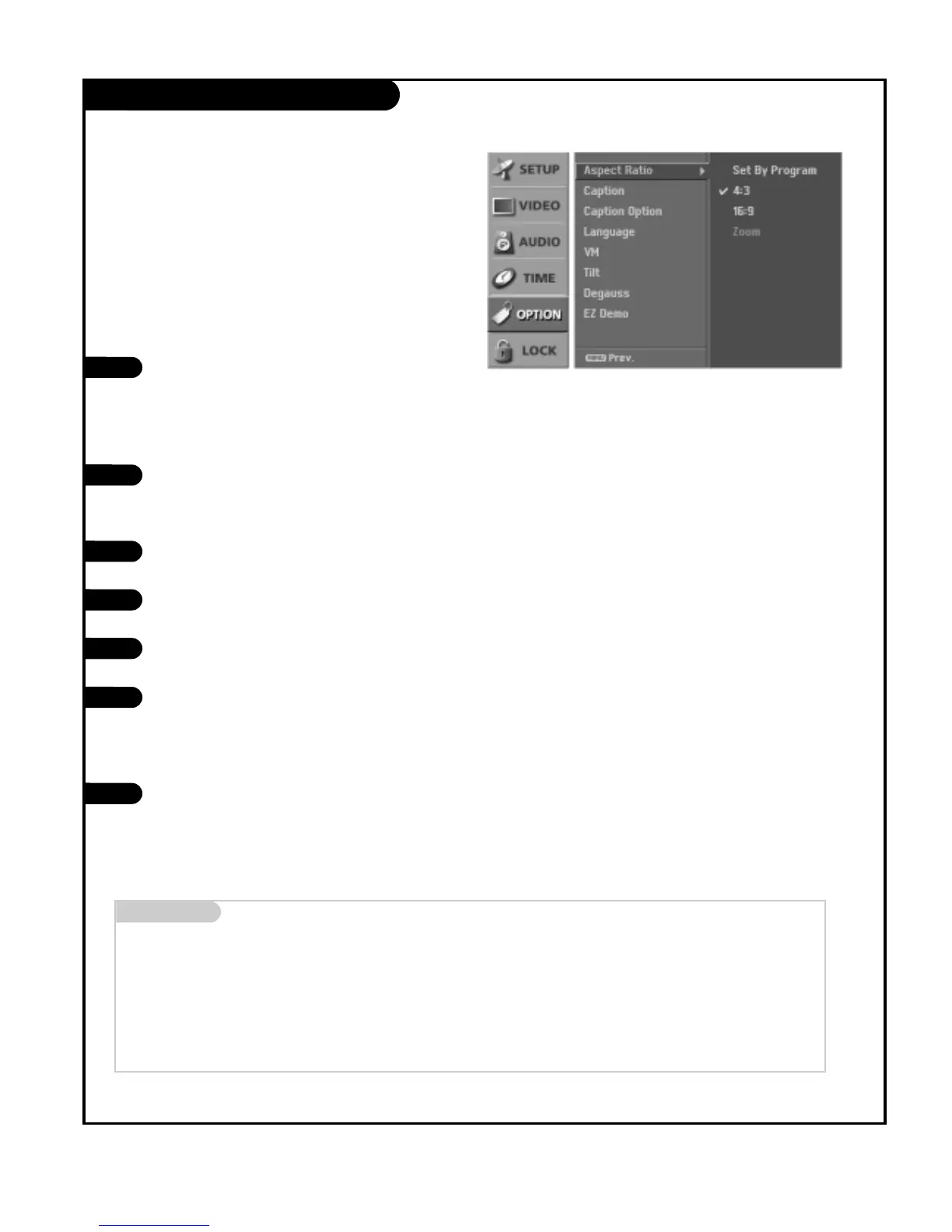
Aspect Ratio Control
Press the MENU button on the remote control, then use
the UP/DOWN arrow button to select the Option menu.
Press the RIGHT arrow button to go to the Option
menu.
Use the UP/DOWN arrows to choose the Aspect Ratio
option, then press the RIGHT arrow button.
Use the UP/DOWN arrow button to select the desired
picture format. Your options are: Set By Program, 4:3,
16:9, and Zoom.
Press EXIT button to return to TV viewing or press
MENU button to return to the previous menu.
1
2
3
4
5
Use the RATIO button to select the desired picture for-
mat.
Each press of the RATIO button changes the picture for-
mat. Your options are: Set By Program, 4:3, 16:9, and
Zoom.
Press EXIT to save and return to TV viewing.
1
2
Using the RATIO button
Using the menu
Mini glossary
Set By Program Selects the proper picture proportion to match the source’s image. (4:3 → 4:3, 16:9 → 16:9)
4:3 Choose when you want to view a picture with an original 4:3 aspect ratio,
16:9 Choose when you want to adjust the picture horizontally, with black bars appearing at both the up and down sides.
Zoom Choose when you want to view the picture without any alteration. However, the top and bottom portions of the picture will be
cropped.
Set every aspect ratio for DVI DTV 720p/1080i source.
Use Set By Program, 4:3, or 16:9 for other input sources.



 To Next Page