PAGE 25
206-03890
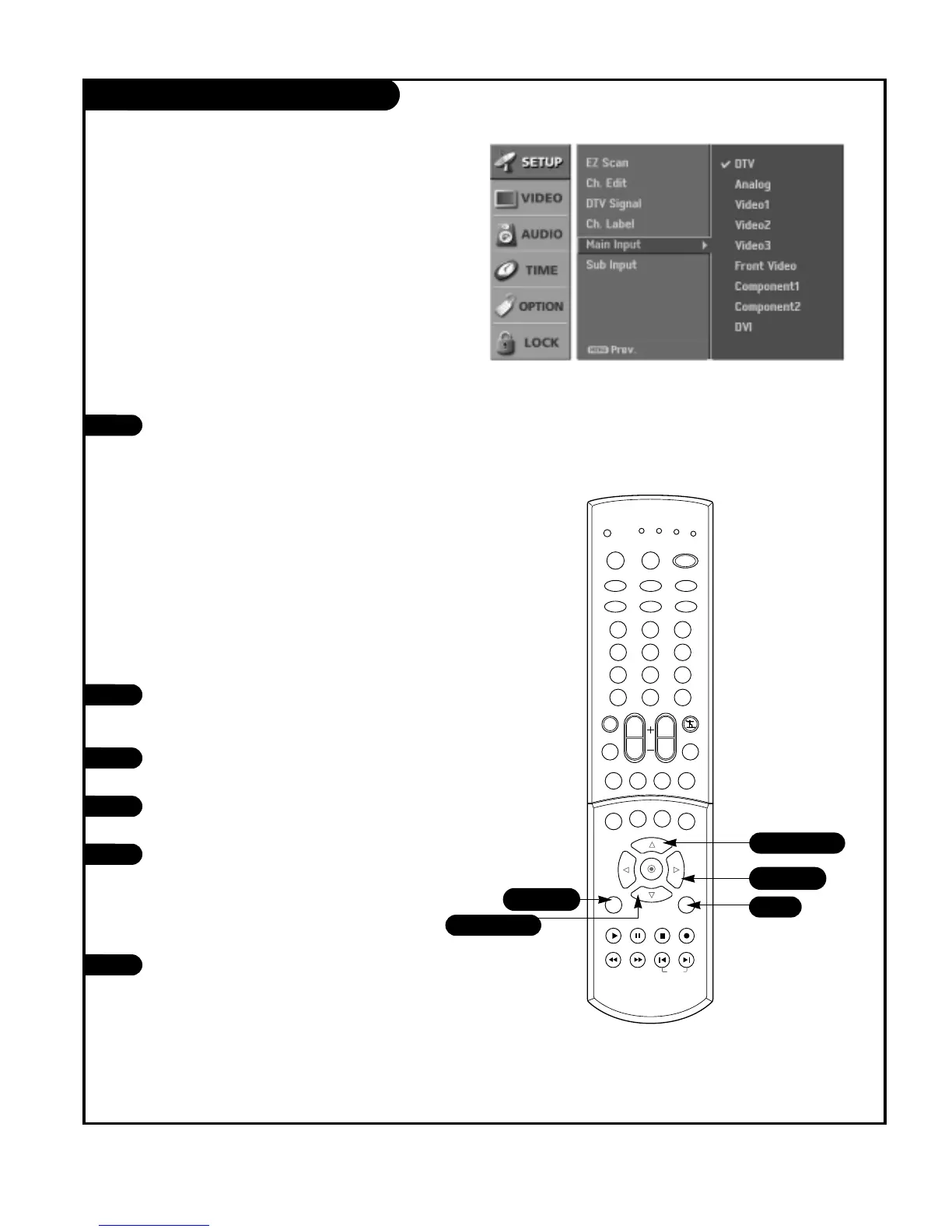
Main Picture Source Selection
1
2
Press the MENU button on the remote
control, then use the UP/DOWN arrow
button to select the Setup menu.
Press the RIGHT arrow button to access
the Setup menu.
Use the UP/DOWN arrows to select the
Main Input option.
Press the RIGHT arrow to access the Main
Input menu, then use the UP/DOWN arrow
button to select the source. Your Main
picture source options are : DTV, Analog,
Video 1, Video 2, Video 3, Front video,
Component 1, Component 2, and DVI.
Press EXIT button to return to TV viewing
or press MENU button to return to the
previous menu.
3
4
5
Note: This TV is equipped with Picture-in-Picture. Select a
viewing source for the main picture on this page and
select a viewing source for the PIP picture inset on the
following page.
Changes the picture source for the main screen so you
can watch your off-air TV, cable TV, VCR, DVD, or any
other devices that are connected to your TV.
1/5
2/4
5
1/3/4
1/3/4
Using the menu
1
Use the TV/VIDEO, FRONT, and COMP/DVI
button to select the input source.
Each time you press TV/VIDEO button, you
toggle between DTV, Analog, Video 1, Video
2, Video 3, Front Video, Component 1,
Component 2, and DVI.
Each time you press FRONT button, you
toggle between connected Front Video
sources.
Each time you press COMP/DVI button, you
toggle between Component 1, Component
2, and DVI.
Using the TV/VIDEO, FRONT, and COMP/DVI button



 To Next Page